
This module, intended for use with Apache Isis, provides an implementation of Isis'
CommandService API that enables action invocations (`Command`s) to be persisted using Isis' own (JDO) objectstore.
This supports two main use cases:
-
profiling: determine which actions are invoked most frequently, what is the elapsed time for each command)
-
enhanced auditing: the command represents the "cause" of a change to the system, while the related Audit module captures the "effect" of the change. The two are correlated together using a unique transaction Id (a GUID).
In addition, this module also provides an implementation of the BackgroundCommandService API. This enables
commands to be persisted but the action not invoked. A scheduler can then be used to pick up the scheduled background
commands and invoke them at some later time. The module provides a subclass of the BackgroundCommandExecution class
(in Isis core) to make it easy to write such scheduler jobs.
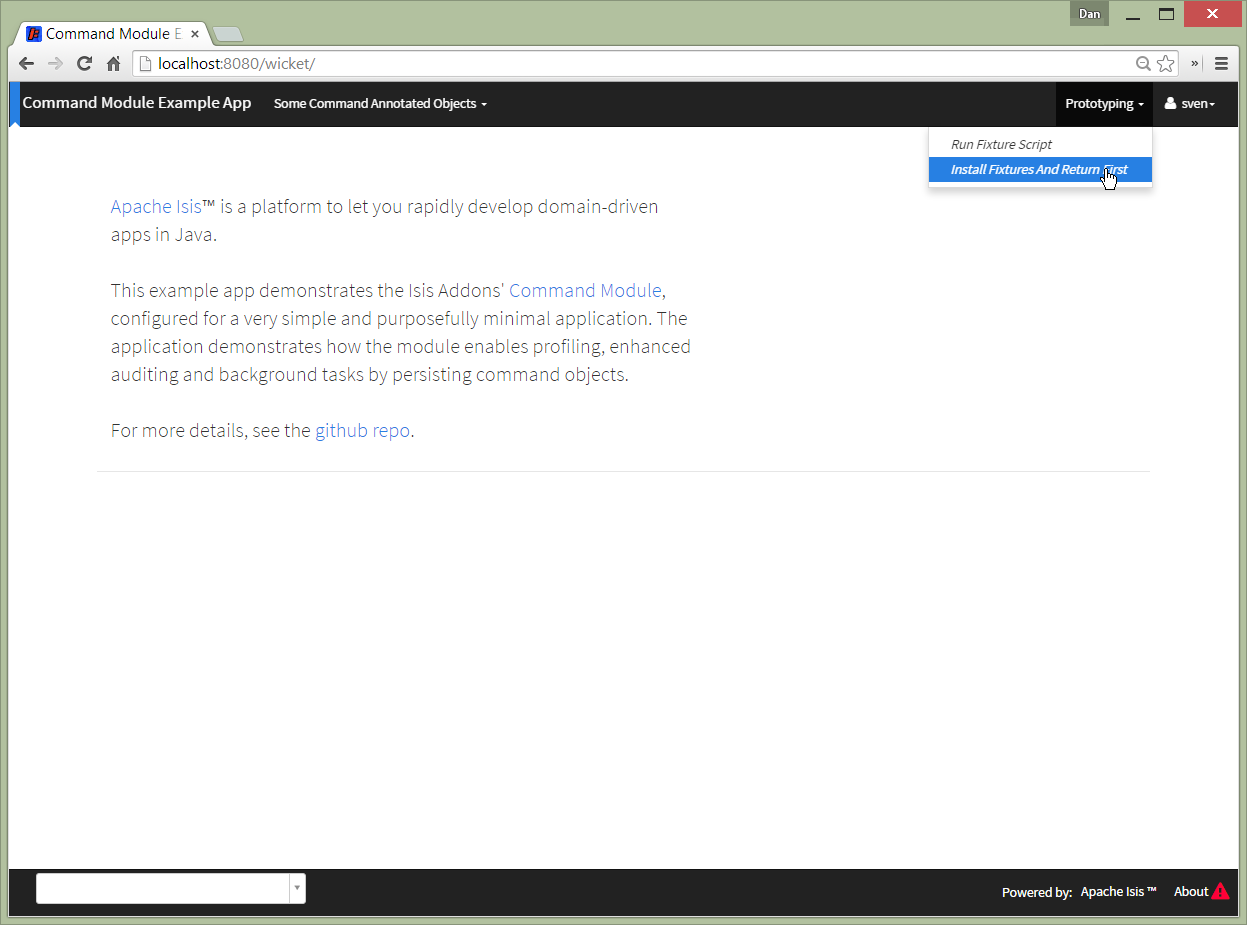
The following screenshots show an example app’s usage of the module.
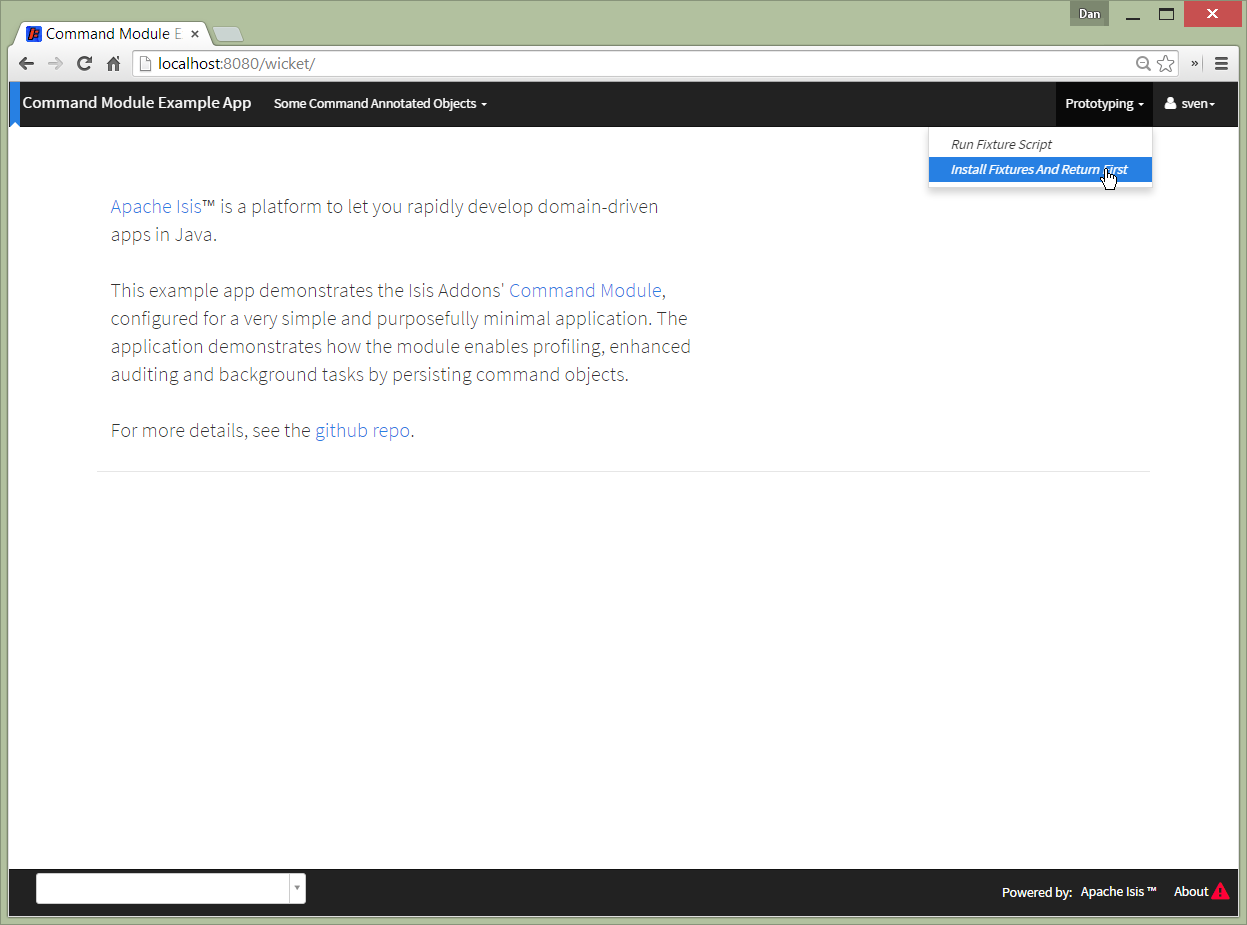
Commands can be associated with any object (as a polymorphic association utilizing the BookmarkService), and so the
demo app lists the commands associated with the example entity:
In the example entity the changeName action is annotated with @Action(command=CommandReification.ENABLED):
@Action(
        semantics = SemanticsOf.IDEMPOTENT,
        command = CommandReification.ENABLED
)
public SomeCommandAnnotatedObject changeName(final String newName) {
    setName(newName);
    return this;
}
which means that when the changeName action is invoked with some argument:
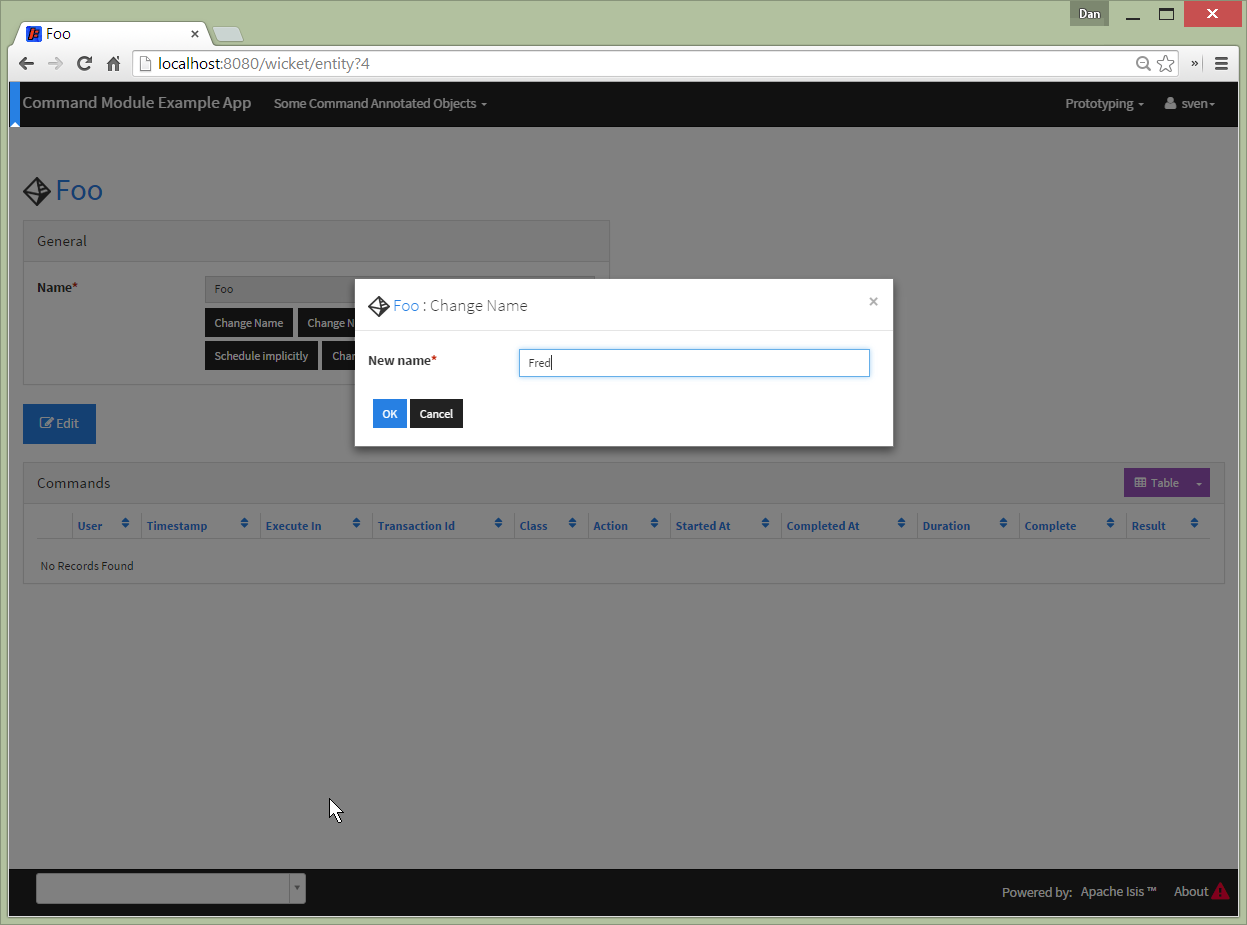
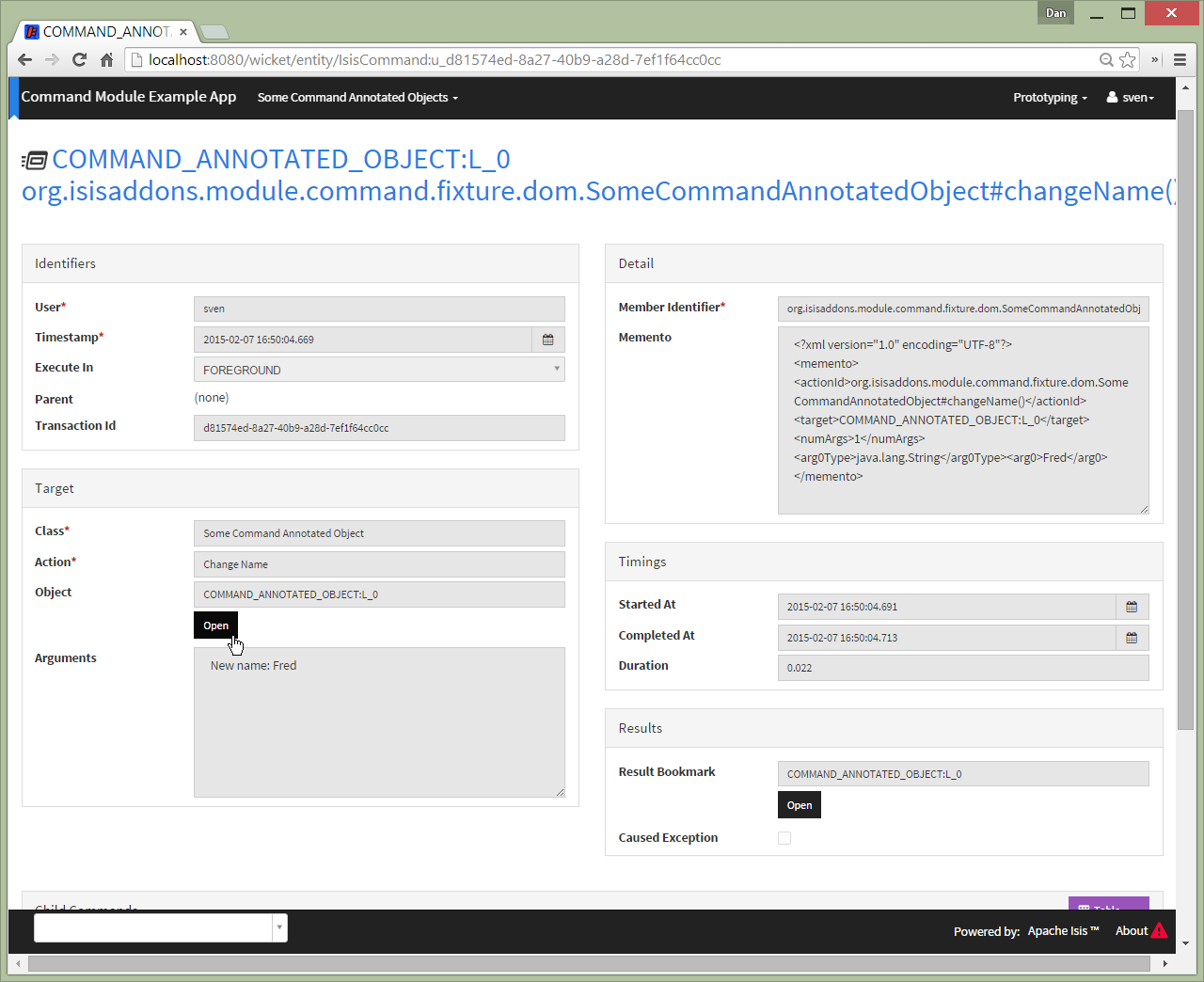
then a command object is created:

identifying the action, captures the target and action arguments, also timings and user:
Commands are also the basis for Isis' support of background commands. The usual way to accomplish this is to call Isis'
BackgroundService:
@Action(
        semantics = SemanticsOf.IDEMPOTENT,
        command = CommandReification.ENABLED
)
@ActionLayout(
        named = "Schedule"
)
public void changeNameExplicitlyInBackground(
        @ParameterLayout(named = "New name")
        final String newName) {
    backgroundService.execute(this).changeName(newName);
}
In the screenshots below the action (labelled "Schedule" in the UI) is called with arguments:
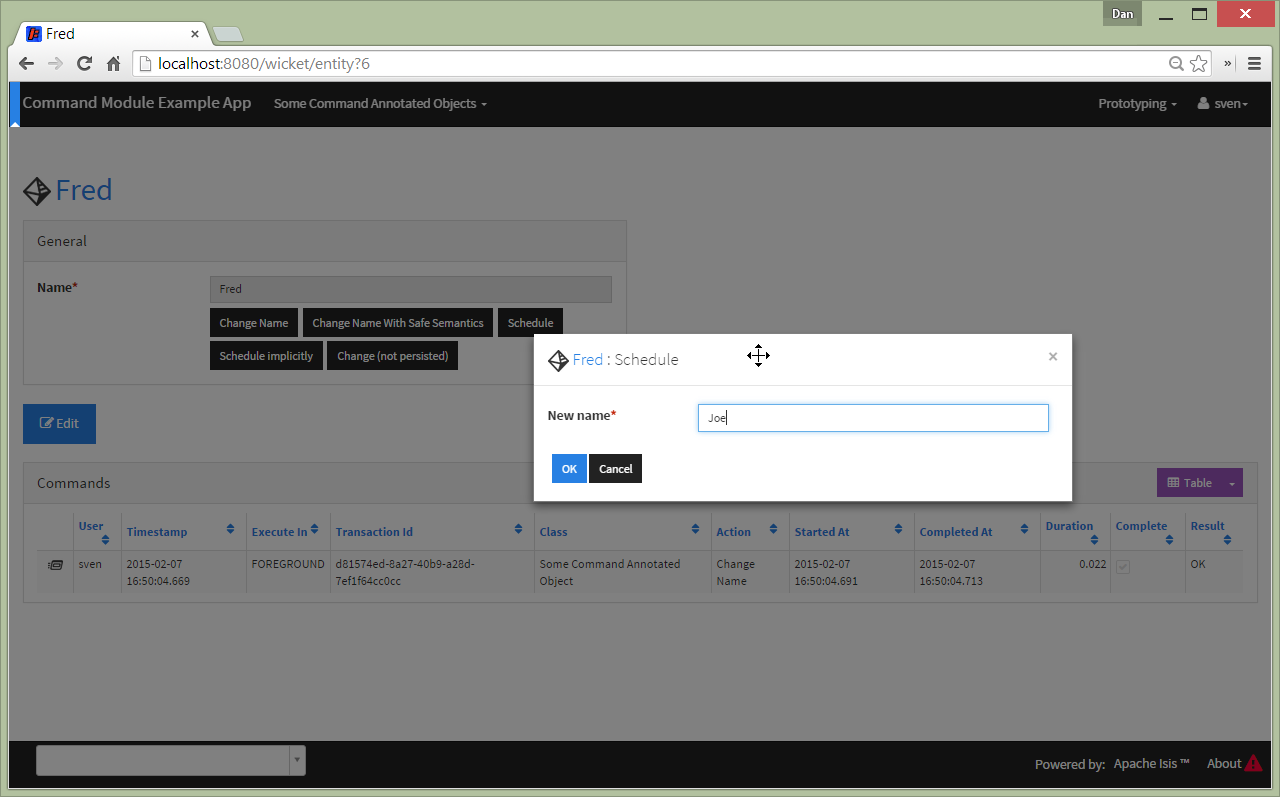
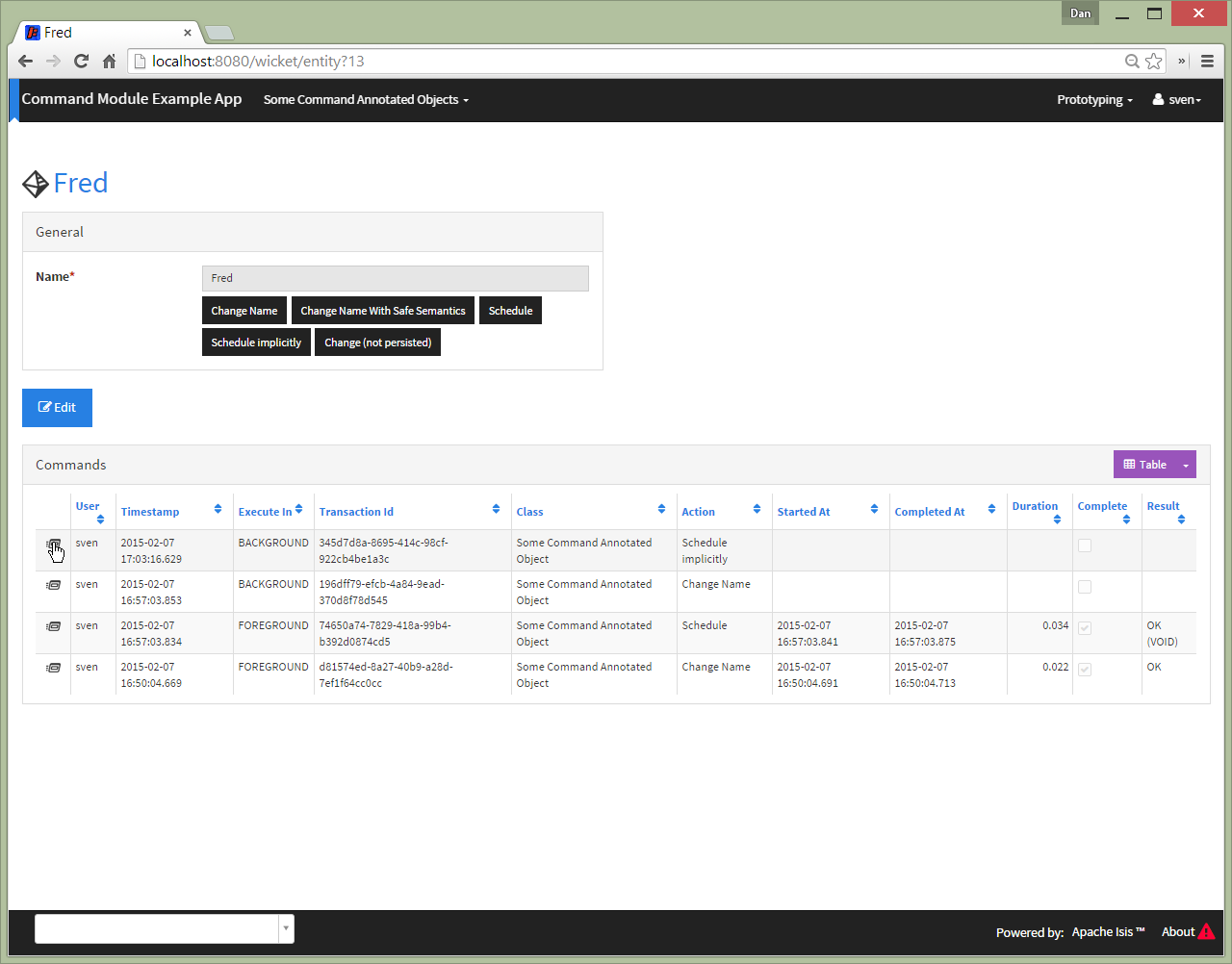
This results in two persisted commands, a foreground command and a background command:
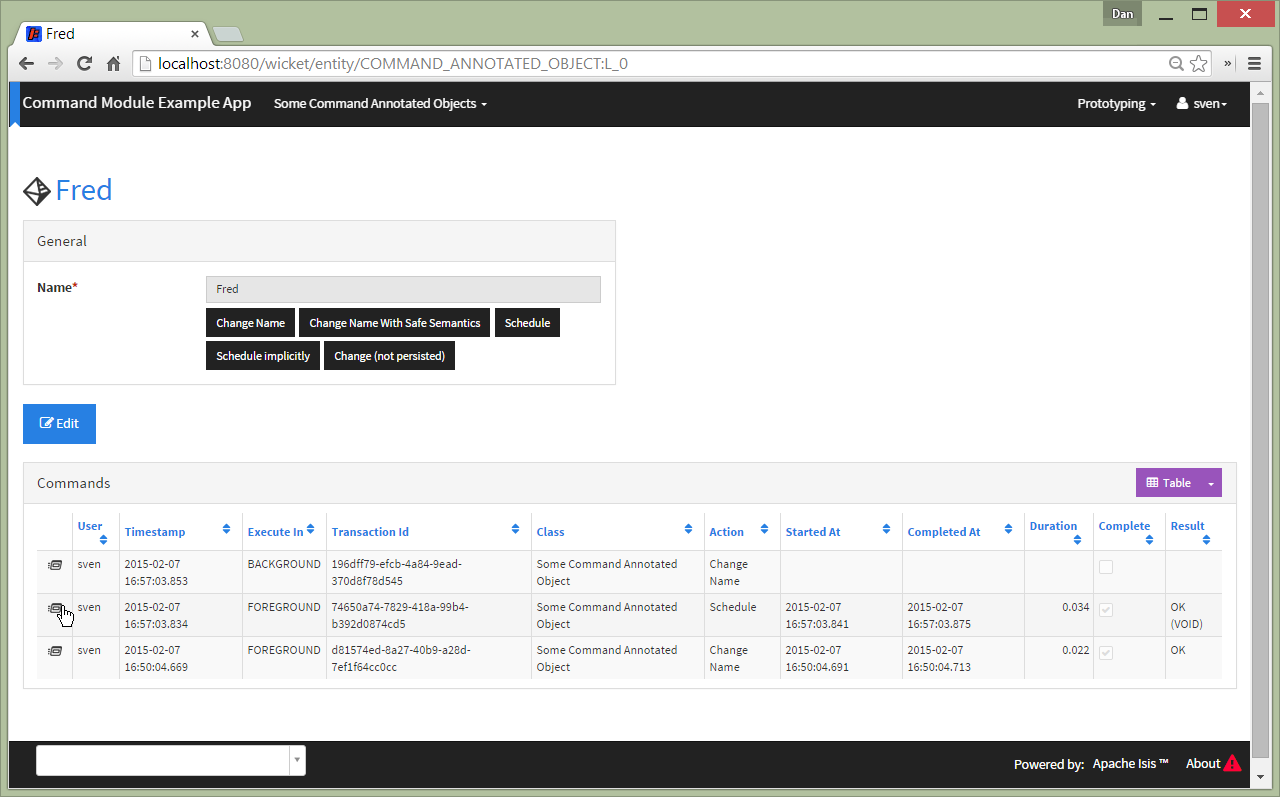
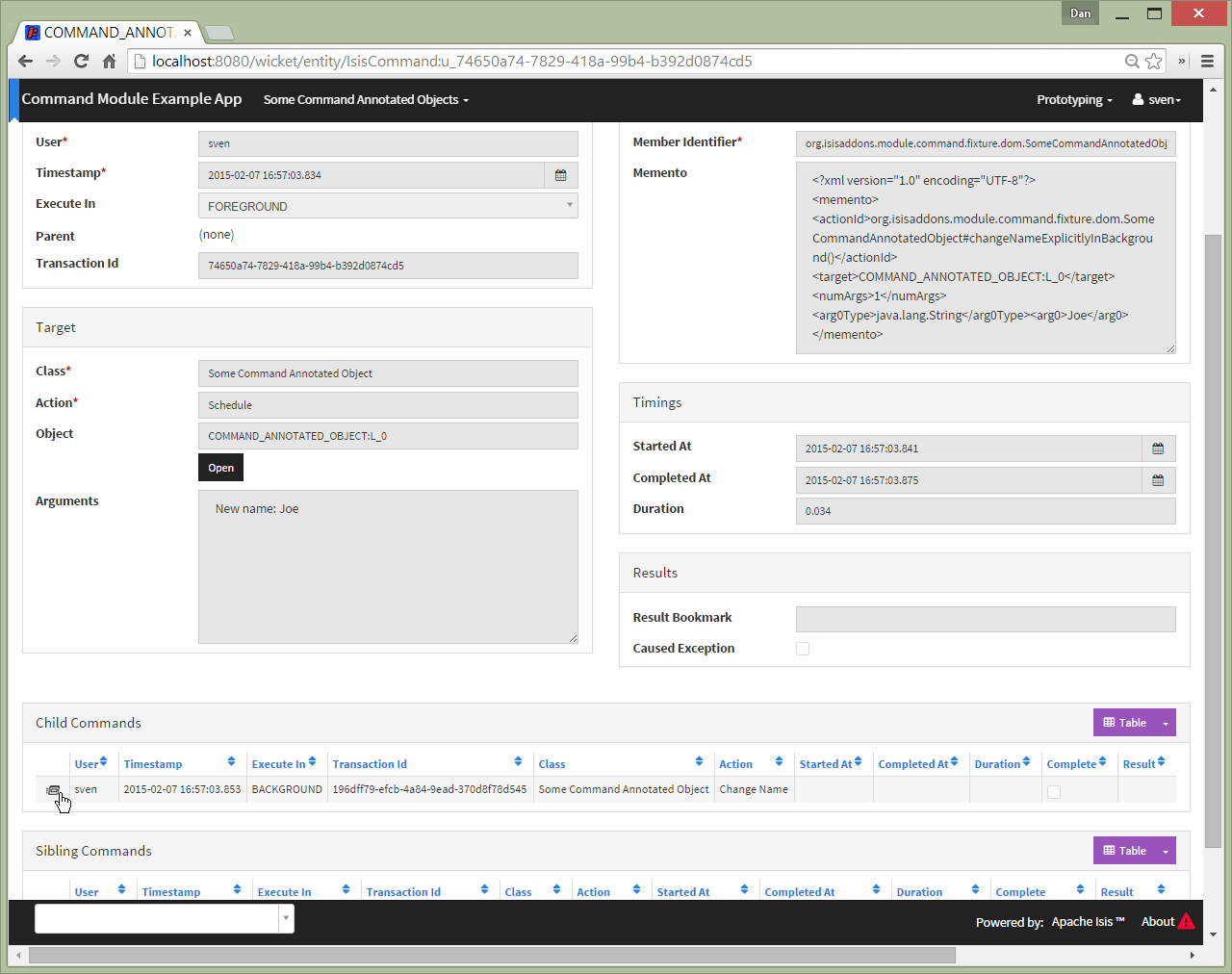
The foreground command has been executed:
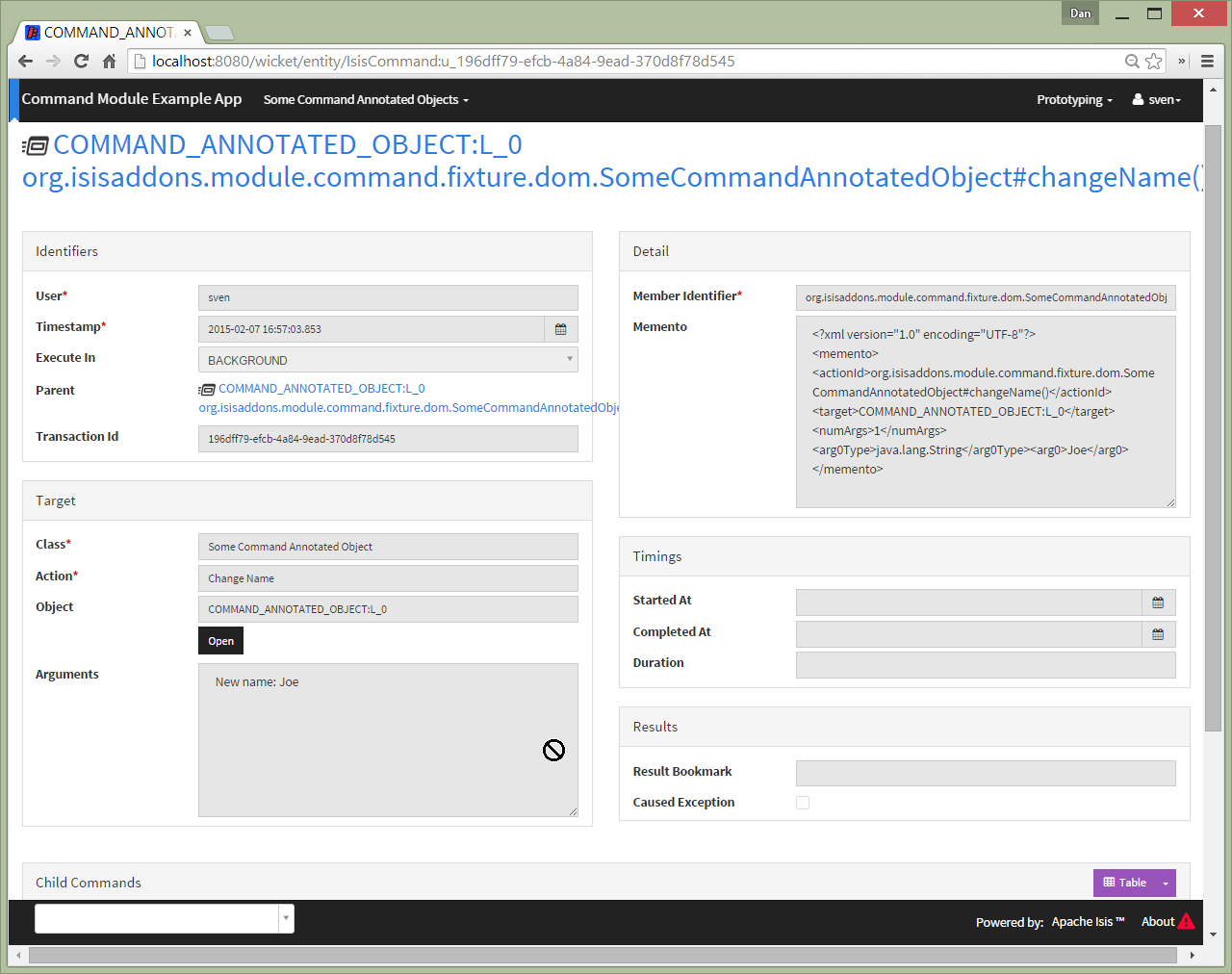
The background command has not (yet):
The background command can then be invoked through a separate process, for example using a Quartz Scheduler. The module
provides the BackgroundCommandExecutionFromBackgroundCommandServiceJdo class which can be executed periodically to
process any queued background commands; more information below.
The other way to create background commands is implicitly, using @Action(commandExecuteIn=CommandExecuteIn.BACKGROUND):
@Action(
        semantics = SemanticsOf.IDEMPOTENT,
        command = CommandReification.ENABLED,
        commandExecuteIn = CommandExecuteIn.BACKGROUND
)
@ActionLayout(
        named = "Schedule implicitly"
)
public SomeCommandAnnotatedObject changeNameImplicitlyInBackground(
        @ParameterLayout(named = "New name")
        final String newName) {
    setName(newName);
    return this;
}
If invoked Isis will gather the arguments as usual:
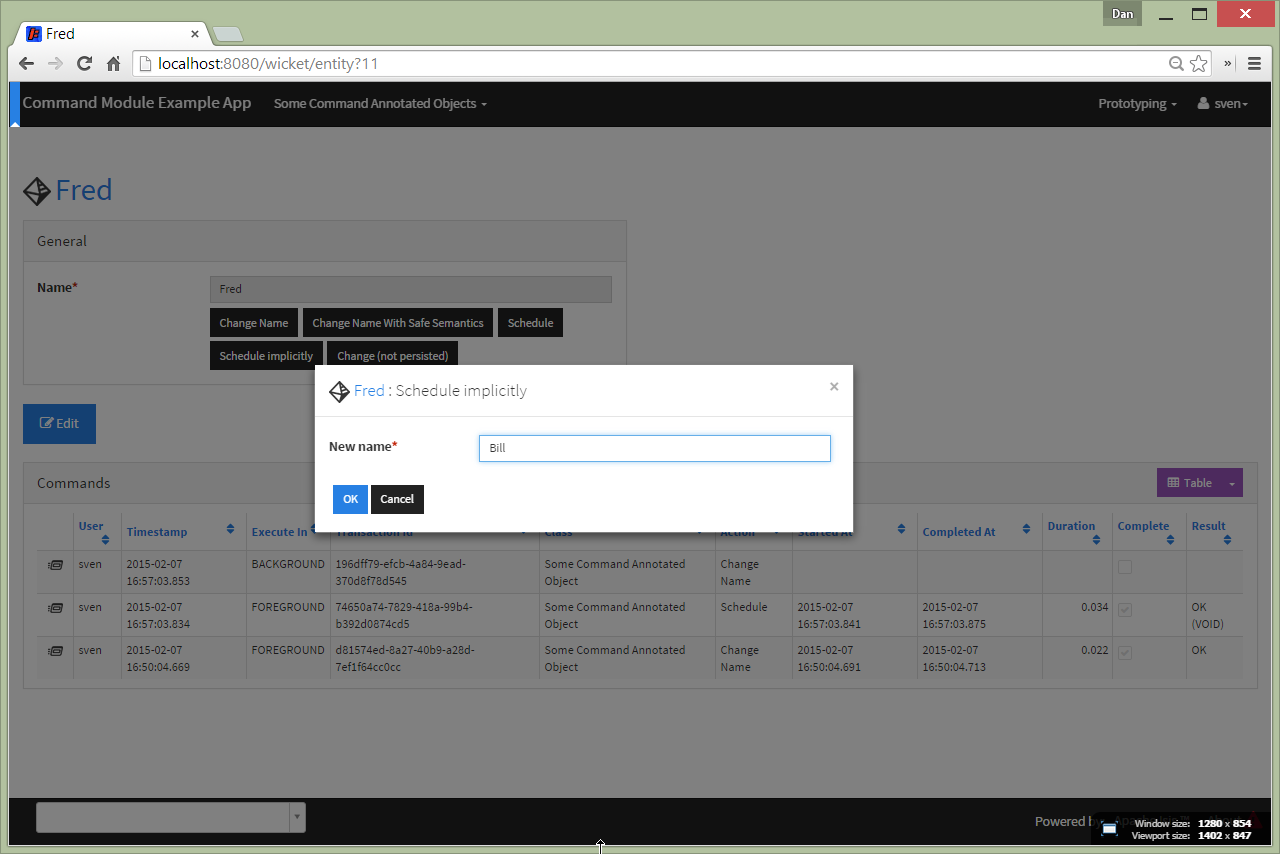
but then does not invoke the action, but instead creates the and returns the persisted background command:
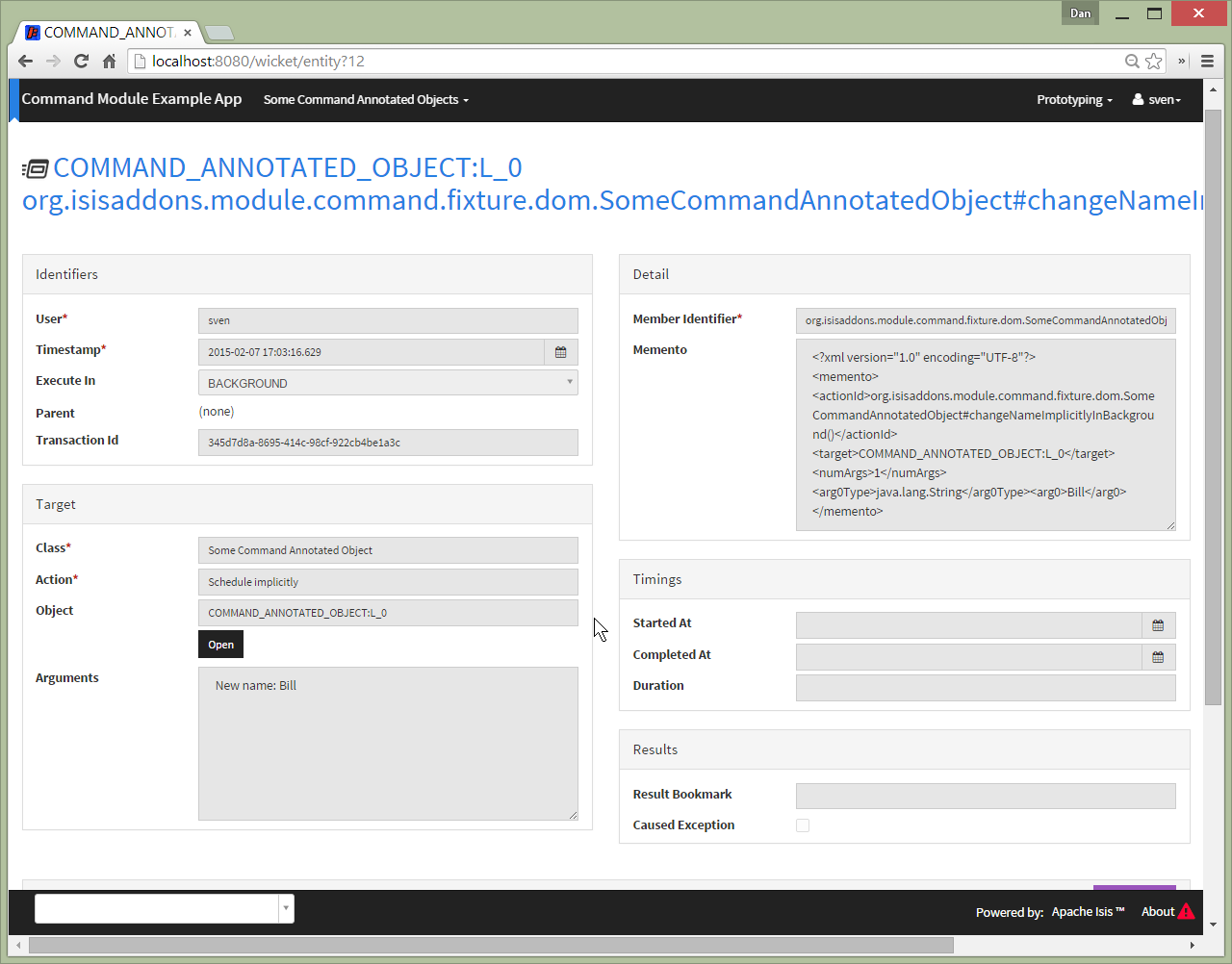
As the screenshot below shows, with this approach only a single background command is created (no foreground command at all):
The prerequisite software is:
-
Java JDK 8 (>= 1.9.0) or Java JDK 7 (>= 1.8.0)
-
note that the compile source and target remains at JDK 7
-
-
maven 3 (3.2.x is recommended).
To build the demo app:
git clone https://github.com/isisaddons/isis-module-command.git
mvn clean install
To run the demo app:
mvn antrun:run -P self-hostThen log on using user: sven, password: pass
Isis Core 1.6.0 included the org.apache.isis.module:isis-module-command-jdo:1.6.0 Maven artifact. This module is a
direct copy of that code, with the following changes:
-
package names have been altered from
org.apache.isistoorg.isisaddons.module.command -
the
persistent-unit(in the JDO manifest) has changed fromisis-module-command-jdotoorg-isisaddons-module-command-dom -
a copy-n-paste error in some of the JDO queries for
CommandJdohave been fixed
Otherwise the functionality is identical; warts and all!
Isis 1.7.0 (and later) no longer ships with org.apache.isis.module:isis-module-command-jdo; use this addon module instead.
You can either use this module "out-of-the-box", or you can fork this repo and extend to your own requirements.
To use "out-of-the-box":
-
update your classpath by adding this dependency in your dom project’s
pom.xml:<dependency> <groupId>org.isisaddons.module.command</groupId> <artifactId>isis-module-command-dom</artifactId> <version>1.14.0</version> </dependency>
-
if using
AppManifest, then update itsgetModules()method:@Override public List<Class<?>> getModules() { return Arrays.asList( ... org.isisaddons.module.command.CommandModule.class, ); }
-
otherwise, update your
WEB-INF/isis.properties:isis.services-installer=configuration-and-annotation isis.services.ServicesInstallerFromAnnotation.packagePrefix= ...,\ org.isisaddons.module.command.dom,\ ...
Notes:
-
Check for later releases by searching Maven Central Repo.
For commands to be created when actions are invoked, some configuration is required. This can be either on a case-by-case basis, or globally:
-
by default no action is treated as being a command unless it has explicitly annotated using
@Action(command=CommandReification.ENABLED). This is the option used in the example app described above. -
alternatively, commands can be globally enabled by adding a key to
isis.properties:isis.services.command.actions=allThis will create commands even for query-only (
@ActionSemantics(Of.SAFE)) actions. If these are to be excluded, then use:isis.services.command.actions=ignoreQueryOnly
An individual action can then be explicitly excluded from having a persisted command using @Action(command=CommandReification.DISABLED).
If you want to use the current -SNAPSHOT, then the steps are the same as above, except:
-
when updating the classpath, specify the appropriate -SNAPSHOT version:
<version>1.15.0-SNAPSHOT</version>
-
add the repository definition to pick up the most recent snapshot (we use the Cloudbees continuous integration service). We suggest defining the repository in a
<profile>:<profile> <id>cloudbees-snapshots</id> <activation> <activeByDefault>true</activeByDefault> </activation> <repositories> <repository> <id>snapshots-repo</id> <url>http://repository-estatio.forge.cloudbees.com/snapshot/</url> <releases> <enabled>false</enabled> </releases> <snapshots> <enabled>true</enabled> </snapshots> </repository> </repositories> </profile>
If instead you want to extend this module’s functionality, then we recommend that you fork this repo. The repo is structured as follows:
-
pom.xml- parent pom -
app- the app module used for bootstrapping, containing theAppManifest; depends ondomandfixture -
dom- the module implementation, depends on Isis applib -
fixture- fixtures, holding a sample domain objects and fixture scripts; depends ondom -
integtests- integration tests for the module; depends onapp -
webapp- demo webapp (see above screenshots); depends onapp
Only the dom project is released to Maven Central Repo. The versions of the other modules are purposely left at
0.0.1-SNAPSHOT because they are not intended to be released.
This module implements two service APIs, CommandService and BackgroundCommandService. It also provides the
BackgroundCommandExecutionFromBackgroundCommandServiceJdo to retrieve background commands for a scheduler to execute.
The CommandService defines the following API:
public interface CommandService {
    Command create();

    void startTransaction(
        final Command command,
        final UUID transactionId);

    void complete(
        final Command command);

    boolean persistIfPossible(
        final Command command);
}
Isis will call this service (if available) to create an instance of (the module’s implementation of) Command
and to indicate when the transaction wrapping the action is starting and completing.
The BackgroundCommandService defines the following API:
public interface BackgroundCommandService {
    void schedule(
        final ActionInvocationMemento aim,
        final Command command,
        final String targetClassName,
        final String targetActionName,
        final String targetArgs);
}
The implementation is responsible for persisting the command such that it can be executed asynchronously.
The BackgroundCommandExecutionFromBackgroundCommandServiceJdo utility class ultimately extends from Isis Core’s
AbstractIsisSessionTemplate, responsible for setting up an Isis session and obtaining commands.
For example, a Quartz scheduler can be configured to run a job that uses this utility class:
public class BackgroundCommandExecutionQuartzJob extends AbstractIsisQuartzJob {
    public BackgroundCommandExecutionQuartzJob() {
        super(new BackgroundCommandExecutionFromBackgroundCommandServiceJdo());
    }
}
where AbstractIsisQuartzJob is the following boilerplate:
public class AbstractIsisQuartzJob implements Job {

    public static enum ConcurrentInstancesPolicy {
        SINGLE_INSTANCE_ONLY,
        MULTIPLE_INSTANCES
    }

    private final AbstractIsisSessionTemplate isisRunnable;

    private final ConcurrentInstancesPolicy concurrentInstancesPolicy;
    private boolean executing;

    public AbstractIsisQuartzJob(AbstractIsisSessionTemplate isisRunnable) {
        this(isisRunnable, ConcurrentInstancesPolicy.SINGLE_INSTANCE_ONLY);
    }
    public AbstractIsisQuartzJob(
            AbstractIsisSessionTemplate isisRunnable,
            ConcurrentInstancesPolicy concurrentInstancesPolicy) {
        this.isisRunnable = isisRunnable;
        this.concurrentInstancesPolicy = concurrentInstancesPolicy;
    }

    /**
     * Sets up an {@link IsisSession} then delegates to the
     * {@link #doExecute(JobExecutionContext) hook}.
     */
    public void execute(final JobExecutionContext context) throws JobExecutionException {
        final AuthenticationSession authSession = newAuthSession(context);
        try {
            if(executing &&
               concurrentInstancesPolicy == ConcurrentInstancesPolicy.SINGLE_INSTANCE_ONLY) {
                return;
            }
            executing = true;

            isisRunnable.execute(authSession, context);
        } finally {
            executing = false;
        }
    }

    AuthenticationSession newAuthSession(JobExecutionContext context) {
        String user = getKey(context, SchedulerConstants.USER_KEY);
        String rolesStr = getKey(context, SchedulerConstants.ROLES_KEY);
        String[] roles = Iterables.toArray(
                Splitter.on(",").split(rolesStr), String.class);
        return new SimpleSession(user, roles);
    }

    String getKey(JobExecutionContext context, String key) {
        return context.getMergedJobDataMap().getString(key);
    }
}As well as the CommandService and BackgroundCommandService implementations, the module also a number of other
domain services/mixins. These include:
-
CommandServiceJdoRepositoryprovides the ability to search for persisted (foreground)Command`s. None of its actions are visible in the user interface (they are all `@Programmatic) and so this service is automatically registered. -
In 1.8.x, the
CommandServiceMenuprovides actions to search for `Command`s, underneath an 'Activity' menu on the secondary menu bar. -
BackgroundCommandServiceJdoRepositoryprovides the ability to search for persisted (background)Command`s. None of its actions are visible in the user interface (they are all `@Programmatic) and so this service is automatically registered. -
HasTransactionId_commandmixin provides thecommandaction to theHasTransactionIdinterface. This will therefore display all commands that occurred in a given transaction, in other words whenever a command, or also (if configured) a published event or an audit entry is displayed. -
CommandJdo_childCommandsmixin provides thechildCommandscontributed collection, whileCommandJdo_siblingCommandsmixin provides thesiblingCommandscontributed collection
In addition, the T_backgroundCommands abstract mixin can be used to contribute a backgroundCommands collection to any
object that can be used as the target of a command, returning the 30 most recent background commands. For example:
@Mixin
public class SomeObject_backgroundCommands extends T_backgroundCommands<SomeObject> {
    public SomeObject_backgroundCommands(final SomeObject someObject) {
        super(domainObject);
    }
}
where SomeObject is the class of the target domain class.
(As of 1.8.x and later) these various services are automatically registered, meaning that any UI functionality they provide will appear in the user interface. If this is not required, then either use security permissions or write a vetoing subscriber on the event bus to hide this functionality, eg:
@DomainService(nature = NatureOfService.DOMAIN)
public class HideIsisAddonsAuditingFunctionality extends AbstractSubscriber {
    @Programmatic @Subscribe
    public void on(final CommandModule.ActionDomainEvent<?> event) { event.hide(); }
}As well as defining the CommandService and BackgroundCommandService APIs, Isis' applib defines several other
closely related services. Implementations of these services are referenced by the
Isis Add-ons website.
The AuditingService3 service enables audit entries to be persisted for any change to any object. The command can
be thought of as the "cause" of a change, the audit entries as the "effect".
The PublishingService is another optional service that allows an event to be published when either an object has
changed or an actions has been invoked. There are some similarities between publishing to auditing, but the
publishing service’s primary use case is to enable inter-system co-ordination (in DDD terminology, between bounded
contexts).
If the all these services are configured - such that commands, audit entries and published events are all persisted,
then the transactionId that is common to all enables seamless navigation between each. (This is implemented through
contributed actions/properties/collections; Command implements the HasTransactionId interface in Isis' applib,
and it is this interface that each module has services that contribute to).
-
1.14.0- released against Isis 1.14.0 -
1.13.1- released against Isis 1.13.0, fixes #9 -
1.13.0- released against Isis 1.13.0 -
1.12.1- released against Isis 1.12.1; fixes #7 -
1.12.0- released against Isis 1.12.0 -
1.11.0- released against Isis 1.11.0 -
1.10.0- released against Isis 1.10.0 -
1.9.0- released against Isis 1.9.0; changed mapping of entities to use 'isiscommand' schema; using LONGVARCHAR for blobs; -
1.8.1- released against Isis 1.8.0 (fixed). -
1.8.0- released against Isis 1.8.0 (nb: this was a bad release, incorrectly referenced -SNAPSHOT version of Isis core). -
1.7.0- released against Isis 1.7.0 -
1.6.1- #1 (don’t store bookmarks beyond 2000 characters) -
1.6.0- re-released as part of isisaddons, with classes under packageorg.isisaddons.module.command
Copyright 2014-2016 Dan Haywood

Licensed under the Apache License, Version 2.0 (the
"License"); you may not use this file except in compliance
with the License.  You may obtain a copy of the License at

    http://www.apache.org/licenses/LICENSE-2.0

Unless required by applicable law or agreed to in writing,
software distributed under the License is distributed on an
"AS IS" BASIS, WITHOUT WARRANTIES OR CONDITIONS OF ANY
KIND, either express or implied.  See the License for the
specific language governing permissions and limitations
under the License.Only the dom module is deployed, and is done so using Sonatype’s OSS support (see
user guide).
To deploy a snapshot, use:
pushd dom
mvn clean deploy
popd
The artifacts should be available in Sonatype’s Snapshot Repo.
If you have commit access to this project (or a fork of your own) then you can create interim releases using the interim-release.sh script.
The idea is that this will - in a new branch - update the dom/pom.xml with a timestamped version (eg 1.13.0.20161017-0738).
It then pushes the branch (and a tag) to the specified remote.
A CI server such as Jenkins can monitor the branches matching the wildcard origin/interim/* and create a build.
These artifacts can then be published to a snapshot repository.
For example:
sh interim-release.sh 1.15.0 originwhere
-
1.15.0is the base release -
originis the name of the remote to which you have permissions to write to.
The release.sh script automates the release process. It performs the following:
-
performs a sanity check (
mvn clean install -o) that everything builds ok -
bumps the
pom.xmlto a specified release version, and tag -
performs a double check (
mvn clean install -o) that everything still builds ok -
releases the code using
mvn clean deploy -
bumps the
pom.xmlto a specified release version
For example:
sh release.sh 1.14.0 \
              1.15.0-SNAPSHOT \
              [email protected] \
              "this is not really my passphrase"
where
* $1 is the release version
* $2 is the snapshot version
* $3 is the email of the secret key (~/.gnupg/secring.gpg) to use for signing
* $4 is the corresponding passphrase for that secret key.
Other ways of specifying the key and passphrase are available, see the `pgp-maven-plugin’s documentation).
If the script completes successfully, then push changes:
git push origin master && git push origin 1.14.0If the script fails to complete, then identify the cause, perform a git reset --hard to start over and fix the issue
before trying again. Note that in the dom’s `pom.xml the nexus-staging-maven-plugin has the
autoReleaseAfterClose setting set to true (to automatically stage, close and the release the repo). You may want
to set this to false if debugging an issue.
According to Sonatype’s guide, it takes about 10 minutes to sync, but up to 2 hours to update search.