I've been building a number of small applications that capture/display data from sensors, interact with the outside world, or just provide some small service like displaying timezones for members in the teams I work with.
The applications are built with Node.js with the GUI being able to be run remotely in a web browwer. You can learn more by reading up on the micro-app framework [here] (https://github.com/mhdawson/micro-app-framework).
While its nice to be able to run the applications remotely using a browser from any machine sometimes you want the look and feel of a native application either on your workstation or mobile device.
The [micro-app-electron-launcher] (https://github.com/mhdawson/micro-app-electron-launcher) project works with the framework to provide native look and feel for linux, windows (and mac, but I've not tested that) along with some nice options like being able to open multiple apps and position them on your desktop easily.
This project rounds things out by using cordova in order to allow you do deploy the applications as a native application on your mobile device. So far I've only tested on Android but since cordova supports iOS it should work there as well.
Using this project you can build a native package (for example an apk for Android that supports one or more micro-apps).
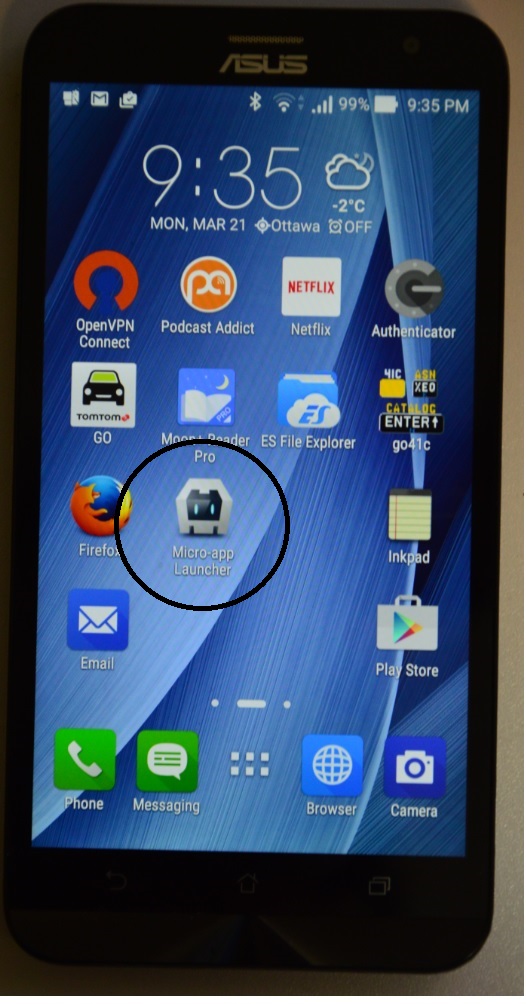
This screenshot shows the native app on the main page for my phone:
The following are screenshots of a number of the apps running on my phone:
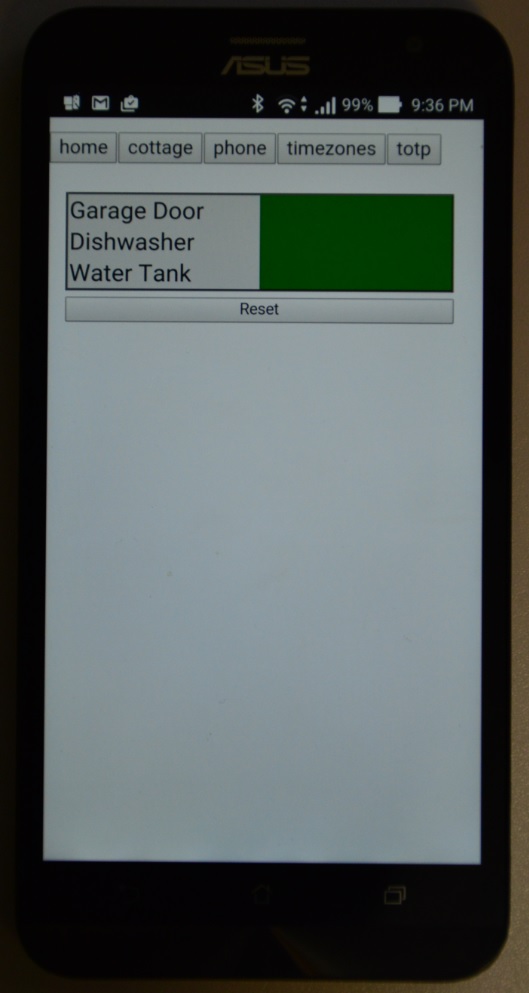
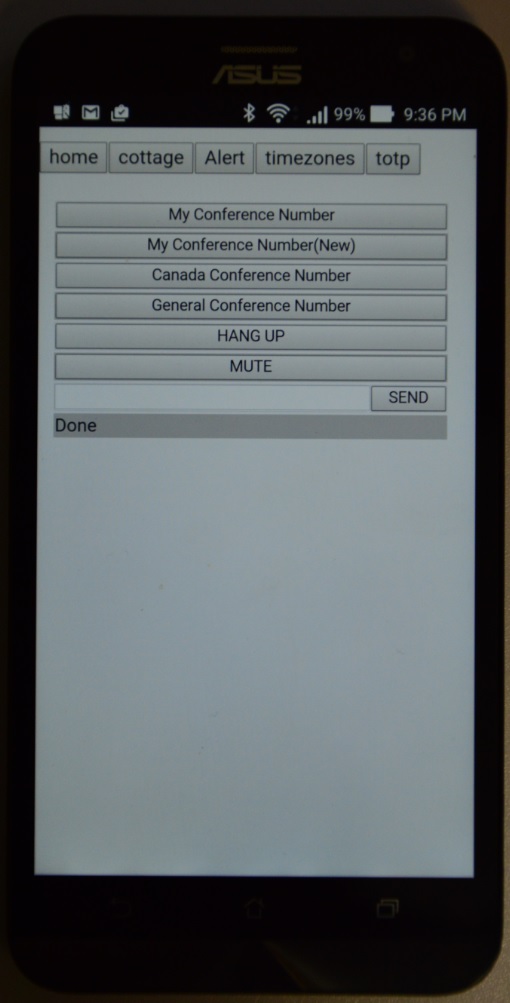
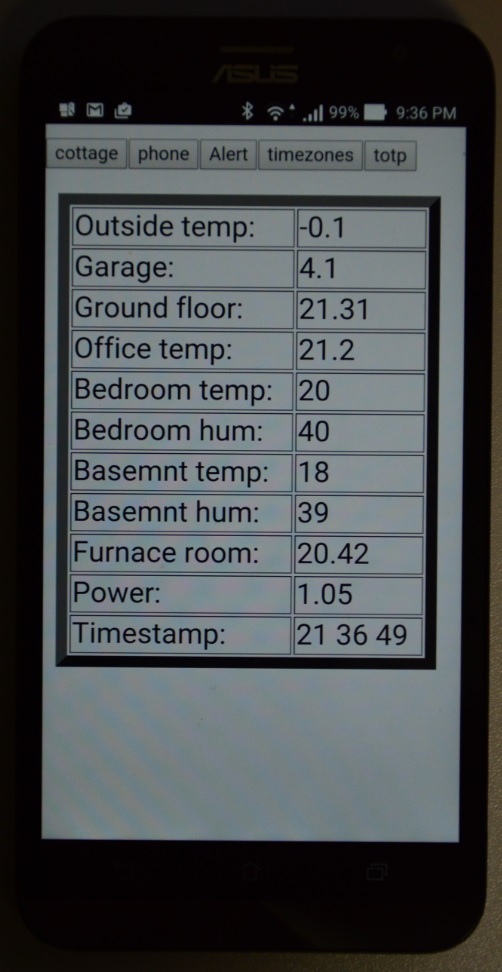
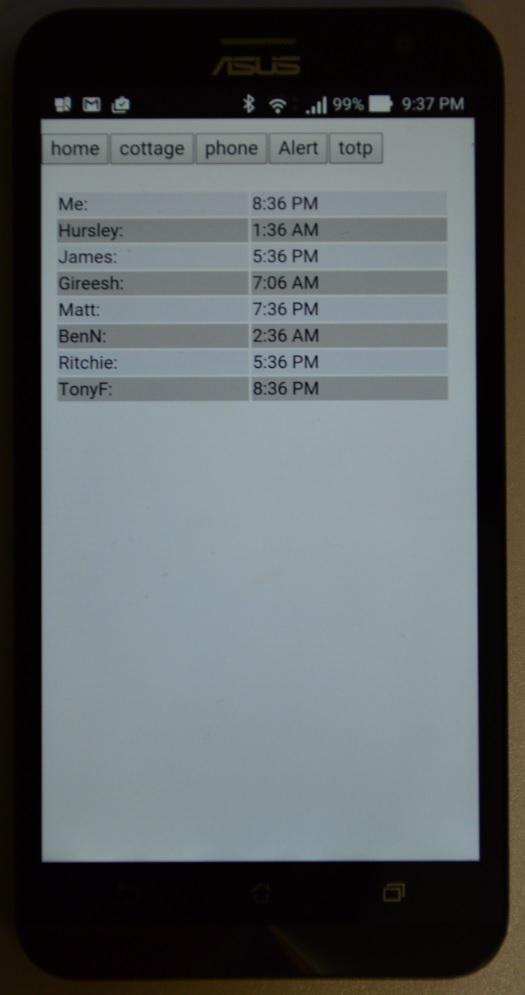
The micro-apps to be supported by the native application are configured through a config.json file wihthin the www directory for the cordova project.
The native application can be configured to support one or more micro-apps. If more than one is configured then there will be a row of buttons across the top that can be used to select the current micro-app GUI to display. In addition, you can swipe left or right on the buttons to move between the apps in a sequential manner.
The configuration file shares the same format with the micro-app-electron-launcher project so you can easily configure your apps across your workstation and mobile devices.
For example, this is one of my configuration files (with some sensitive parts masked out) :
{ "apps": [
    { "name": "home",
      "hostname": "X.X.X.X",
      "port": "8081"
    },
    { "name": "cottage",
      "hostname": "X.X.X.X",
      "port": "8081"
    },
    { "name": "phone",
      "hostname": "X.X.X.X",
      "port": "8083"
    },
    { "name": "Alert",
      "hostname": "X.X.X.X",
      "port": "8084",
      "options": { "x": 3065, "y": 10, "sizable": false }
    },
    { "name": "timezones",
      "hostname": "X.X.X.X",
      "port": "80",
      "options": { "x": 2750, "y": 10, "sizable": false }
    },
    { "name": "totp",
      "tls": true,
      "hostname": "X.X.X.X",
      "port": "8082",
      "auth": "XXXXXXXXXXXXXXXXXXXXXXXXXXXXXXXXXXXXXXXXXXXX",
      "options": { "x": 2920, "y": 10, "sizable": false }
    }
  ]
}
In order to be compatible with the configuration files for the micro-app-electron-launcher project it ignores unsupported parameters. For example, in the configuration file above, options is a value not supported by the cordova launcher so it is simply ignored.
The values you can configure for each micro-app are as follows:
- name - any name you want to assign to the entry
- hostname - hostname where the micro-app is running
- port - port on which micro-app is listening
- tls - true if the micro-app requires tls for connections, false othewise
- auth - if the micro-app requires authentication then you must provide the password for the micro-app encrypted using the enc_config_value.js utility. (see below). When you start the native application you will be prompted for the password used to generate the key for the encryption.
The script lib/enc_config_value.js from the https://github.com/mhdawson/micro-app-electron-launcher project can be used to encrypt a configuration value as follows:
node lib/enc_config_value.js value mypassword
The value provided for 'value' should be the username and password required by the micro-app separated by a ':' character. For example:
node lib/enc_config_value.js "user1:pass1" mypassword
The authentication page will only be shown if one or more of the configured applications requires authentication. The screen is as follows:
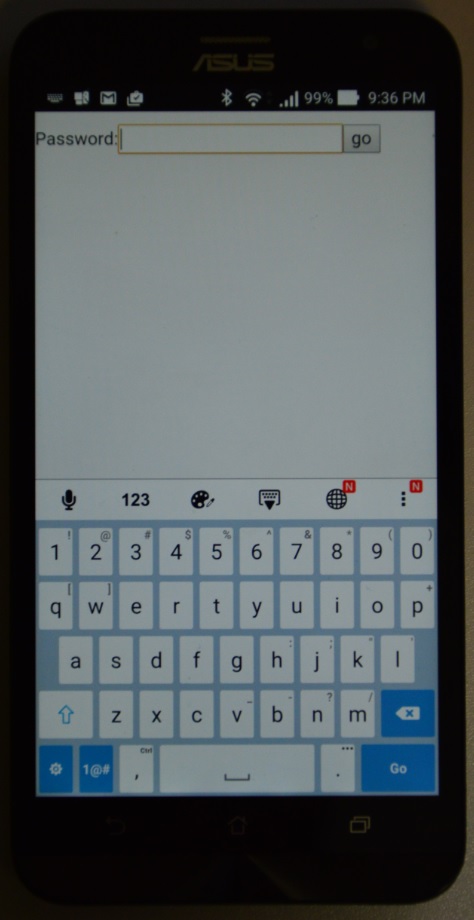
In order to build the native application you need to complete the steps listed below. These steps are for the Android platform as that's what I have, however the iOS flow should be similar. If you need additional information, the platform guides for the two key mobile platforms are Android and iOS.
-
Install Node.js - cordova build tools run using Node.js, you can download Node.js from here.
-
Install cordova build tools. These tools are available as an npm. The easiest way is to install is to simply run:
npm install -g cordova
A full getting started is availablehere.
-
Install the tools for the platforms you want to support. Instructions are provided in the platform guides referenced above.
-
Create your project. For example:
cordova create launcher myorg "Micro App Launcher"
where launcher will be the directory name for the project and "Micro App Launcher" will be the name shown for the native application.
-
Add the platforms you want to support. For example:
cordova platform add android
-
Add required plugins. This is the list currently required by the micro-app launcher:
// in order to enable file functionality
cordova plugin add https://git-wip-us.apache.org/repos/asf/cordova-plugin-file.git
-
Apply patch to allow server certificates that are not verified. You should only do this for development and instead get certificates for your mico-apps that will be able to be verified. letsencrypt looks like one free possibility:
patch platforms/android/CordovaLib/src/org/apache/cordova/engine/SystemWebViewClient.java <allowServers.patch
-
replace www in the new cordova project with the contents of www from this project:
rm contents of www
copy contents of www from this github project to launcher/www
-
copy config.xml from this project to directory for the cordova project. You should then update the following line in config.xml:
<access origin="*" />
to limit the allowable origins to domains that you are willing to trust to run content on your phone. You should read the cordova security guide for more details.
-
edit widget id=xxx in config.xml so that it is unique to your application
-
edit this line from www/index.html to limit to the domains you are willing to trust to run content on your phone:
<meta http-equiv="Content-Security-Policy" content="default-src 'self' *;script-src * 'unsafe-eval'">
You will either need to include the code.jquery.com site or copy the scripts referenced in index.html to the www directory and update the references in index.html. You should read the cordova security guide for more details.
-
download CryptoJS from here: https://code.google.com/archive/p/crypto-js/downloads and copy /rollups/aes.js into the www directory. I've not included this in this project to avoid any licencing/export issues.
-
create the file config.json in the www diretory to specify the micro-apps to be included in the native application. The configuration format/options are as described in the configuration section above.
-
if you have the Android development tools (or iOS equivalents) installed you can now test out by connecting your phone and running:
cordova run
This step is optional.
-
build the application:
cordova build --release android
-
Sign the application. If you have not already created a key store you will have to do that first.
cp /home/user1/test/launcher/platforms/android/build/outputs/apk/android-release-unsigned.apk ma-launcher.apk
jarsigner -verbose -sigalg SHA1withRSA -digestalg SHA1 -keystore devrus-mobileapps.keystore ma-launcher.apk devrus-mobileapps
Substitute your org/name for "devrus" in the above command.
If you need to create a keystore this is a sample command:
keytool -genkey -v -keystore devrus-mobileapps.keystore -alias devrus-mobileapps -keyalg RSA -keysize 2048 -validity 10000
See the help for keytool for additional information about the various options. At the very least you should substitute "devrus" with your name or the name of your org and adjust the validity to something appropriate.
-
At this point you can now transfer the apk to your Android device and install it. If you don't have a certificate that will be recognized as trusted by you will need to enable applications to be installed from untrusted sources. Only do this if you understand the consequences and you should likely set it back after you have installed the native micro-app apk. Sample instructions to enable untrusted applications are available here.