fix(docs): changing component variables example snippet#1626
Conversation


 lucivpav
requested review from
dvdzkwsk,
kuzhelov,
layershifter,
levithomason,
miroslavstastny and
mnajdova
as code owners
lucivpav
requested review from
dvdzkwsk,
kuzhelov,
layershifter,
levithomason,
miroslavstastny and
mnajdova
as code owners


Codecov Report
@@            Coverage Diff             @@
##           master    #1626      +/-   ##
==========================================
- Coverage   71.49%   71.28%   -0.21%
==========================================
  Files         846      846
  Lines        6945     6938       -7
  Branches     2002     1982      -20
==========================================
- Hits         4965     4946      -19
- Misses       1974     1986      +12
  Partials        6        6
Continue to review full report at Codecov.
|

Codecov Report
@@            Coverage Diff             @@
##           master    #1626      +/-   ##
==========================================
+ Coverage   70.97%   71.24%   +0.26%
==========================================
  Files         860      851       -9
  Lines        7153     7035     -118
  Branches     2078     2027      -51
==========================================
- Hits         5077     5012      -65
+ Misses       2070     2017      -53
  Partials        6        6
Continue to review full report at Codecov.
|


| paddingLeftRightValue: 20, | ||
| }} | ||
| /> | ||
| <Button |

There was a problem hiding this comment.
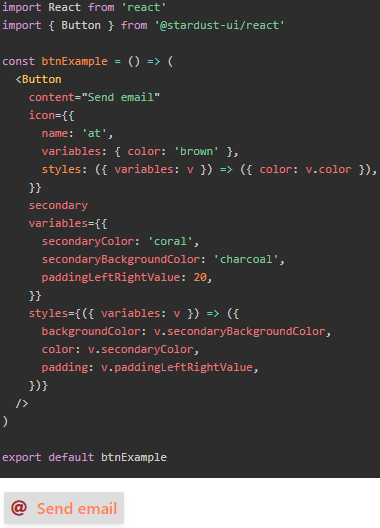
unfortunately, this leads to change in the example's semantics. Originally the purpose was to demo variables usage - specifically, how it is possible to customize variables and obtain different look of the component. Now what we have is the styles demo, with additional aspect of using variables as style parameters.

There was a problem hiding this comment.
Talked to Roman about it - we should advertise the colors from the color palette rather than the usage of the styles.
There was a problem hiding this comment.
@alinais do you mean, for example, siteVars.colors.pink[50] instead of, say, pink? I have updated the PR, please let me know whether you like it now :)
 kuzhelov
added
needs author feedback
kuzhelov
added
needs author feedback
… of github.com:lucivpav/react into docs/theming-examples-changing-component-variables-fix

|
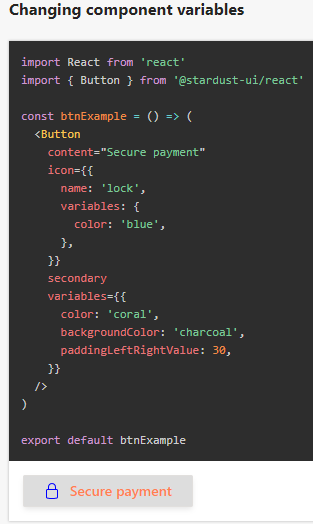
The example looks like this now: |
|
Please note that only a small fraction of icons support the color variable. User thus may be confused, why his icon does not have a proper color. Relevant issue #1039. |
kuzhelov
added
🚀 ready for review
and removed
needs author feedback
lucivpav
deleted the
docs/theming-examples-changing-component-variables-fix
branch
4 participants


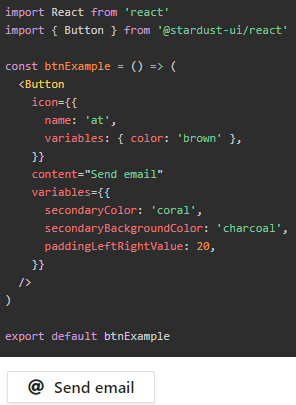
This PR updates the outdated code snippets in changing component variables section of docs. The buttons were not rendered as a user would expect. Relevant issue with error description: #1592.
Before:
After: