feat(Icon): Process Teams icons for use in Stardust#478
Conversation


 codepretty
requested review from
dvdzkwsk,
kuzhelov,
levithomason,
miroslavstastny and
mnajdova
as code owners
codepretty
requested review from
dvdzkwsk,
kuzhelov,
levithomason,
miroslavstastny and
mnajdova
as code owners

Codecov Report
@@           Coverage Diff           @@
##           master     #478   +/-   ##
=======================================
  Coverage   87.53%   87.53%
=======================================
  Files          46       46
  Lines        1532     1532
  Branches      192      192
=======================================
  Hits         1341     1341
  Misses        186      186
  Partials        5        5
Continue to review full report at Codecov.
|
 codepretty
changed the title
codepretty
added
question
codepretty
changed the title
codepretty
added
question


|
@codepretty regarding your question. As in the prototypes we are merging the providers, you will always end up with all icons there (stardust + processed). My suggestion would be, when you are exporting the processed, add some prefix in the icons' names (processed or something like that), and then we you are looping over all icons, you can display just the processed ones. Let me know if this makes sense to you, or if you need help with implementing it. |

…he Teams icons from the processed icons
codepretty
removed
needs author feedback


src/themes/teams/components/Icon/svg/ProcessedIcons/icons-onenote-section.tsx
Outdated
Show resolved
Hide resolved
src/themes/teams/components/Icon/svg/ProcessedIcons/icons-settings.tsx
Outdated
Show resolved
Hide resolved
| ExportTest=$(echo "$exportTemplate" | sed "s/ICONNAME/$Name/") | ||
|
|
||
| # CREATE IMPORT | ||
| sed -i "/IMPORT/a $ImportTest" $FileName |

There was a problem hiding this comment.
note that with the following prepend processing semantics the order of icons will be reversed alphabetical. So, would suggest either
- ensure that icons are sorted properly at the point when their name is mapped to react elements (would prefer this option)
- or use
-rflag forlscommand on this line: https://github.com/stardust-ui/react/pull/478/files#diff-2c8401364afce39e9a7dc9c807267b5aR8
 kuzhelov
added
needs author feedback
codepretty
added
🚀 ready for review
and removed
needs author feedback
kuzhelov
added
needs author feedback
codepretty
added
🚀 ready for review
and removed
needs author feedback
| margin: '10px 0', | ||
| } | ||
|
|
||
| const processedIconsNamePrefix = 'processedIcons_' |

7 participants


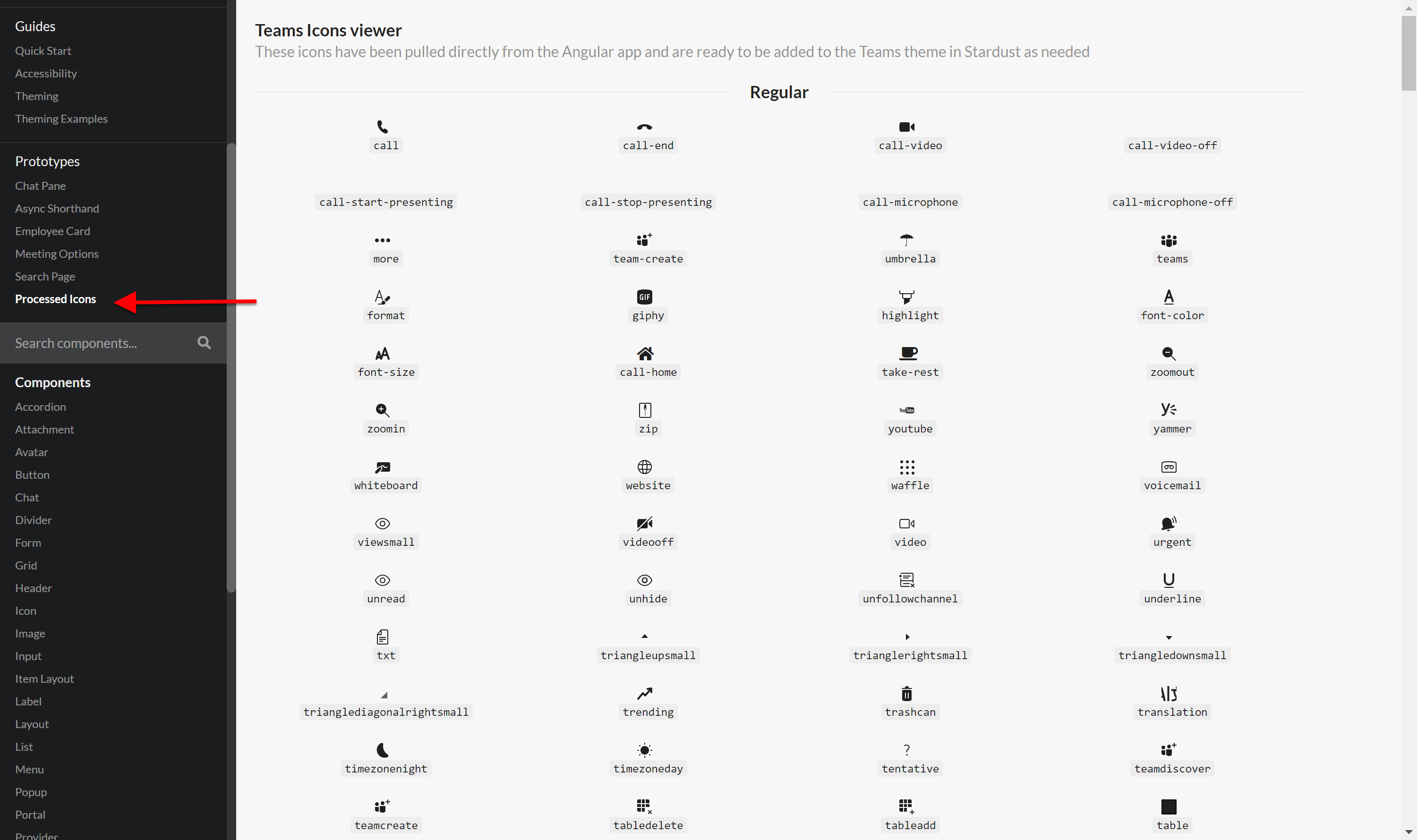
Converted the majoirty of svg icons we have in Teams today to be consumed in Stardust. I created a separate folder for these icons ProcessedIcons. As new icons are needed in Stardust, we can move them from ProcessedIcons to icons. This way we will only add the icons we need to the Teams theme.
In order to find the icon you want to use, I created a new page for viewing all the processed icons.
There are 2 scripts I used for converting Icons:
Question: