Conversation


|
The latest updates on your projects. Learn more about Vercel for GitHub.
|




Greptile SummaryThis documentation-only PR expands the Policy Flow Builder page with a detailed 23-step UI walkthrough for configuring guardrail fallbacks, complete with screenshots, and updates the existing quick-start steps to reflect current UI label names ( Confidence Score: 5/5Documentation-only change with no code impact; safe to merge. No code changes; only a markdown documentation file is updated. The single P2 note about external image hosting does not block correctness or functionality. No files require special attention.
|
| Filename | Overview |
|---|---|
| docs/my-website/docs/proxy/guardrails/policy_flow_builder.md | Adds a 23-step UI walkthrough for configuring guardrail fallbacks, with screenshots hosted on colony-recorder.s3.amazonaws.com; also refreshes the quick-start steps with updated UI label names. |
Flowchart
%%{init: {'theme': 'neutral'}}%%
flowchart TD
    A([Incoming LLM Request]) --> B[Step 1: Primary Guardrail]
    B -- ON PASS: Allow --> Z([Request Proceeds to LLM])
    B -- ON FAIL: Next Step --> C[Step 2: Fallback Guardrail]
    B -- ON API FAILURE: Next Step --> C
    C -- ON PASS: Allow --> Z
    C -- ON FAIL: Custom Response --> D([Return Custom Response])
    C -- ON ERROR: Block/Allow --> E([Block or Allow])
Reviews (1): Last reviewed commit: "docs update" | Re-trigger Greptile
![greptile-apps[bot]](https://avatars.githubusercontent.com/in/867647?s=60&v=4)
| 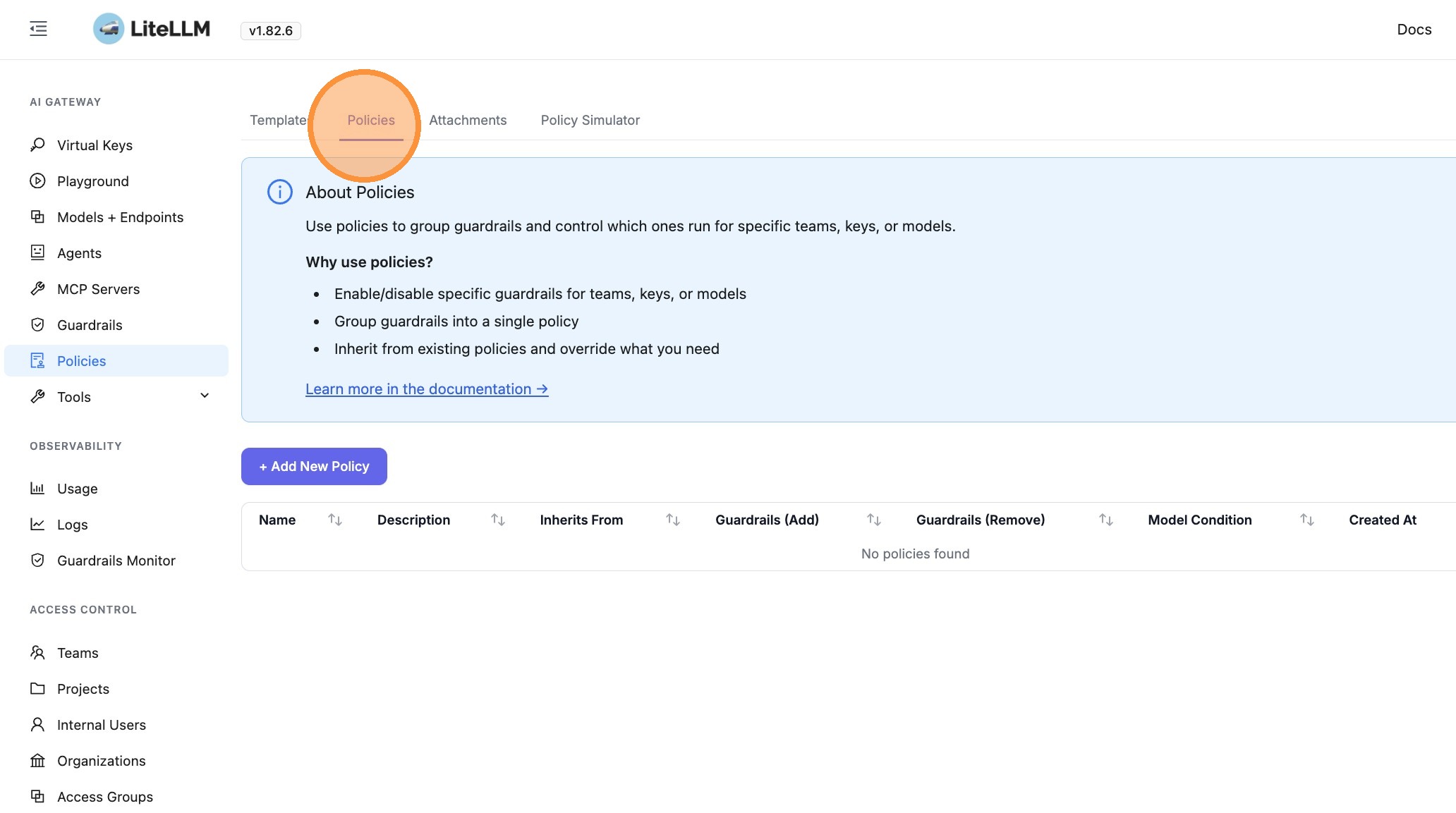 | ||
|
|
||
| 2. Click **+ Add New Policy** | ||
|
|
||
| 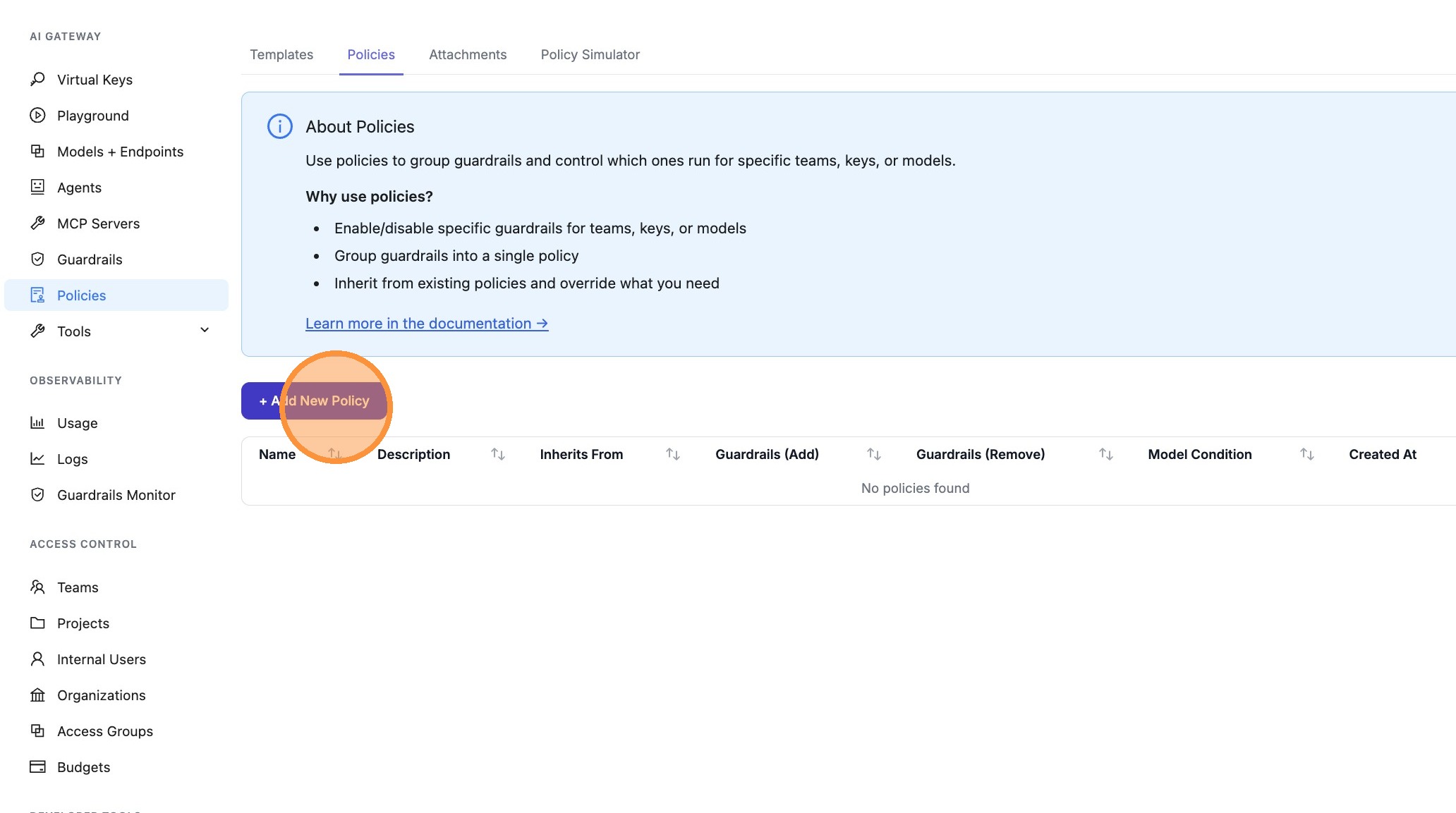 | ||
|
|
||
| 3. Click **Flow Builder** | ||
|
|
||
| 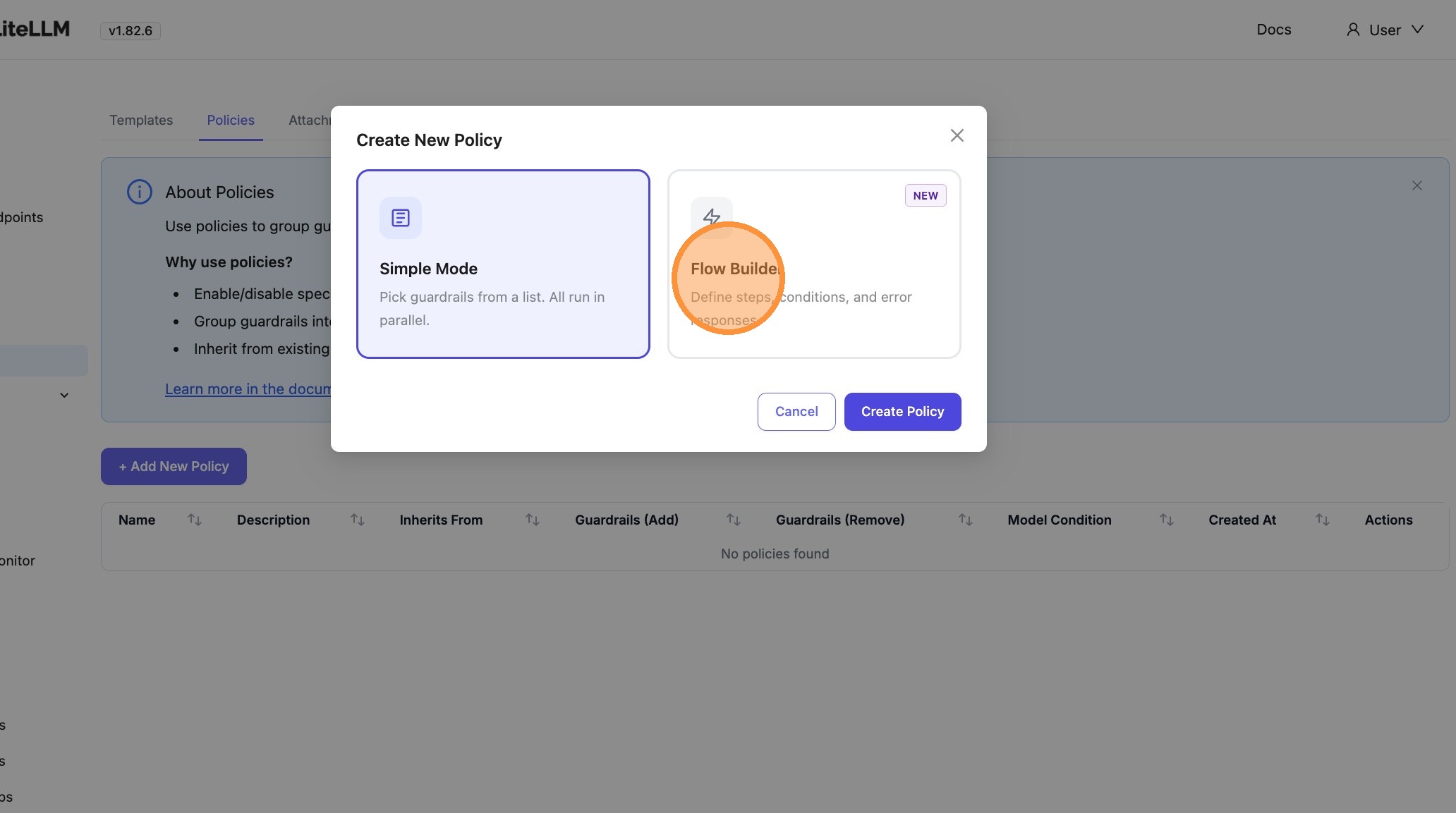 | ||
|
|
||
| 4. Click **Continue to Builder** | ||
|
|
||
| 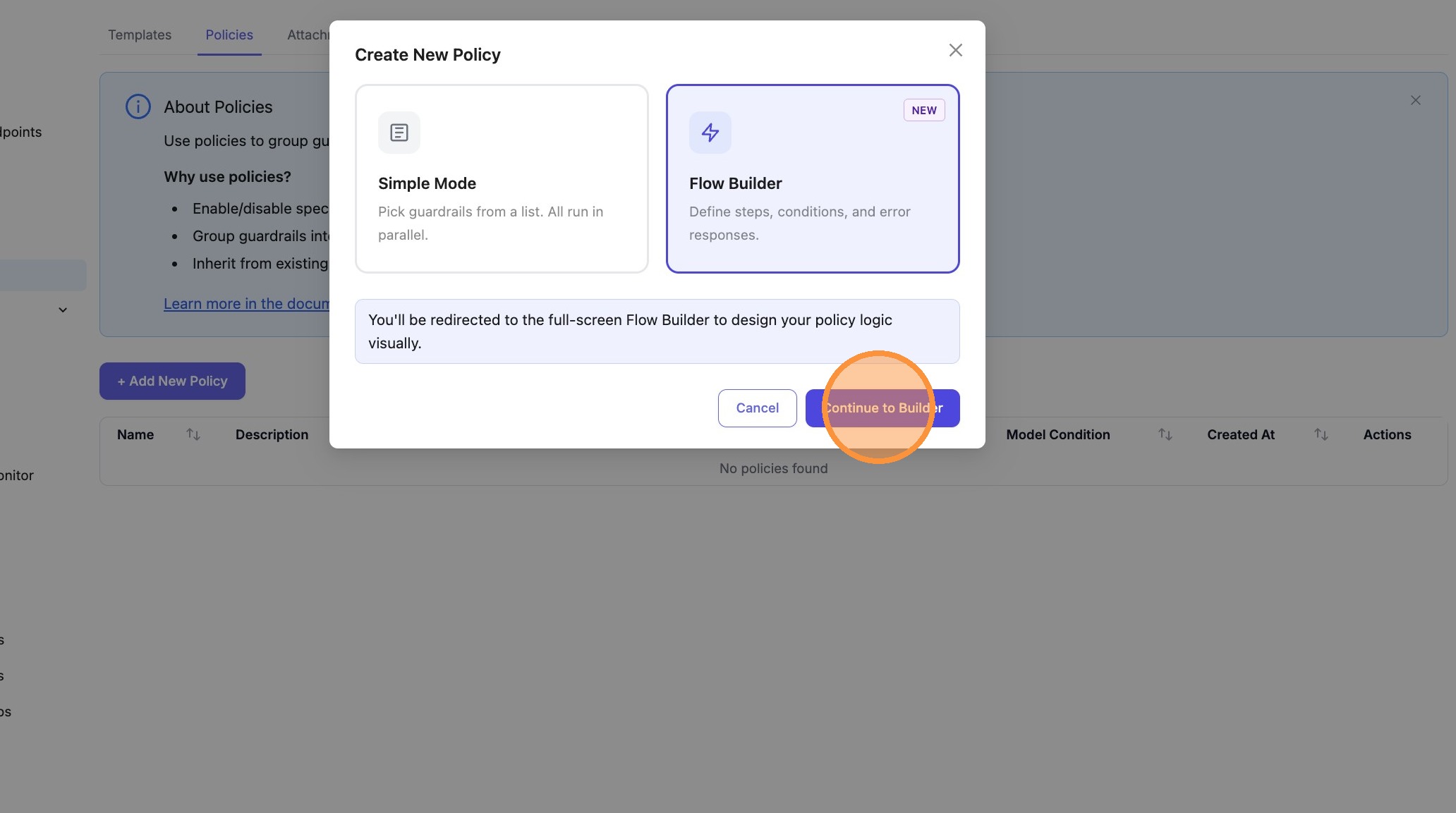 | ||
|
|
||
| 5. Click the **guardrail search** field on the first step | ||
|
|
||
| 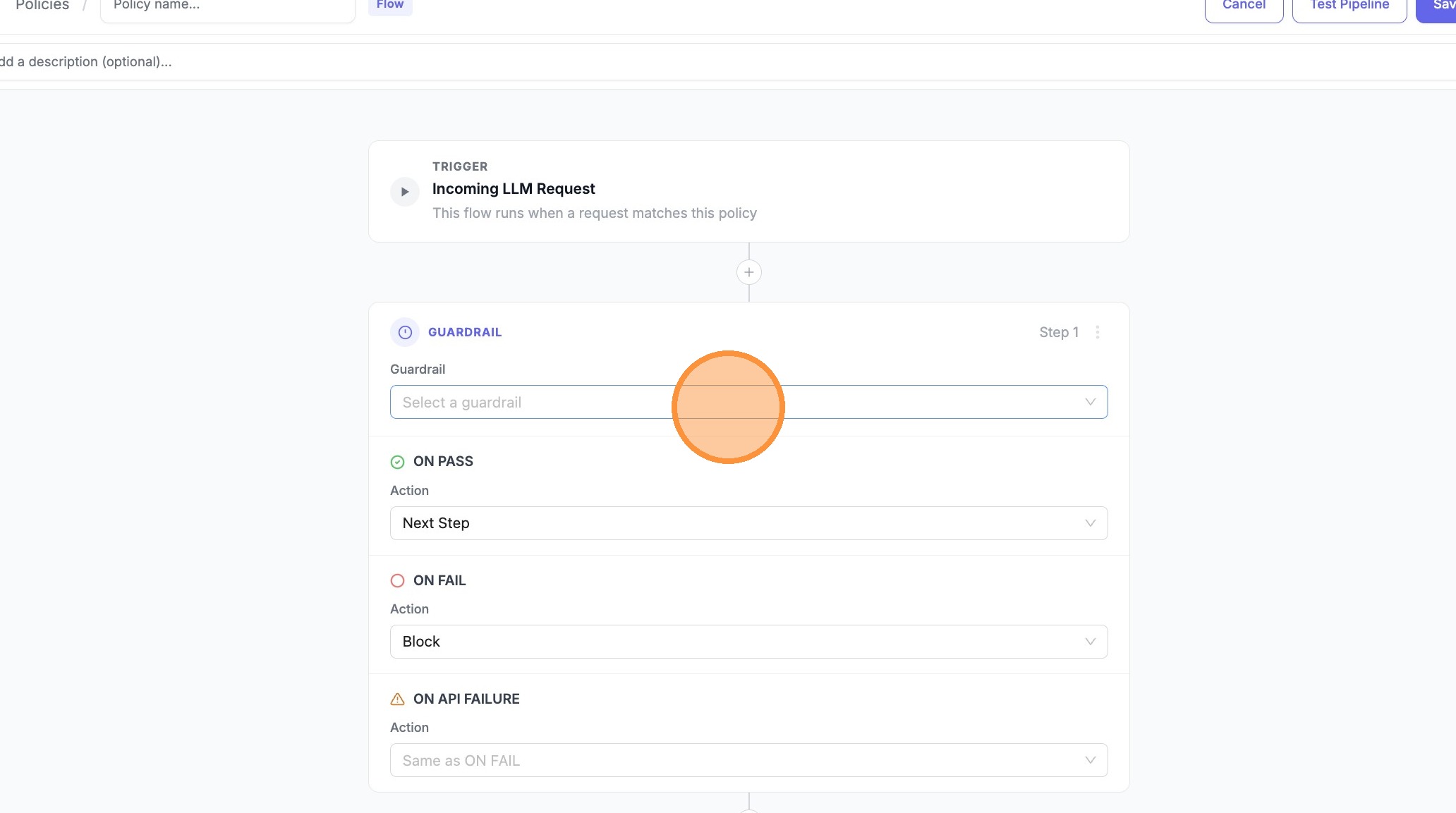 | ||
|
|
||
| 6. Choose **Test Moderation** (or your primary guardrail) | ||
|
|
||
| 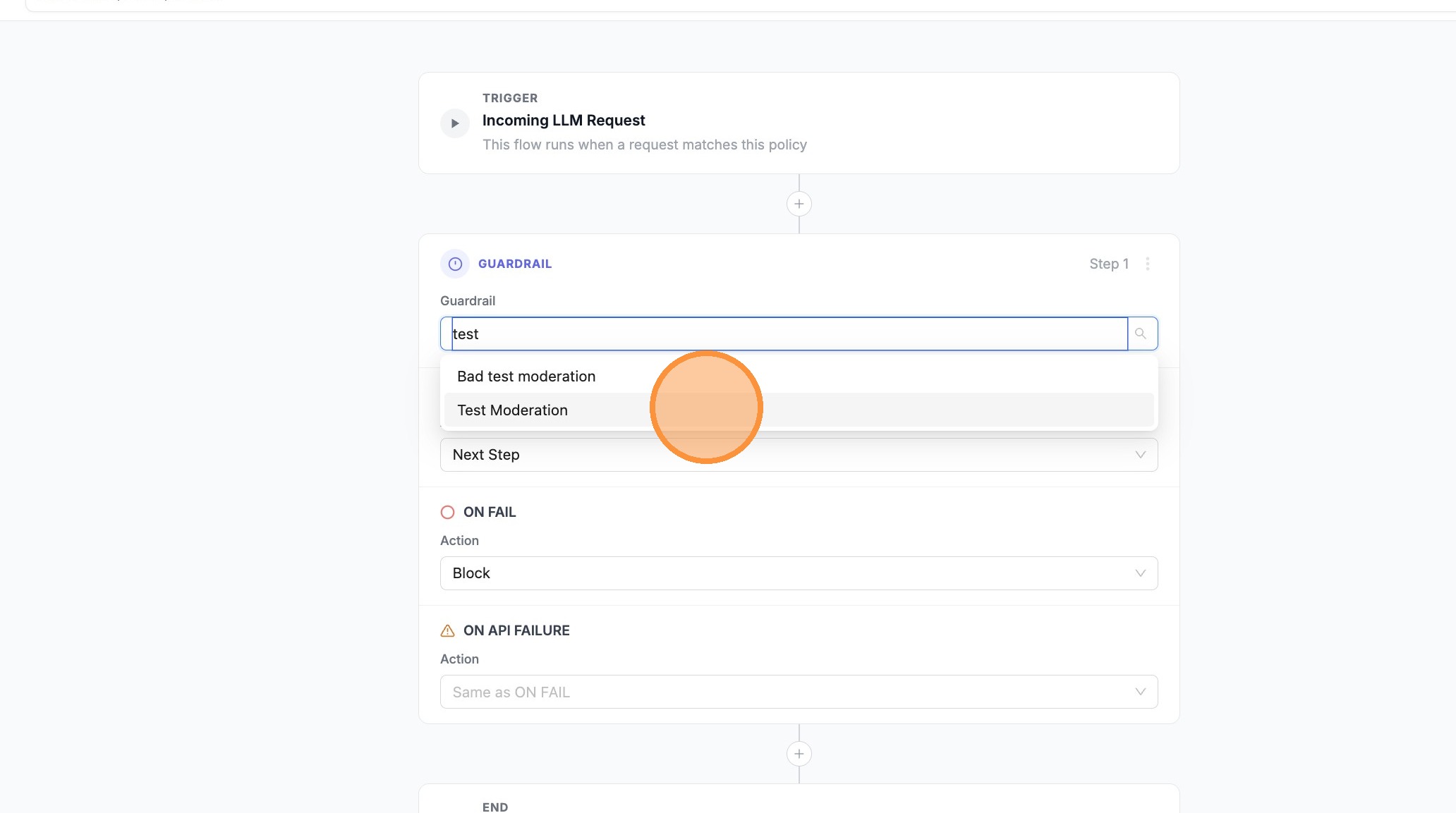 | ||
|
|
||
| 7. For one branch (e.g. **ON API FAILURE**), set the action to **Next Step** so the pipeline can fall through to the next guardrail when the API errors | ||
|
|
||
| 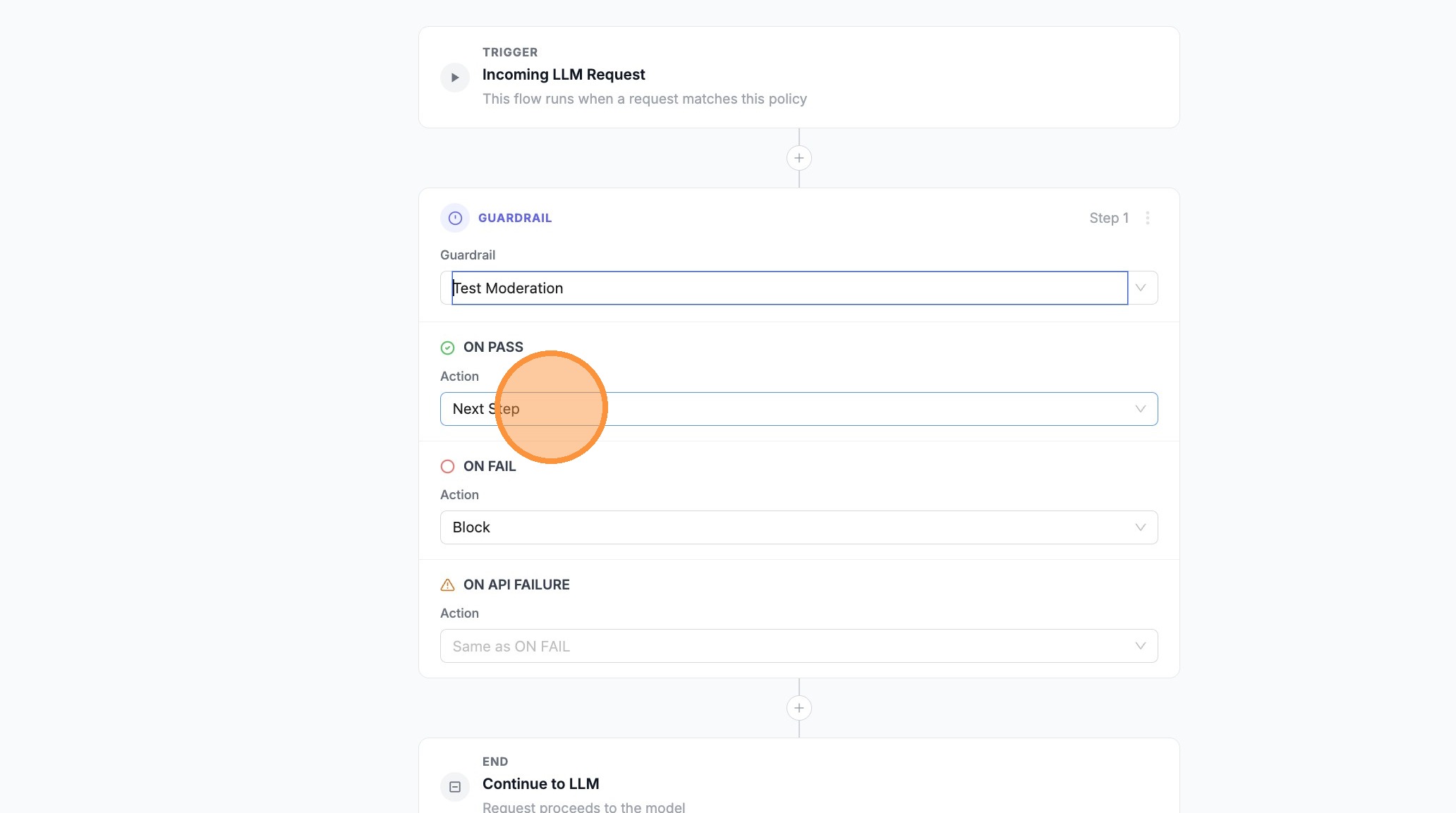 | ||
|
|
||
| 8. For **ON PASS**, set **Allow** (or **Next Step** if you need more steps before allowing) | ||
|
|
||
| 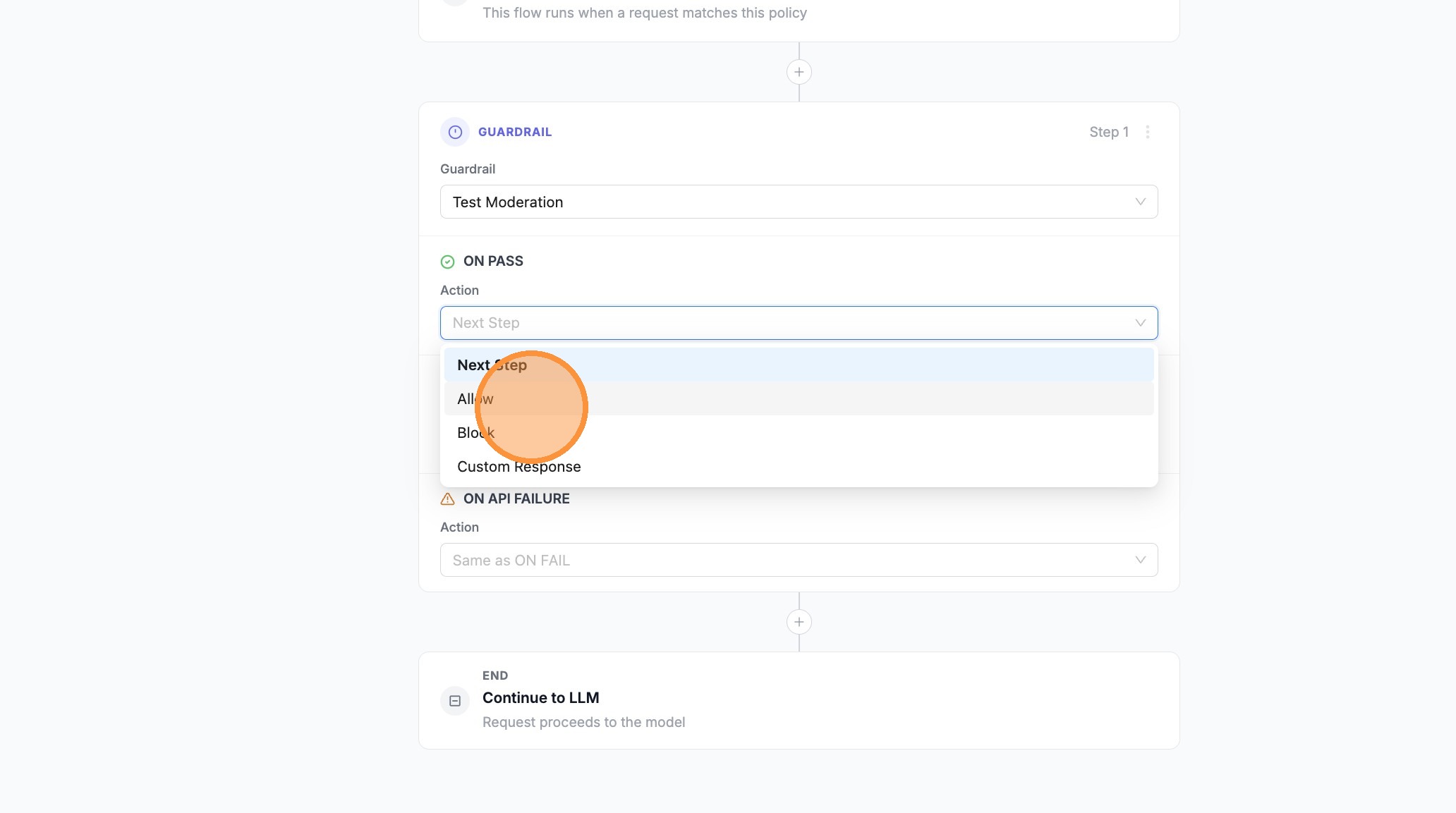 | ||
|
|
||
| 9. Open the next outcome’s search/dropdown (e.g. **ON FAIL**) | ||
|
|
||
| 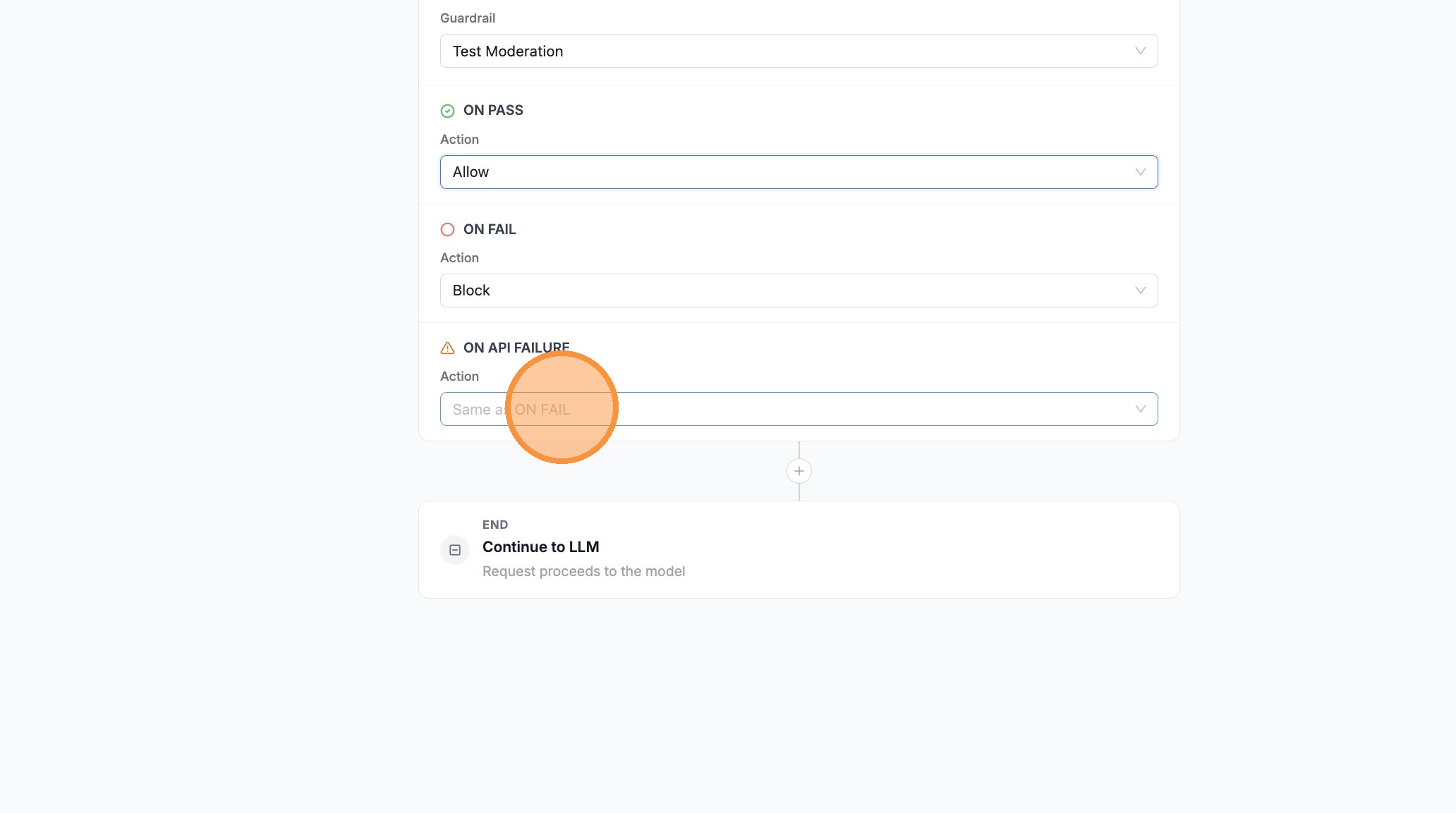 | ||
|
|
||
| 10. Set that branch to **Next Step** if failed checks should continue to your backup guardrail | ||
|
|
||
| 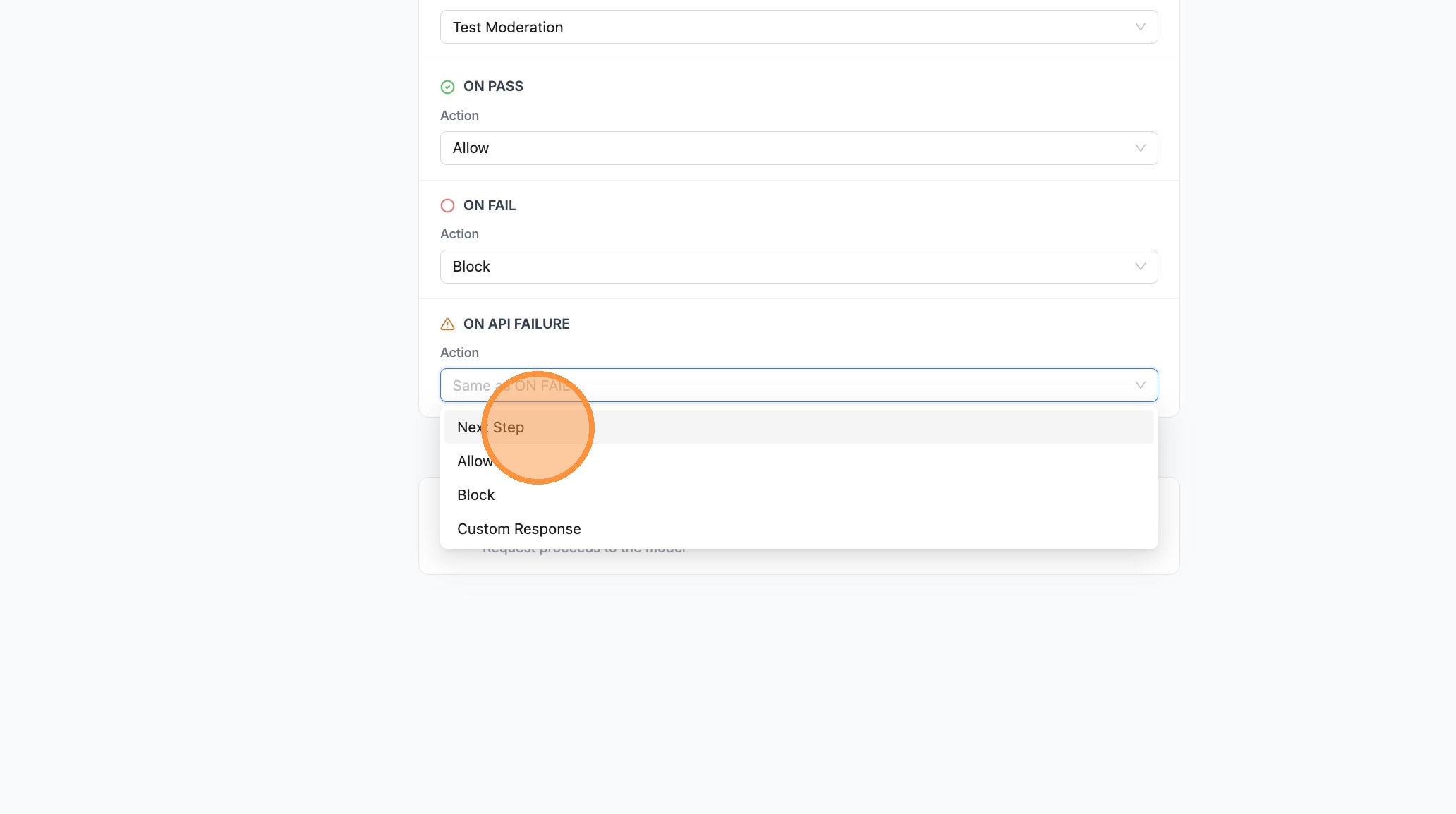 | ||
|
|
||
| 11. Click **+** between steps to add a second guardrail | ||
|
|
||
| 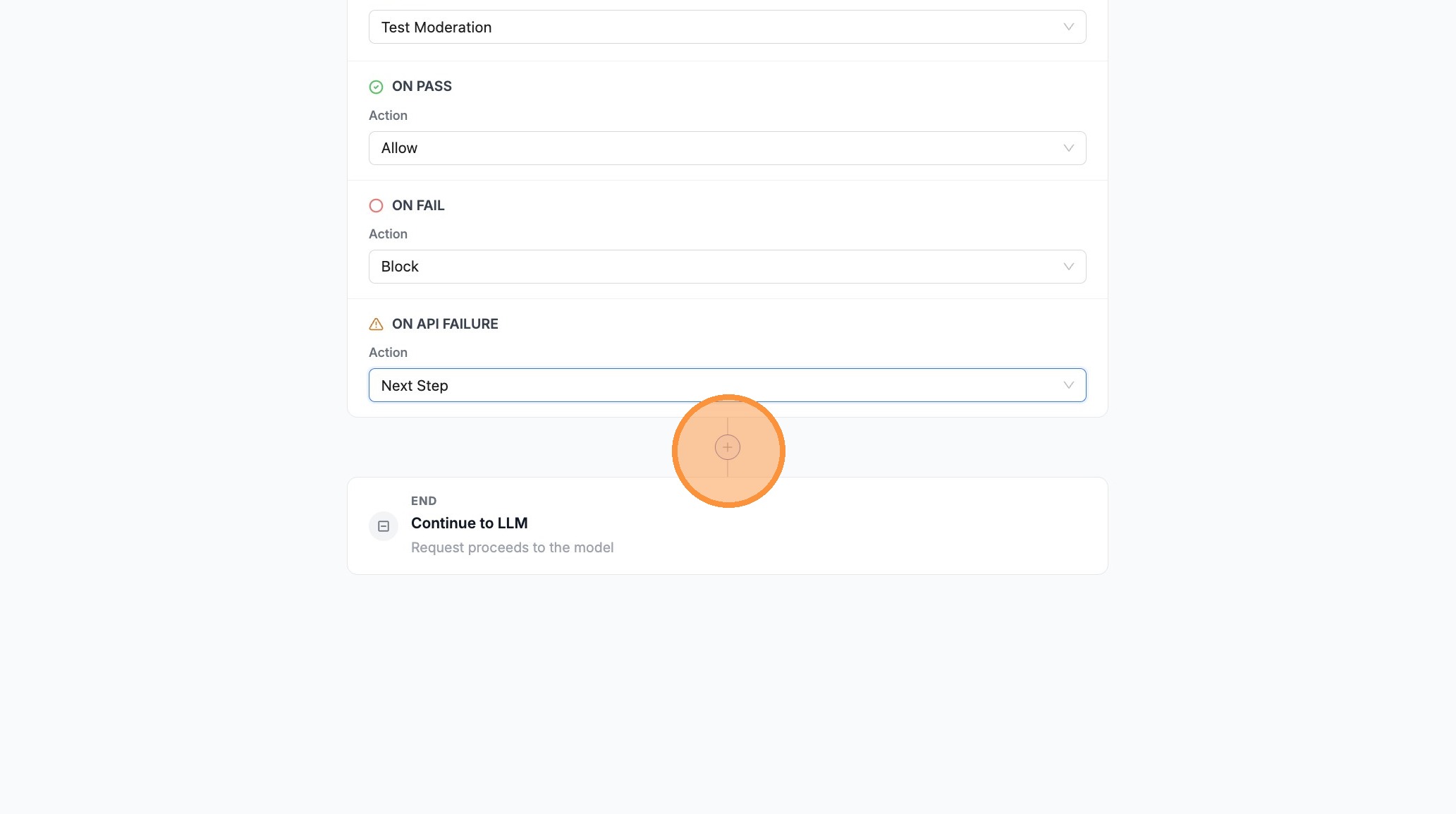 | ||
|
|
||
| 12. Open the guardrail search field on the new step | ||
|
|
||
| 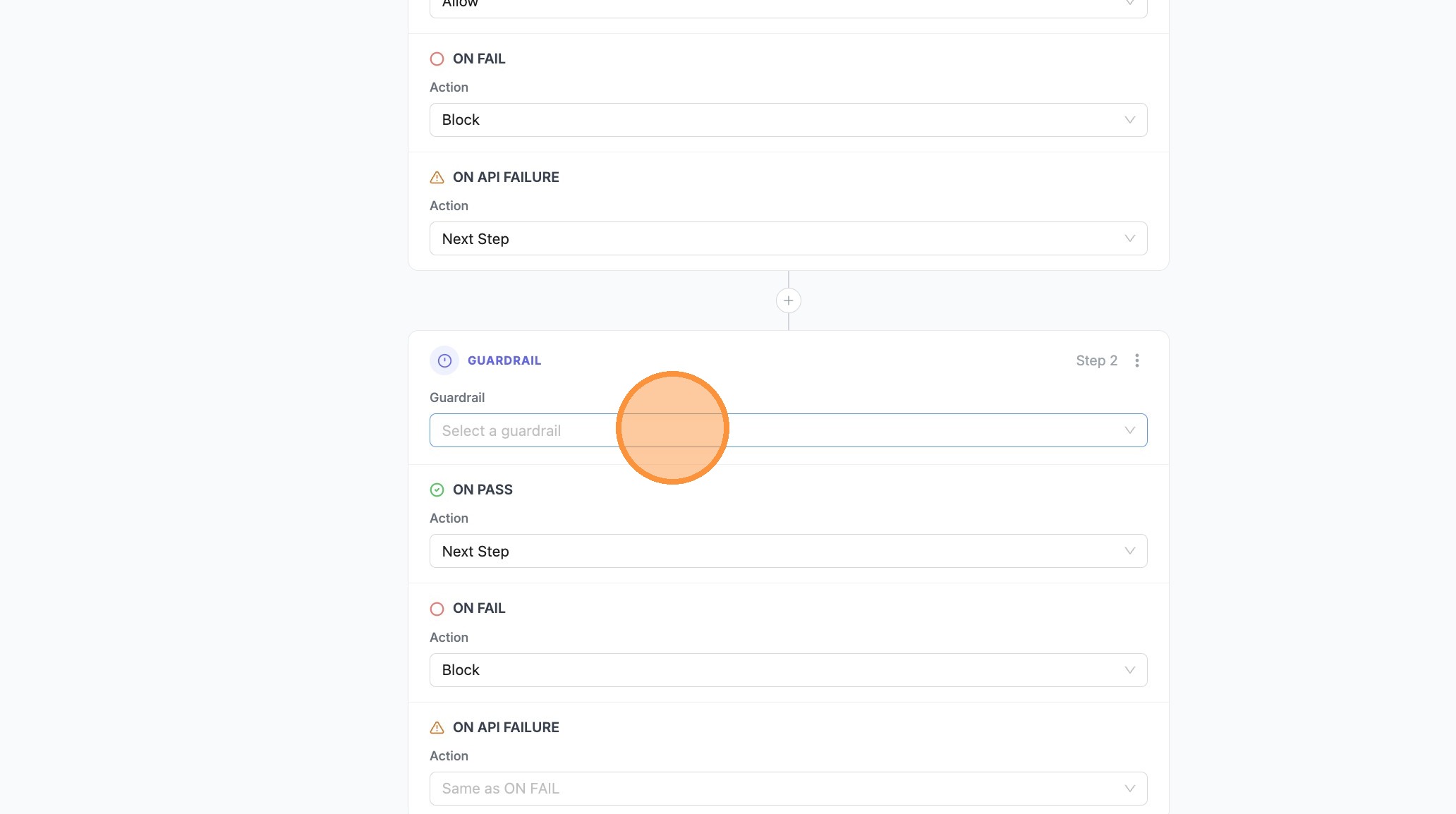 | ||
|
|
||
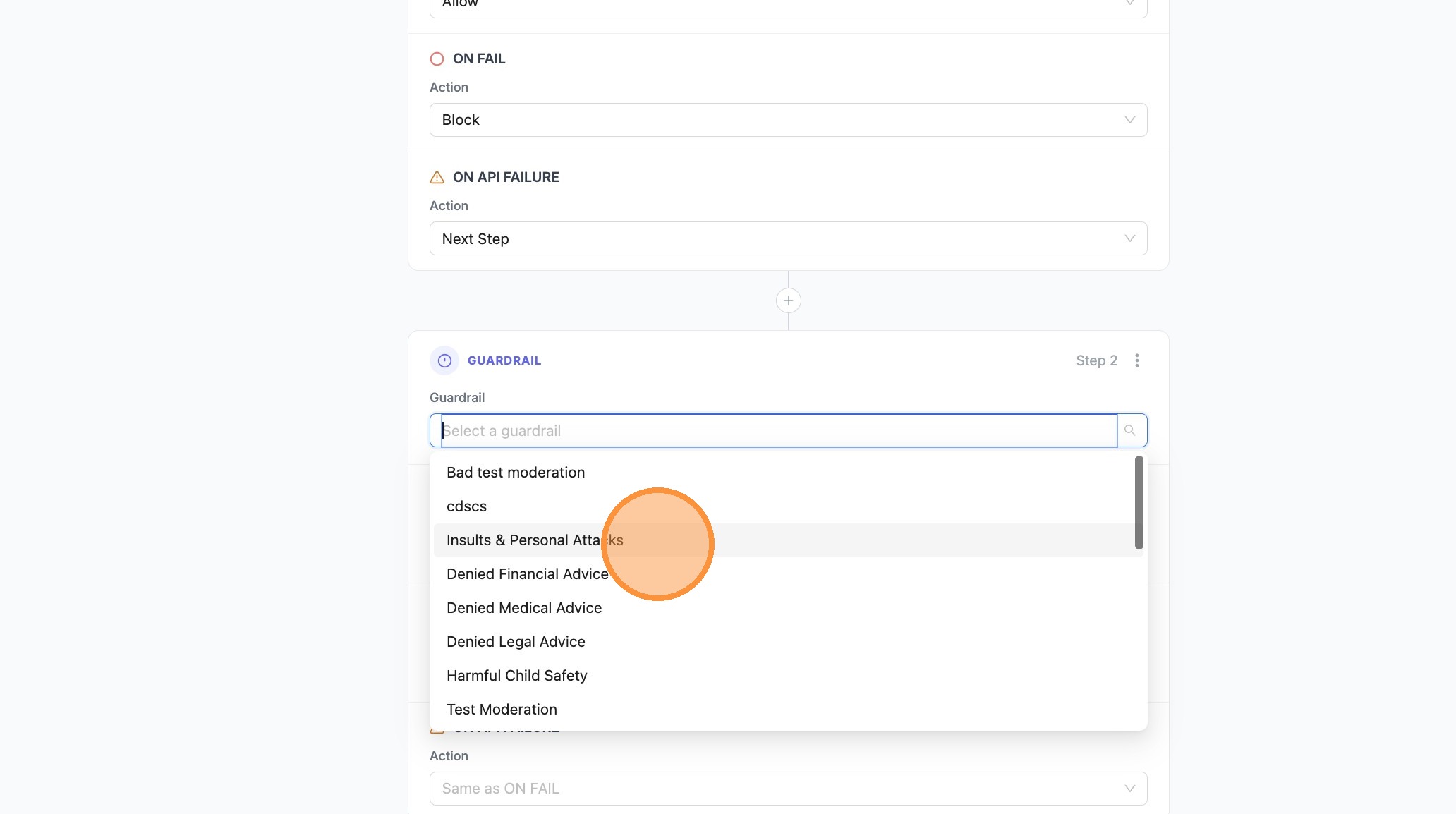
| 13. Select **Insults & Personal Attacks** (or your fallback / stricter guardrail) | ||
|
|
||
|  | ||
|
|
||
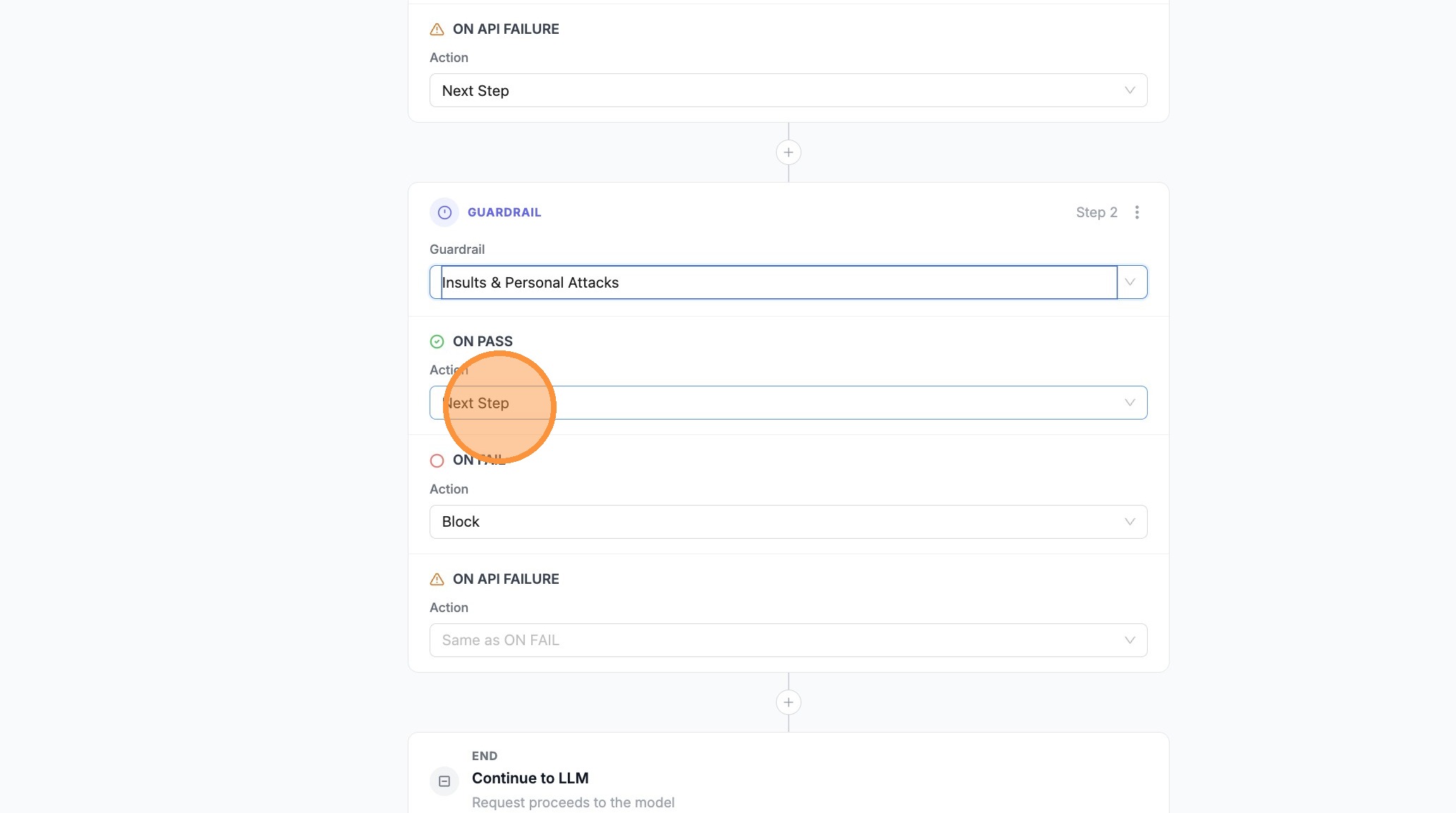
| 14. Set **Next Step** or **Block** on the branches as needed for this step | ||
|
|
||
|  | ||
|
|
||
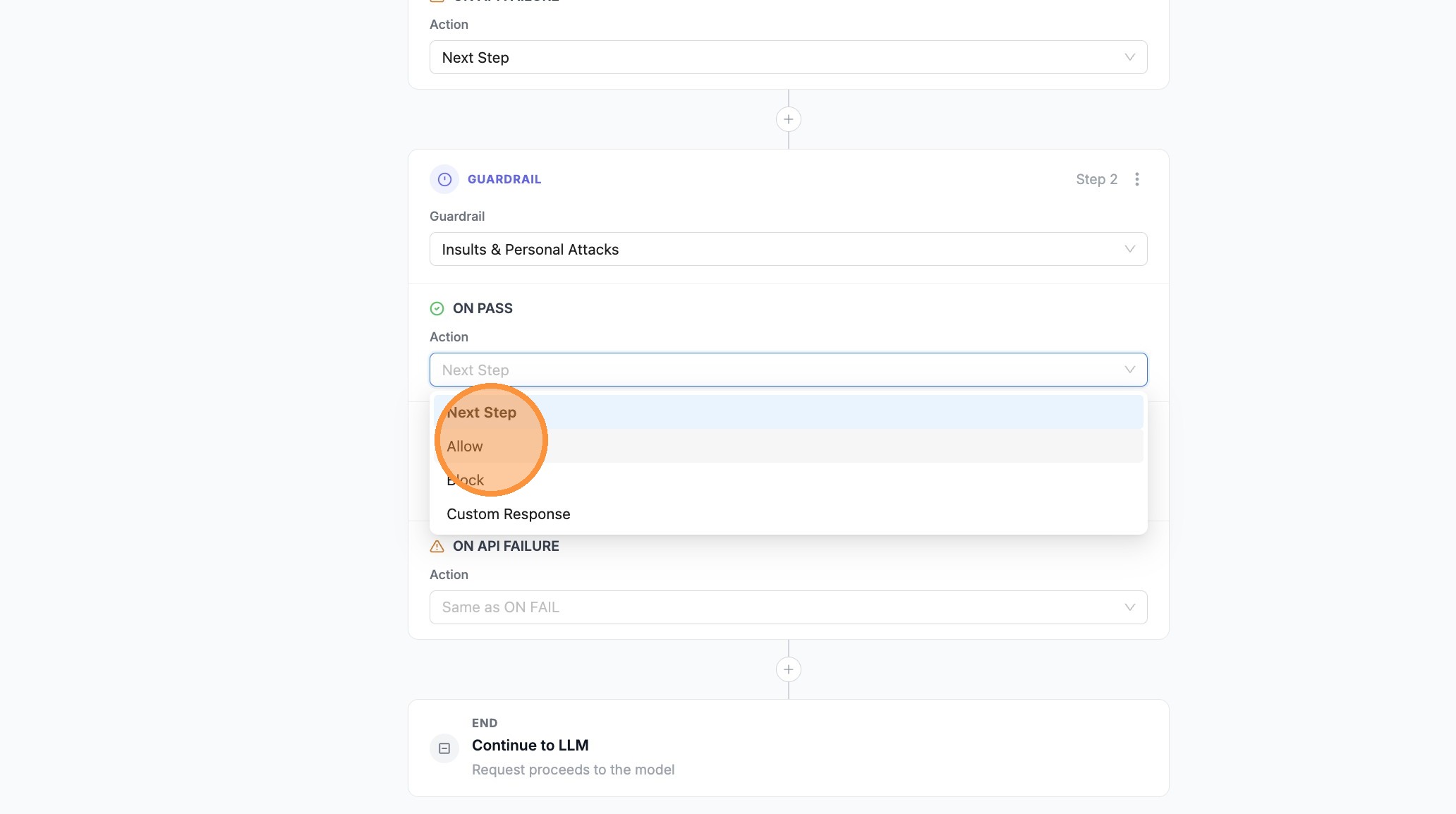
| 15. Set **ON PASS** to **Allow** when this guardrail should complete the pipeline successfully | ||
|
|
||
|  | ||
|
|
||
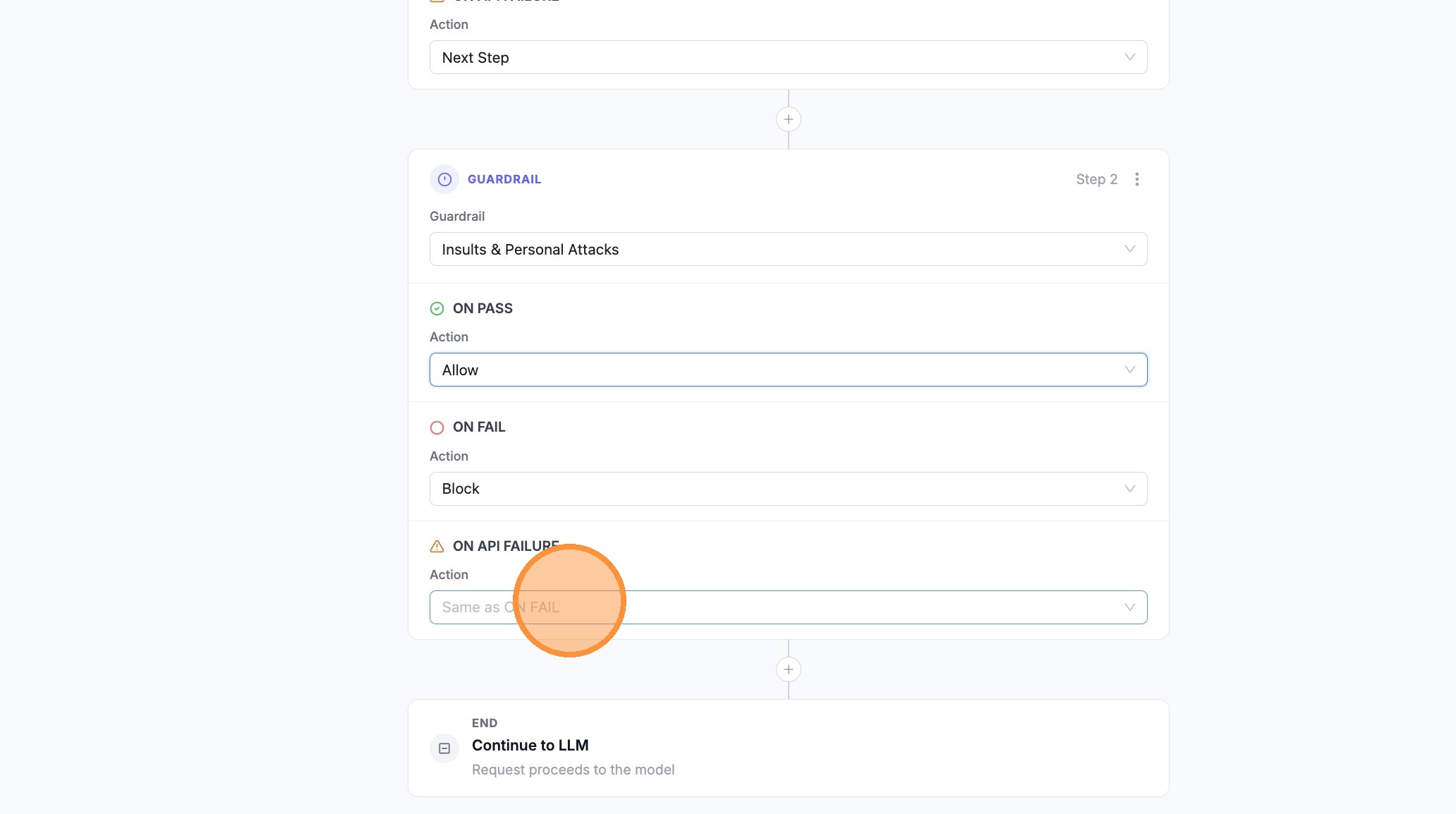
| 16. Open the branch where you want a **Custom Response** (e.g. **ON FAIL** on the last step) | ||
|
|
||
|  | ||
|
|
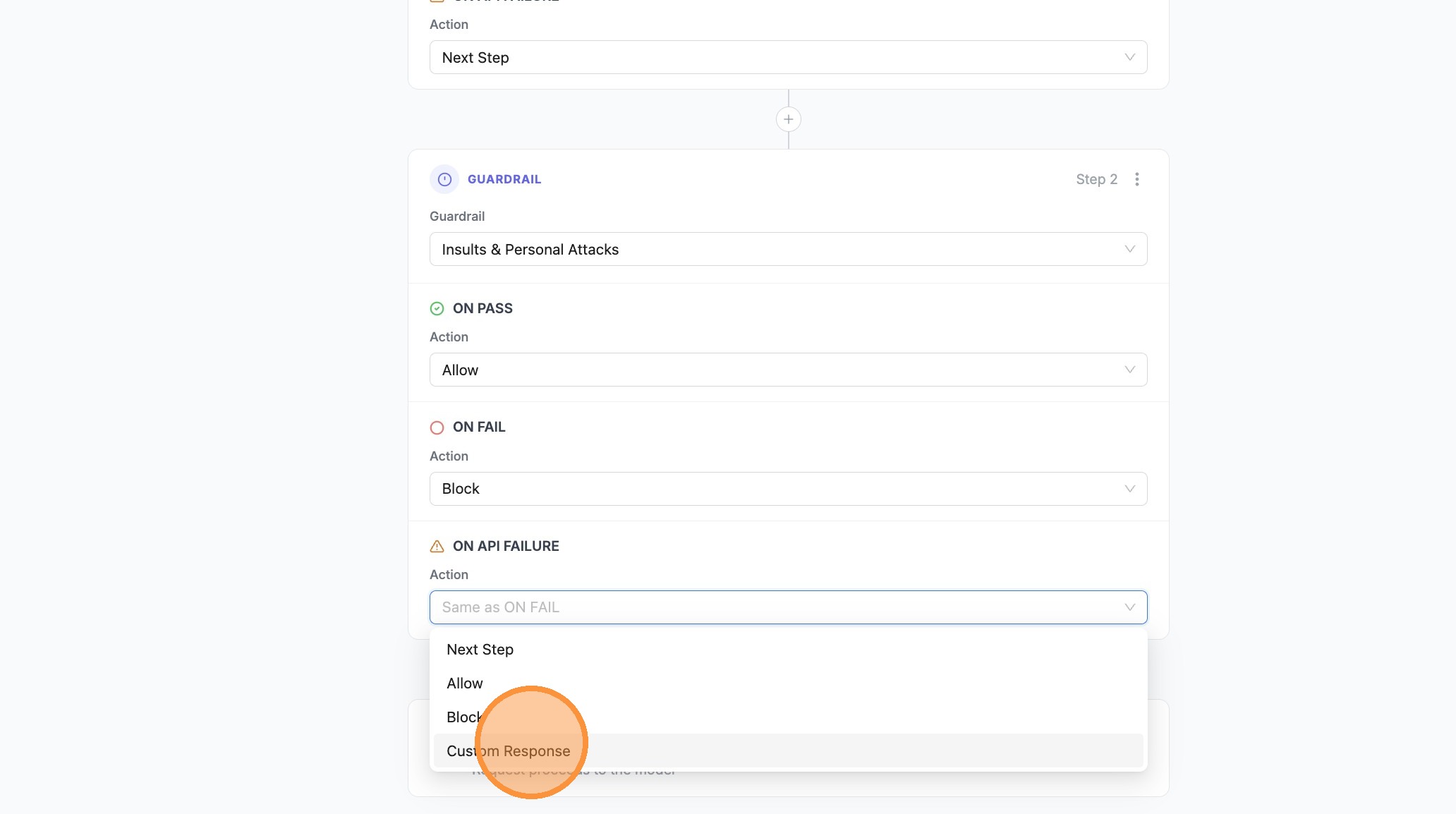
||
| 17. Choose **Custom Response** | ||
|
|
||
|  | ||
|
|
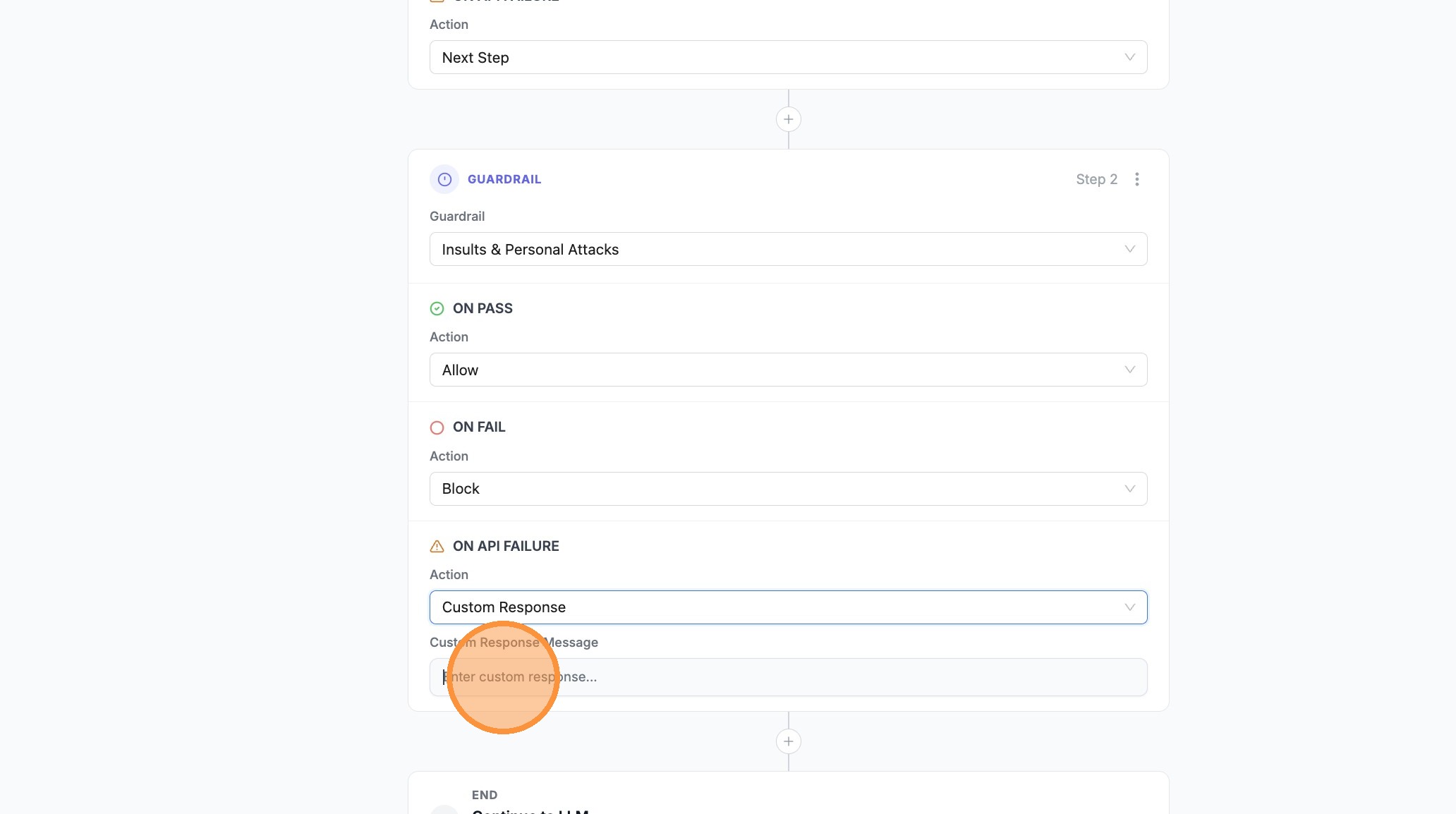
||
| 18. Click **Enter custom response...** and type your message | ||
|
|
||
|  | ||
|
|
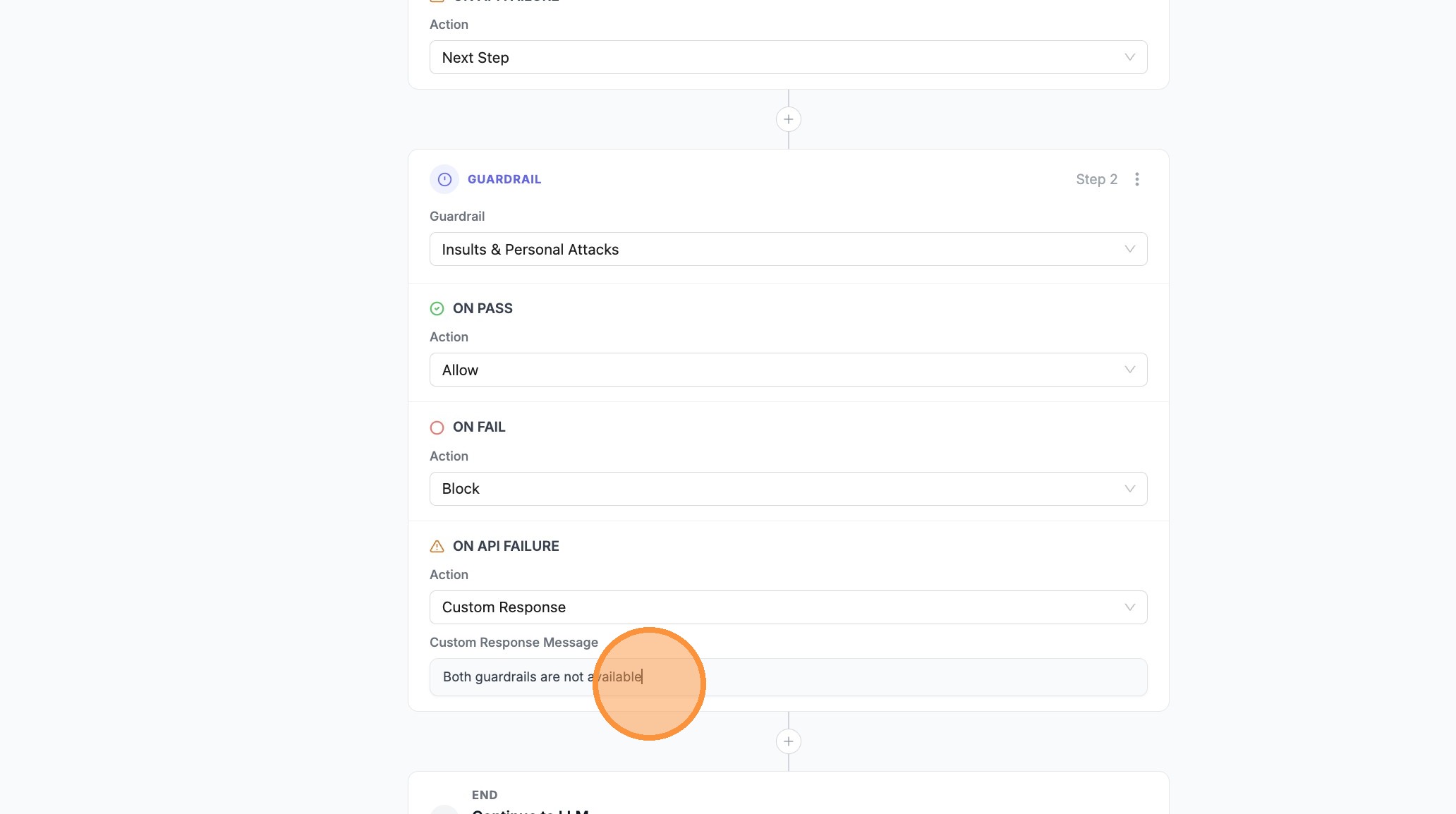
||
| 19. Confirm or edit the message in **Enter custom response...** as needed | ||
|
|
||
|  | ||
|
|
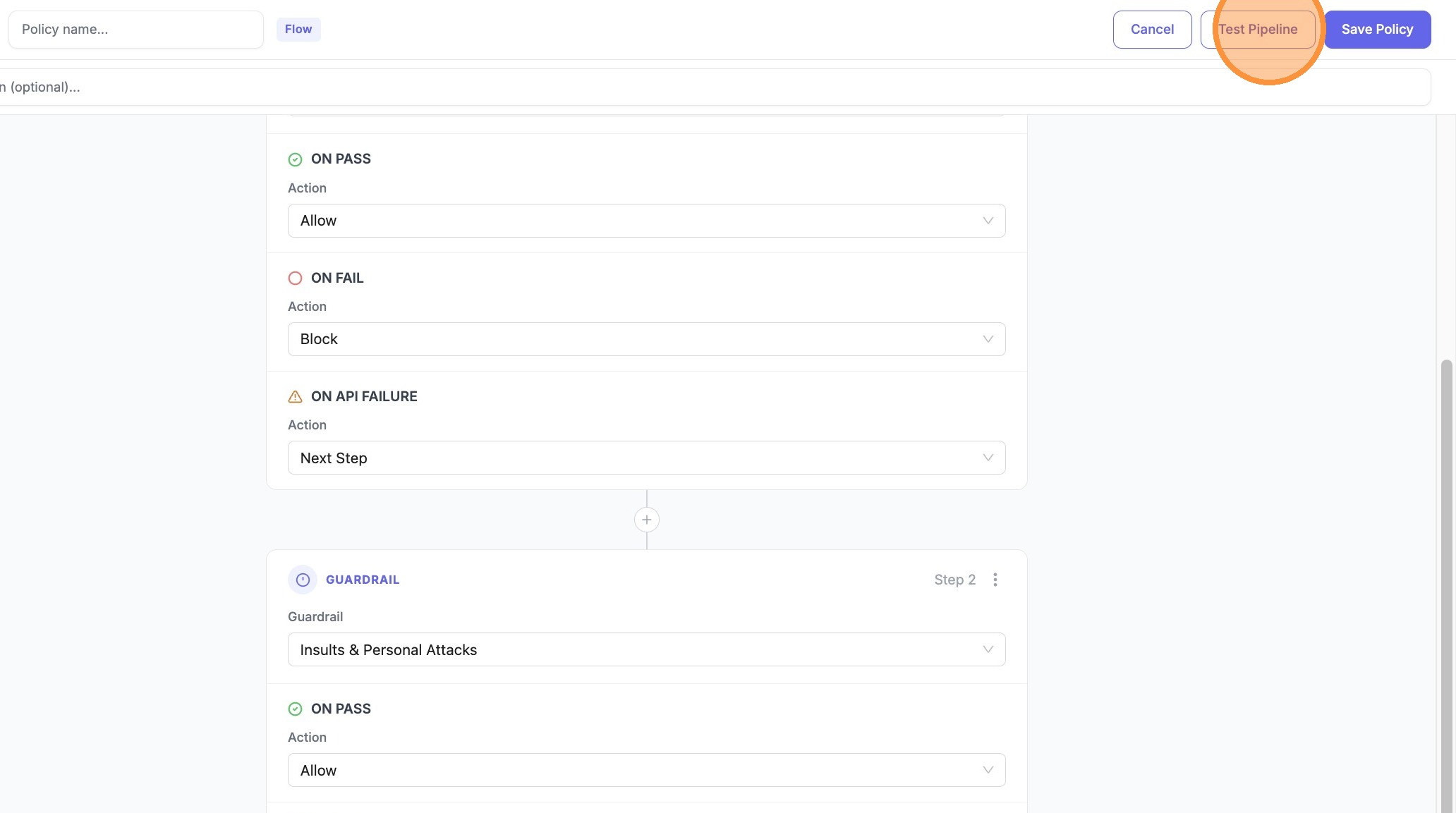
||
| 20. Open **Test Pipeline** | ||
|
|
||
|  | ||
|
|
||
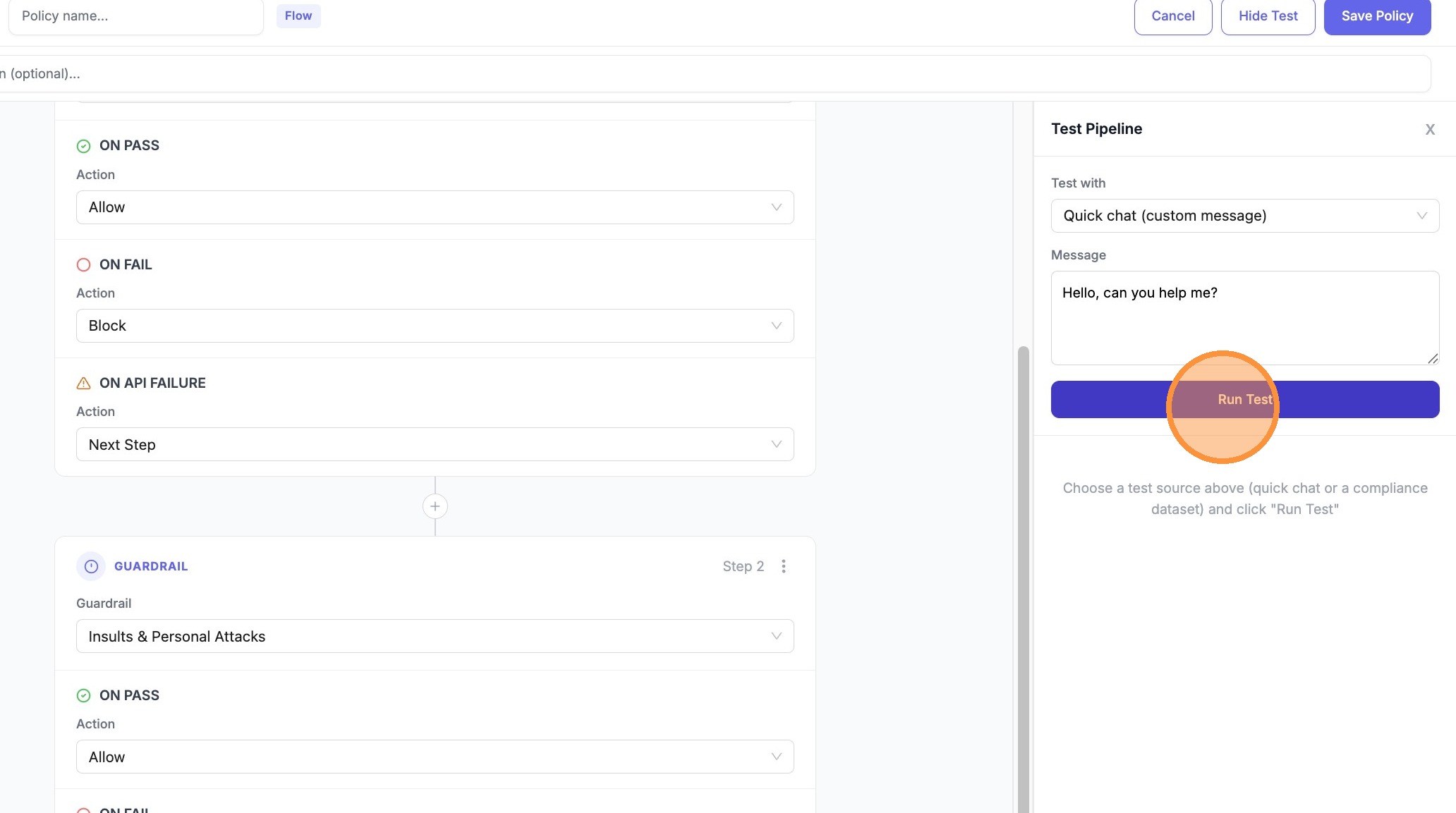
| 21. Click **Run Test** | ||
|
|
||
|  | ||
|
|
||
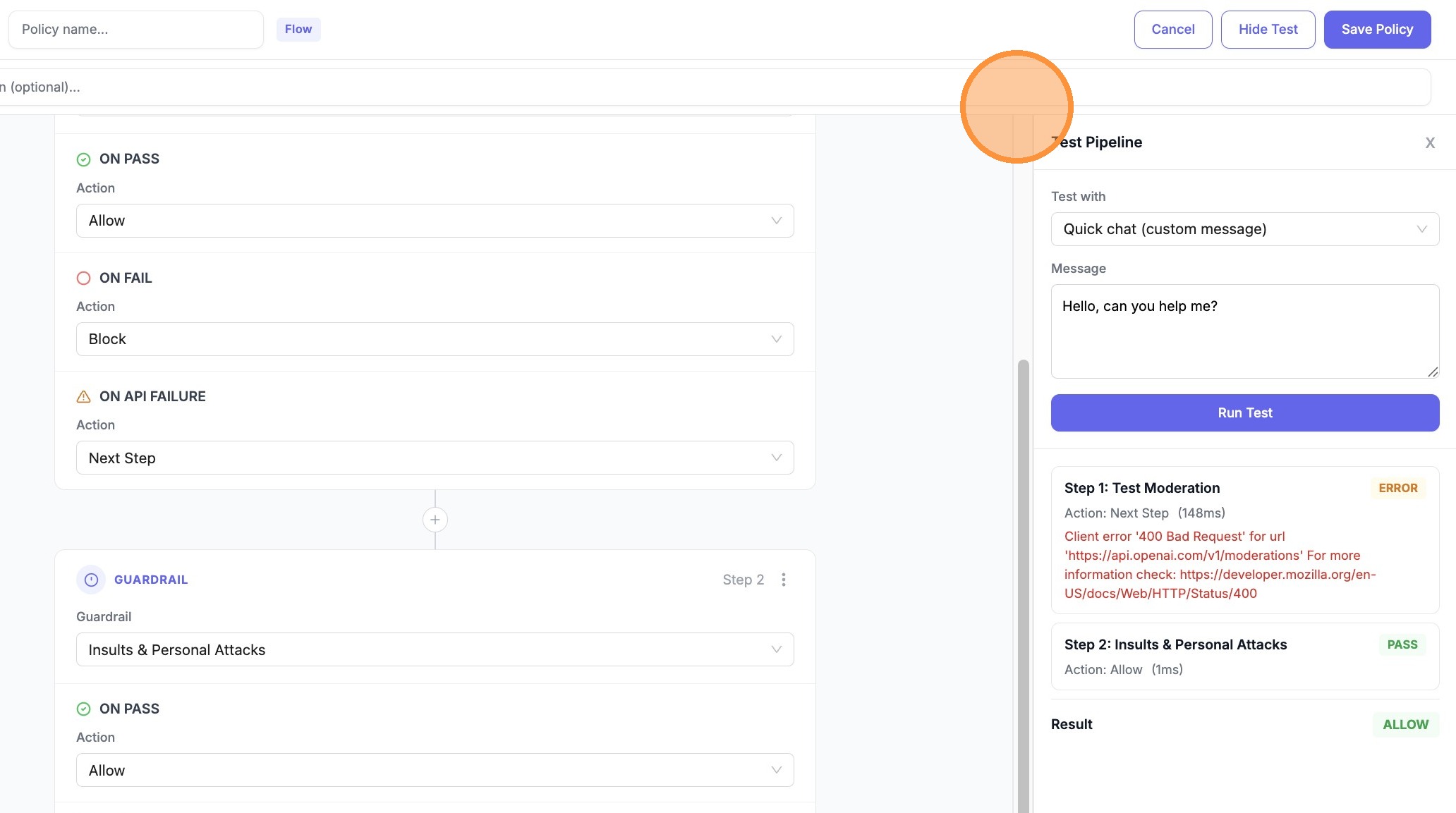
| 22. Expand **Step 1** (or the first guardrail row) in the results to see **ERROR** / **Next Step** vs **PASS** / **Allow** | ||
|
|
||
|  | ||
|
|
||
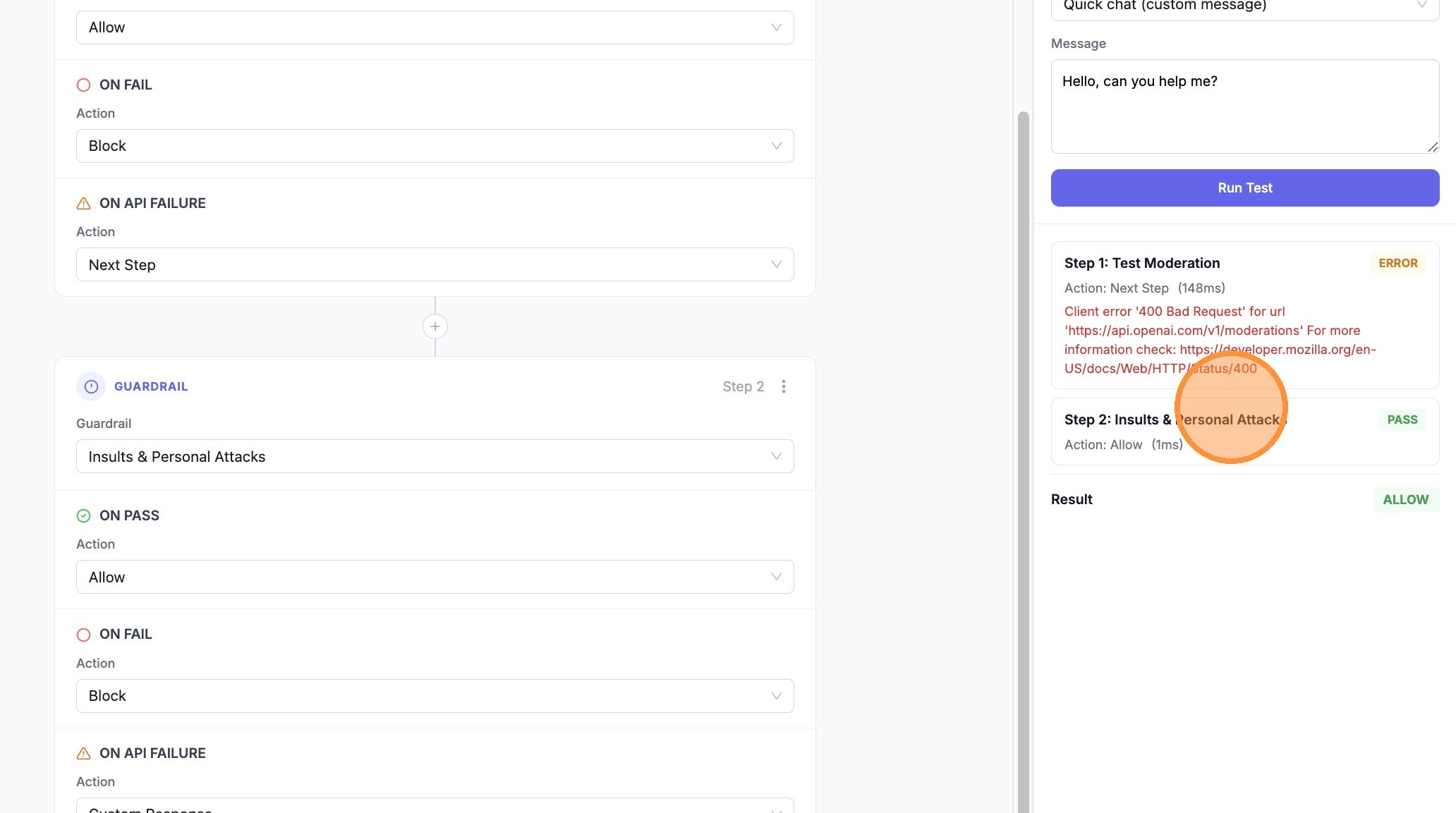
| 23. Expand **Step 2** (e.g. **Insults & Personal Attacks**) to confirm **PASS** and **Allow** after the fallback | ||
|
|
||
|  |

There was a problem hiding this comment.

All 23 screenshots are hosted on colony-recorder.s3.amazonaws.com, a third-party service not under LiteLLM's control. If Colony rotates, expires, or removes these files, the entire walkthrough will silently show broken images. Consider mirroring these screenshots to the repo's own static assets (e.g. docs/my-website/static/img/guardrails/) or a LiteLLM-controlled CDN so the docs remain stable long-term.



Codecov Report✅ All modified and coverable lines are covered by tests. 📢 Thoughts on this report? Let us know! |


2 participants


Relevant issues
Pre-Submission checklist
Please complete all items before asking a LiteLLM maintainer to review your PR
tests/test_litellm/directory, Adding at least 1 test is a hard requirement - see detailsmake test-unit@greptileaiand received a Confidence Score of at least 4/5 before requesting a maintainer reviewDelays in PR merge?
If you're seeing a delay in your PR being merged, ping the LiteLLM Team on Slack (#pr-review).
CI (LiteLLM team)
Branch creation CI run
Link:
CI run for the last commit
Link:
Merge / cherry-pick CI run
Links:
Screenshots / Proof of Fix
Type
🆕 New Feature
🐛 Bug Fix
🧹 Refactoring
📖 Documentation
🚄 Infrastructure
✅ Test
Changes