Describe the bug
There's no way to select what image size you want to insert, when you insert an Inline Image. Once it's inserted, there's also no way to select a different image size.
When an image is inserted, it reduces it to some random size you're unable to control. There's also no indication to show what this size is and no way to automatically set it to the full/original size image. Since there's also no indication of what the original image size is, if you simply drag the handles to resize it there's a very good chance you could end up enlarging it and in doing so, cause it lose quality when displayed in your theme.
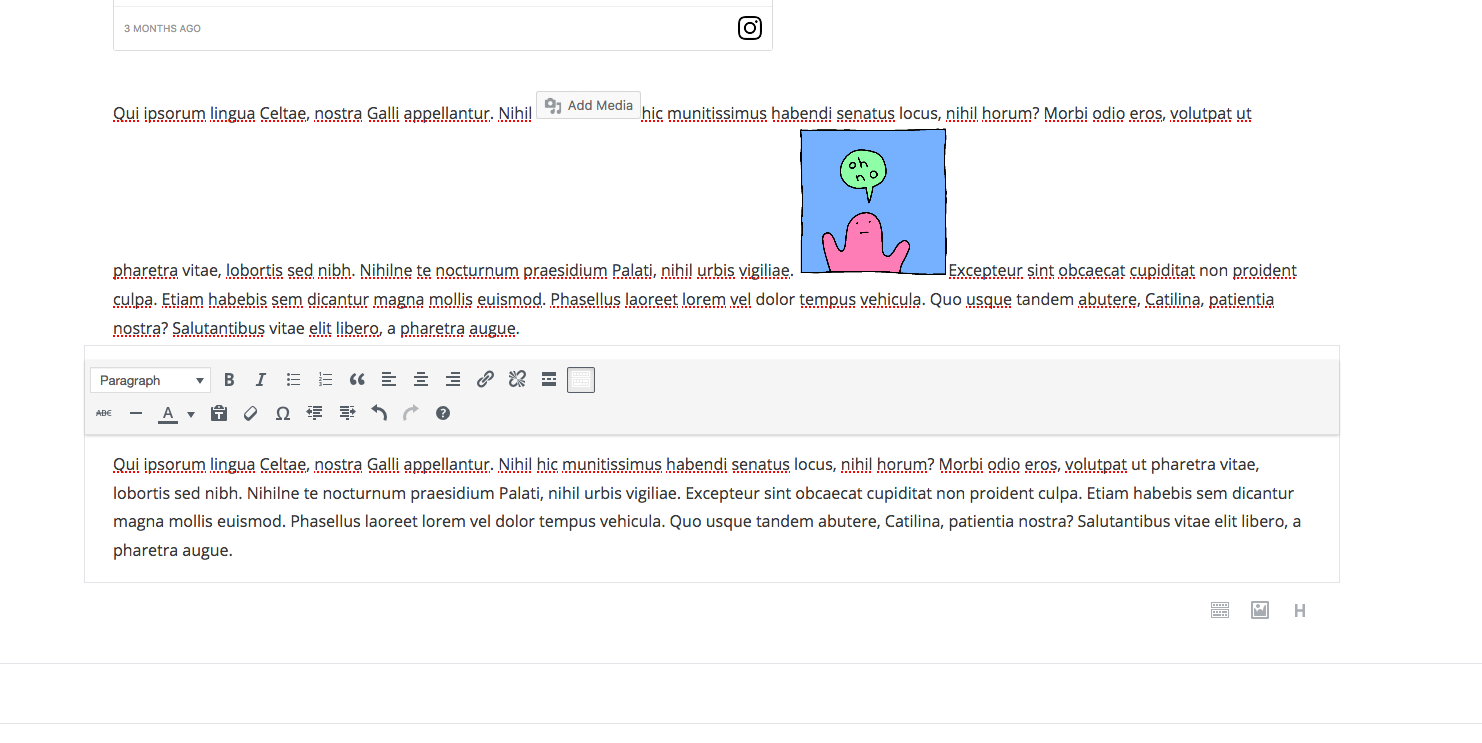
To Reproduce
Steps to reproduce the behavior:
- Insert Inline Image
- Try to change image to the original size without using drag handles
Expected behavior
I should be given the option to select which image size I want to insert (i.e. Thumbnail, medium, large, original)
macOS 10.12.1
Firefox Quantum 61.0.1 (64-bit)
Gutenberg 3.2.0

Describe the bug
There's no way to select what image size you want to insert, when you insert an Inline Image. Once it's inserted, there's also no way to select a different image size.
When an image is inserted, it reduces it to some random size you're unable to control. There's also no indication to show what this size is and no way to automatically set it to the full/original size image. Since there's also no indication of what the original image size is, if you simply drag the handles to resize it there's a very good chance you could end up enlarging it and in doing so, cause it lose quality when displayed in your theme.
To Reproduce
Steps to reproduce the behavior:
Expected behavior
I should be given the option to select which image size I want to insert (i.e. Thumbnail, medium, large, original)
macOS 10.12.1
Firefox Quantum 61.0.1 (64-bit)
Gutenberg 3.2.0