Description
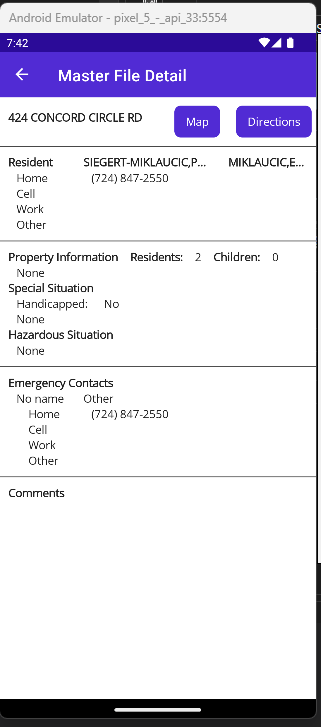
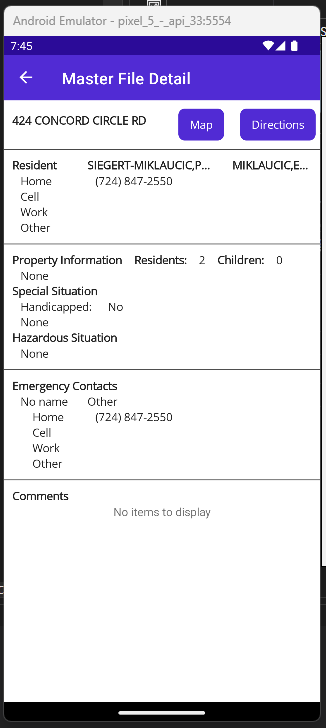
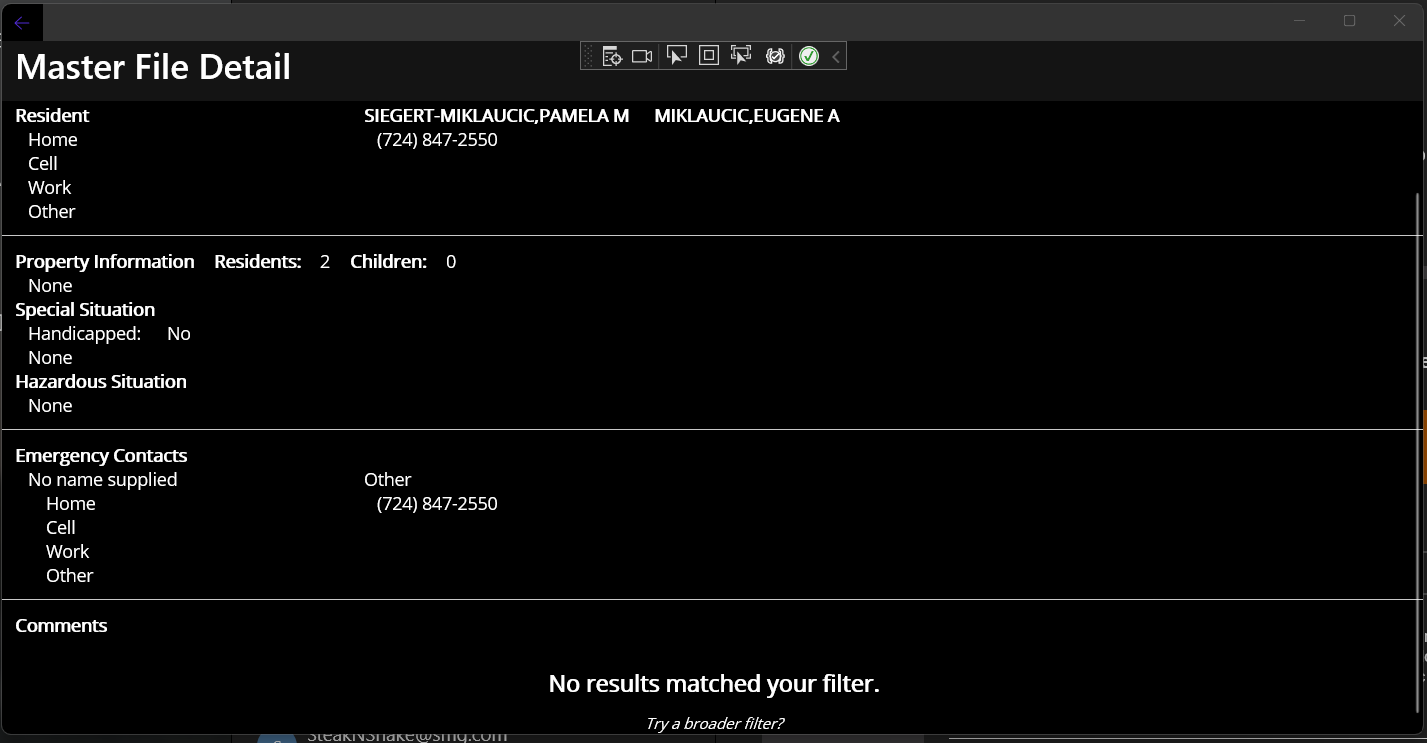
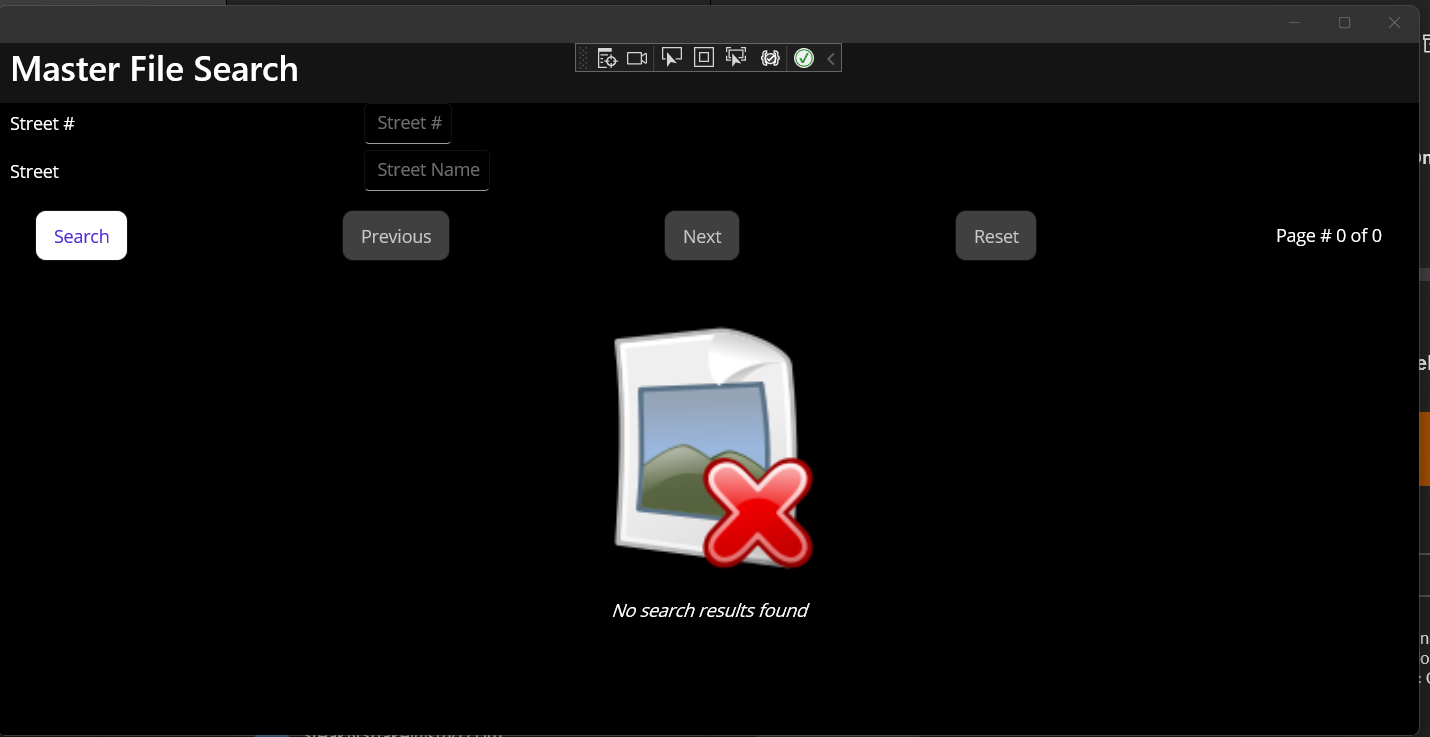
When using a CollectionView and creating an EmptyView with a ContentView, no text is displayed on Android. When following the article Display views when data is unavailable, no text is displayed when a ContentView is created. However, when using the EmptyView attribute for the CollectionView, the text is displayed. Code samples are in the steps to reproduce.
Steps to Reproduce
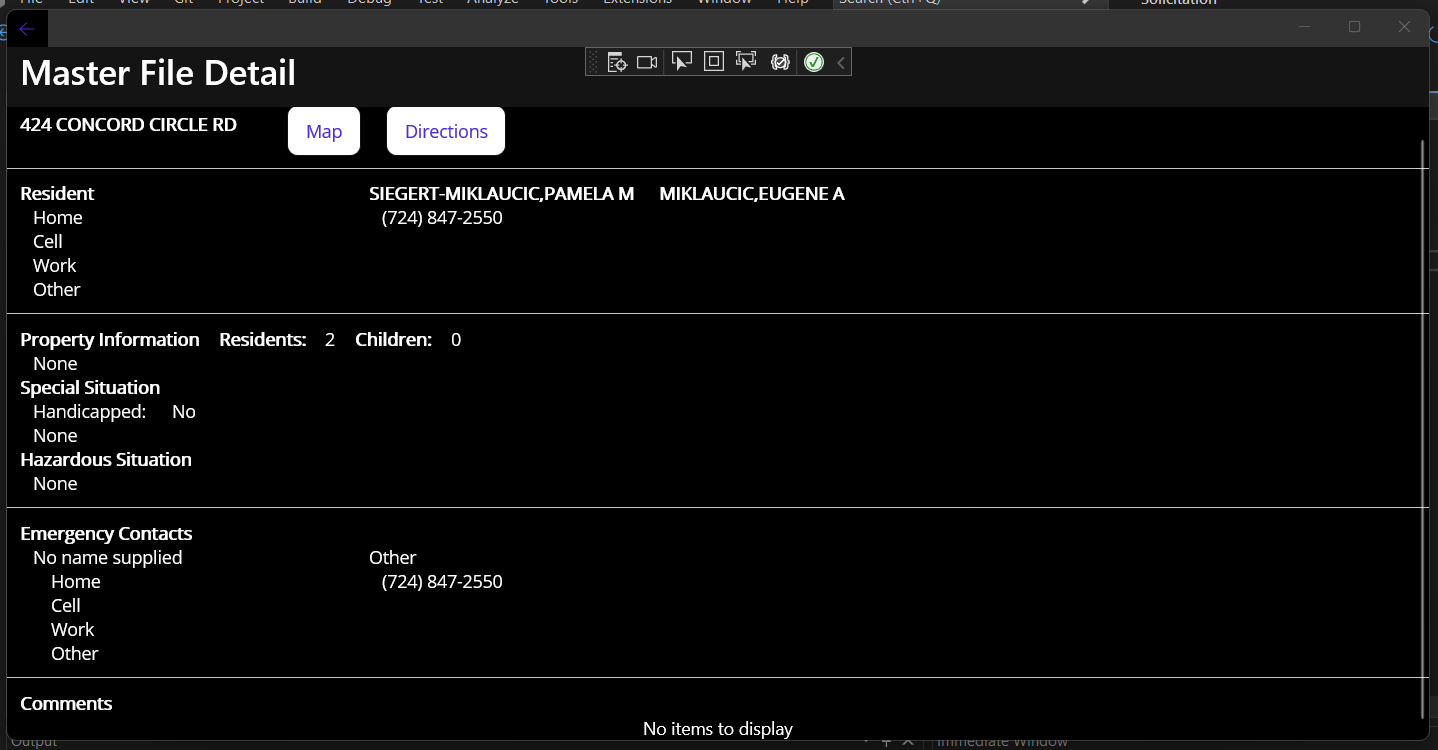
When using EmptyView attribute, text is displayed on both Android and Windows.
 <VerticalStackLayout>
...
            <CollectionView ItemsSource="{Binding DataItem.MasterFileComments}" EmptyView="No comments to display">
                <CollectionView.ItemTemplate>
                    <DataTemplate x:DataType="m:MasterFileComment">
                        <VerticalStackLayout Margin="10,0,10,0">
                            <Label Margin="10,0,0,0" Text="{Binding Comment}" TextType="Html"/>
                        </VerticalStackLayout>
                    </DataTemplate>
                </CollectionView.ItemTemplate>
            </CollectionView>
 </VerticalStackLayout>
When using EmptyView , text is displayed on both Android and Windows.
<VerticalStackLayout>
...
<CollectionView ItemsSource="{Binding DataItem.MasterFileComments}">
<CollectionView.ItemTemplate>
<DataTemplate x:DataType="m:MasterFileComment">
<VerticalStackLayout Margin="10,0,10,0">
<Label Margin="10,0,0,0" Text="{Binding Comment}" TextType="Html"/>
</VerticalStackLayout>
</DataTemplate>
</CollectionView.ItemTemplate>
<CollectionView.EmptyView>
<ContentView>
<StackLayout HorizontalOptions="CenterAndExpand"
VerticalOptions="CenterAndExpand">
<Label Text="No results matched your filter."
Margin="10,25,10,10"
FontAttributes="Bold"
FontSize="18"
HorizontalOptions="Fill"
HorizontalTextAlignment="Center" />
<Label Text="Try a broader filter?"
FontAttributes="Italic"
FontSize="12"
HorizontalOptions="Fill"
HorizontalTextAlignment="Center" />
</StackLayout>
</ContentView>
</CollectionView.EmptyView>
</CollectionView>
</VerticalStackLayout>
Link to public reproduction project repository
https://dev.azure.com/grewegreg/Solicitation/_git/Solicitation.MAUI
Version with bug
7.0 (current)
Last version that worked well
Unknown/Other
Affected platforms
Android, Windows
Affected platform versions
Android 13 - API 33
Did you find any workaround?
The only workaround is using the EmptyView attribute.
<CollectionView ItemsSource="{Binding DataItem.MasterFileComments}" EmptyView="No comments to display">
...
</CollectionView>
Relevant log output
Microsoft Visual Studio Community 2022
Version 17.4.4
VisualStudio.17.Release/17.4.4+33213.308
Microsoft .NET Framework
Version 4.8.09032

Installed Version: Community

Visual C++ 2022   00482-90000-00000-AA466
Microsoft Visual C++ 2022

ADL Tools Service Provider   1.0
This package contains services used by Data Lake tools

ASA Service Provider   1.0

ASP.NET and Web Tools   17.4.326.54890
ASP.NET and Web Tools

Azure App Service Tools v3.0.0   17.4.326.54890
Azure App Service Tools v3.0.0

Azure Data Lake Tools for Visual Studio   2.6.5000.0
Microsoft Azure Data Lake Tools for Visual Studio

Azure Functions and Web Jobs Tools   17.4.326.54890
Azure Functions and Web Jobs Tools

Azure Stream Analytics Tools for Visual Studio   2.6.5000.0
Microsoft Azure Stream Analytics Tools for Visual Studio

C# Tools   4.4.0-6.22608.27+af1e46ad38d900023f8b1a2839484e471ece1502
C# components used in the IDE. Depending on your project type and settings, a different version of the compiler may be used.

Common Azure Tools   1.10
Provides common services for use by Azure Mobile Services and Microsoft Azure Tools.

Extensibility Message Bus   1.4.1 (main@2ee106a)
Provides common messaging-based MEF services for loosely coupled Visual Studio extension components communication and integration.

Microsoft Azure Hive Query Language Service   2.6.5000.0
Language service for Hive query

Microsoft Azure Stream Analytics Language Service   2.6.5000.0
Language service for Azure Stream Analytics

Microsoft JVM Debugger   1.0
Provides support for connecting the Visual Studio debugger to JDWP compatible Java Virtual Machines

Mono Debugging for Visual Studio   17.4.19 (8c0a575)
Support for debugging Mono processes with Visual Studio.

NuGet Package Manager   6.4.0
NuGet Package Manager in Visual Studio. For more information about NuGet, visit https://docs.nuget.org/

Rainbow Braces   1.0.78
Colorizes matching brace pairs to make it easy to identify them and their scope. Works for curly brackets, parentheses, and square brackets.

Razor (ASP.NET Core)   17.0.0.2246202+61cc048d36a3fc9246d2f04625988b19a18ab8f0
Provides languages services for ASP.NET Core Razor.

SQL Server Data Tools   17.0.62207.28050
Microsoft SQL Server Data Tools

ToolWindowHostedEditor   1.0
Hosting json editor into a tool window

TypeScript Tools   17.0.10921.2001
TypeScript Tools for Microsoft Visual Studio

Visual Basic Tools   4.4.0-6.22608.27+af1e46ad38d900023f8b1a2839484e471ece1502
Visual Basic components used in the IDE. Depending on your project type and settings, a different version of the compiler may be used.

Visual F# Tools   17.4.0-beta.22512.4+525d5109e389341bb90b144c24e2ad1ceec91e7b
Microsoft Visual F# Tools

Visual Studio IntelliCode   2.2
AI-assisted development for Visual Studio.

Visual Studio Spell Check Everywhere   VSSpellCheckEverywhere
An extension that enables spell checking within any Visual Studio file editor or tool window that uses WPF text boxes.
https://GitHub.com/EWSoftware/VSSpellChecker

Visual Studio Spell Checker   VSSpellChecker
An editor extension that checks the spelling of comments, strings, and plain text as you type or interactively with tool windows.
https://GitHub.com/EWSoftware/VSSpellChecker

VisualStudio.DeviceLog   1.0
Information about my package

VisualStudio.Mac   1.0
Mac Extension for Visual Studio

VSColorOutput64   2022.2
Color output for build and debug windows - https://mike-ward.net/vscoloroutput

VSPackage Extension   1.0
VSPackage Visual Studio Extension Detailed Info

Xamarin   17.4.0.312 (d17-4@be7e8d1)
Visual Studio extension to enable development for Xamarin.iOS and Xamarin.Android.

Xamarin Designer   17.4.0.138 (remotes/origin/d17-4@d36bba3cc9)
Visual Studio extension to enable Xamarin Designer tools in Visual Studio.

Xamarin.Android SDK   13.1.0.1 (d17-4/13ba222)
Xamarin.Android Reference Assemblies and MSBuild support.
    Mono: a96bde9
    Java.Interop: xamarin/java.interop/d17-4@fcc33ce2
    SQLite: xamarin/sqlite/3.39.3@23e1ae7
    Xamarin.Android Tools: xamarin/xamarin-android-tools/main@0be567a
Description
When using a CollectionView and creating an EmptyView with a ContentView, no text is displayed on Android. When following the article Display views when data is unavailable, no text is displayed when a ContentView is created. However, when using the EmptyView attribute for the CollectionView, the text is displayed. Code samples are in the steps to reproduce.
Steps to Reproduce
When using EmptyView attribute, text is displayed on both Android and Windows.
When using EmptyView , text is displayed on both Android and Windows.
Link to public reproduction project repository
https://dev.azure.com/grewegreg/Solicitation/_git/Solicitation.MAUI
Version with bug
7.0 (current)
Last version that worked well
Unknown/Other
Affected platforms
Android, Windows
Affected platform versions
Android 13 - API 33
Did you find any workaround?
The only workaround is using the EmptyView attribute.
Relevant log output