See https://copr.fedorainfracloud.org/coprs/tduck973564/filotimo-packages/ for our packages
rpm-ostree rebase ostree-unverified-registry:ghcr.io/filotimo-project/filotimo-nvidia:latest
Then reboot into the OS, rebase to a signed copy
rpm-ostree rebase ostree-image-signed:docker://ghcr.io/filotimo-project/filotimo-nvidia:latest
Then reboot, and install the base set of Flatpaks
ujust reinstall-system-flatpaks
Then, if necessary, re-enroll Secure Boot keys (password is universalblue)
ujust enroll-secure-boot-key
It's recommended that you make a new user account after rebasing. Some tweaks and configs are only re-applied to a new user.
TODO: Branch for versions Make stable version of image, which follows the creation of a new versioned branch, like bazzite. this version should be reflected in the system. Reset rechunker on each feature addition number change, or major upstream version change something like 40.feature addition number.minor bugfix number
TODO: Build separate isos for all image variants
Container signing is important for end-user security and is enabled on all Universal Blue images. It is recommended you set this up, and by default the image builds will fail if you don't.
This provides users a method of verifying the image.
-
Install the cosign CLI tool
-
Run inside your repo folder:
cosign generate-key-pair
- Do NOT put in a password when it asks you to, just press enter. The signing key will be used in GitHub Actions and will not work if it is encrypted.
Warning
Be careful to never accidentally commit cosign.key into your git repo.
-
Add the private key to GitHub
-
This can also be done manually. Go to your repository settings, under Secrets and Variables -> Actions
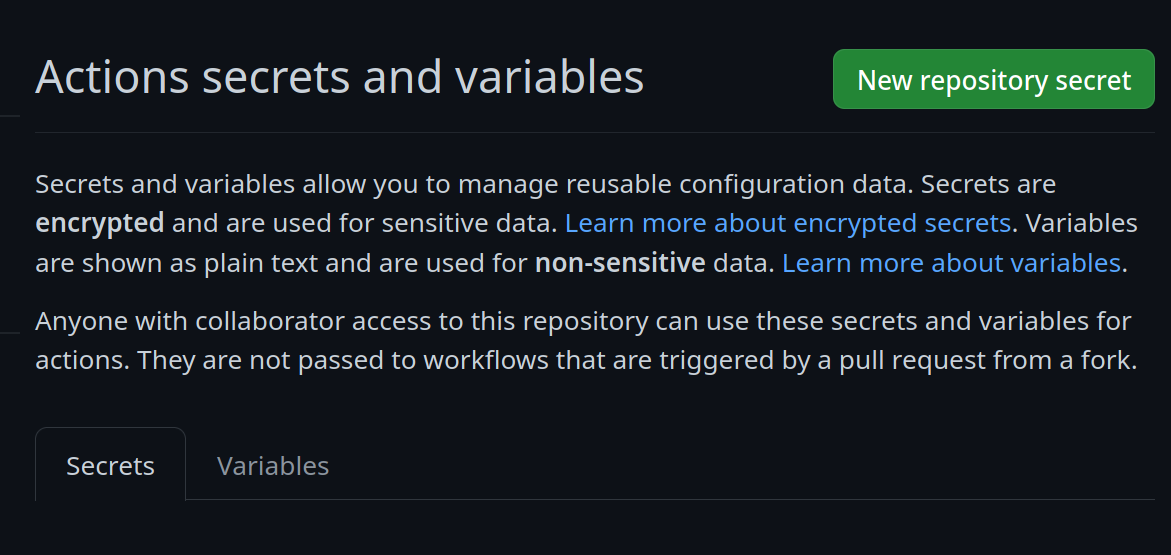 Add a new secret and name it
 SIGNING_SECRET, then paste the contents ofcosign.keyinto the secret and save it. Make sure it's the .key file and not the .pub file. Once done, it should look like this: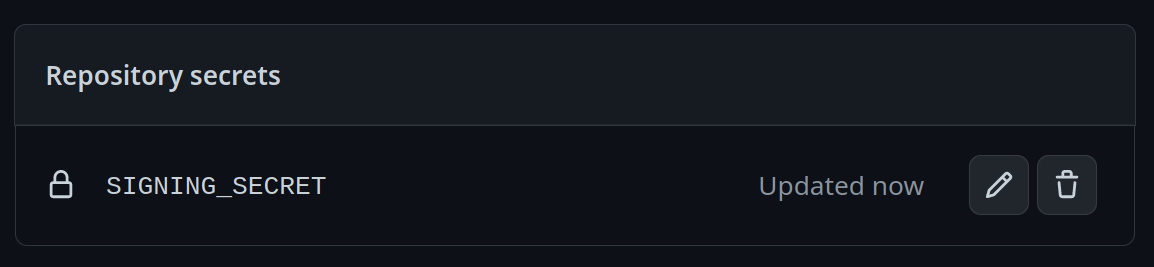
-
(CLI instructions) If you have the
github-cliinstalled, run:
gh secret set SIGNING_SECRET < cosign.key
-
-
Commit the
cosign.pubfile into your git repository