Checklist
Describe the issue you are experiencing
The datepicker used in e.g. the "Adjust statistic" developer tool doesn't always work. It usually works the first time it's opened, but after that, nothing happens when I click a date. It's possible to switch to another month view, but selecting a date still doesn't work. It usually helps to close the datepicker and open it again.
Describe the behavior you expected
The datepicker should always work.
Steps to reproduce the issue
- Open the "Adjust statistic" dialog in Developer Tools -> Statistics -> Find an entity with statistics.
- Open the datepicker by clicking on the date.
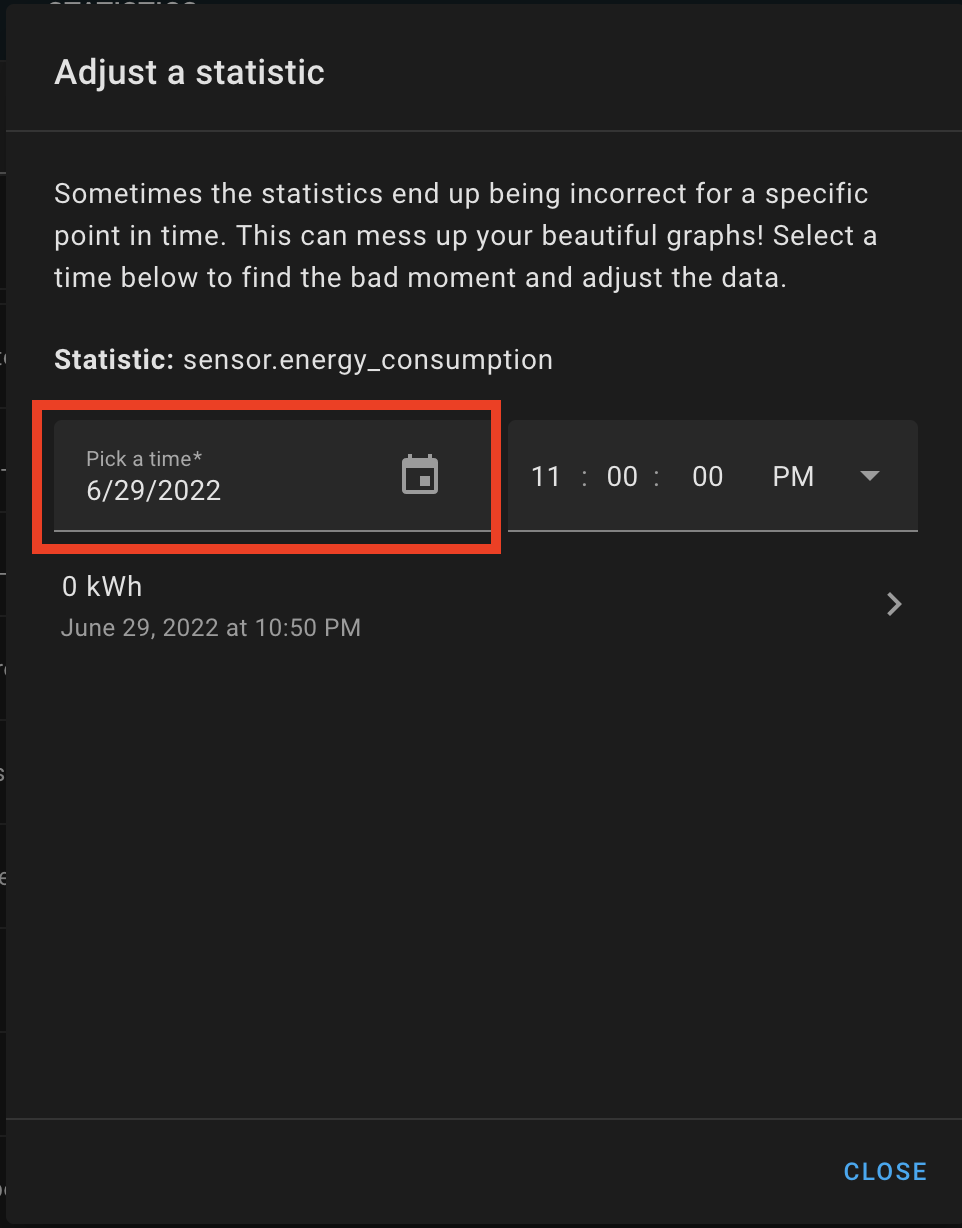
- Select another date.
- Change the time, maybe open an entry, click "Back"
- Select another date.
- Repeat until a date cannot be selected.
What version of Home Assistant Core has the issue?
2022.6.7 and 2022.8.0.dev0
What was the last working version of Home Assistant Core?
No response
In which browser are you experiencing the issue with?
Firefox 102.0, Firefox 101.0.1, Chromium 103.0.5060.53
Which operating system are you using to run this browser?
Firefox 102 on macOS 12.4, Firefox 101 and Chromium 103 on Ubuntu 20.04
State of relevant entities
No response
Problem-relevant frontend configuration
No response
Javascript errors shown in your browser console/inspector
No response
Additional information
No response


Checklist
Describe the issue you are experiencing
The datepicker used in e.g. the "Adjust statistic" developer tool doesn't always work. It usually works the first time it's opened, but after that, nothing happens when I click a date. It's possible to switch to another month view, but selecting a date still doesn't work. It usually helps to close the datepicker and open it again.
Describe the behavior you expected
The datepicker should always work.
Steps to reproduce the issue
What version of Home Assistant Core has the issue?
2022.6.7 and 2022.8.0.dev0
What was the last working version of Home Assistant Core?
No response
In which browser are you experiencing the issue with?
Firefox 102.0, Firefox 101.0.1, Chromium 103.0.5060.53
Which operating system are you using to run this browser?
Firefox 102 on macOS 12.4, Firefox 101 and Chromium 103 on Ubuntu 20.04
State of relevant entities
No response
Problem-relevant frontend configuration
No response
Javascript errors shown in your browser console/inspector
No response
Additional information
No response