L005 - Show tray icon and menu #14

Description

In the main process listen for a 'send-to-tray' message (send by the button in the window app).
In the event handler load the bundled icon image file and create a new Tray object. (More at: https://electronjs.org/docs/api/tray#class-tray )
  const iconPath = path.join(__dirname, './tray-icon.png')
  let tray = new Tray(iconPath);
Creating the object shows the icon in the system bar:
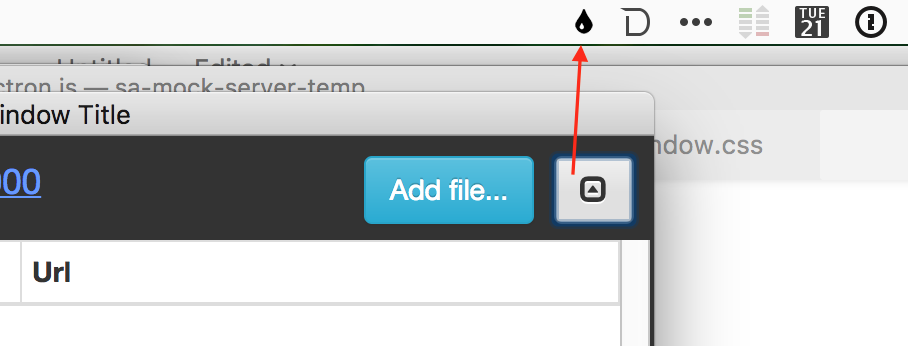
Then add a menu to the tray icon:
  const contextMenu = Menu.buildFromTemplate([
    {label: 'Show Window...', click: ()=>{
       //display the window
    }},
    {label: 'Quit', role: 'quit'}
  ])
  tray.setContextMenu(contextMenu)
You can click the tray icon to see the menu