Clicking Book Page Star Ratings summary goes to ratings section#7125
Conversation


…Ratings summary redirect user to rate section and highlights this section.


 jimchamp
left a comment
jimchamp
left a comment
jimchamp
left a comment
There was a problem hiding this comment.
Thanks @michas9009! I love the way the animation looks.
I noticed that the star rating component is hidden beneath our header component after the scroll on mobile and tablet views:
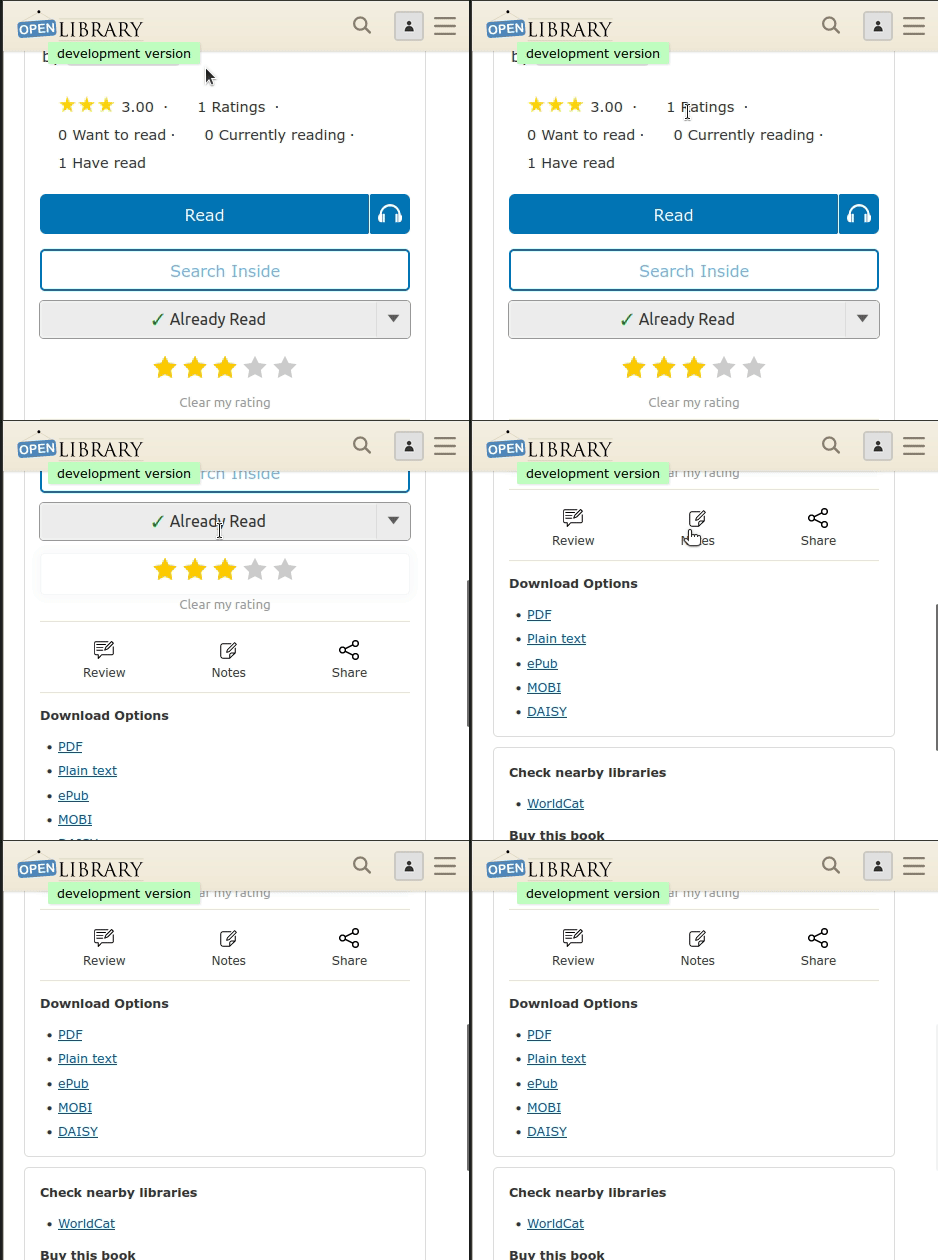
Increasing scroll-margin-top for these views should help.
| <span class="dot">·</span> | ||
| </li> | ||
| <li> | ||
| <li onclick="location.href='#starRatingSection';"> |
There was a problem hiding this comment.
| <li onclick="location.href='#starRatingSection';"> | |
| <li> |
The onclick attribute should be added to the previous <li> element, here.
There was a problem hiding this comment.
Hey @jimchamp
So I've changed the onclick placement and it works as it should. And I've also changed cursor to "pointer" when you hover over the clickable text (star rating) (picture 1).
Picture 1:
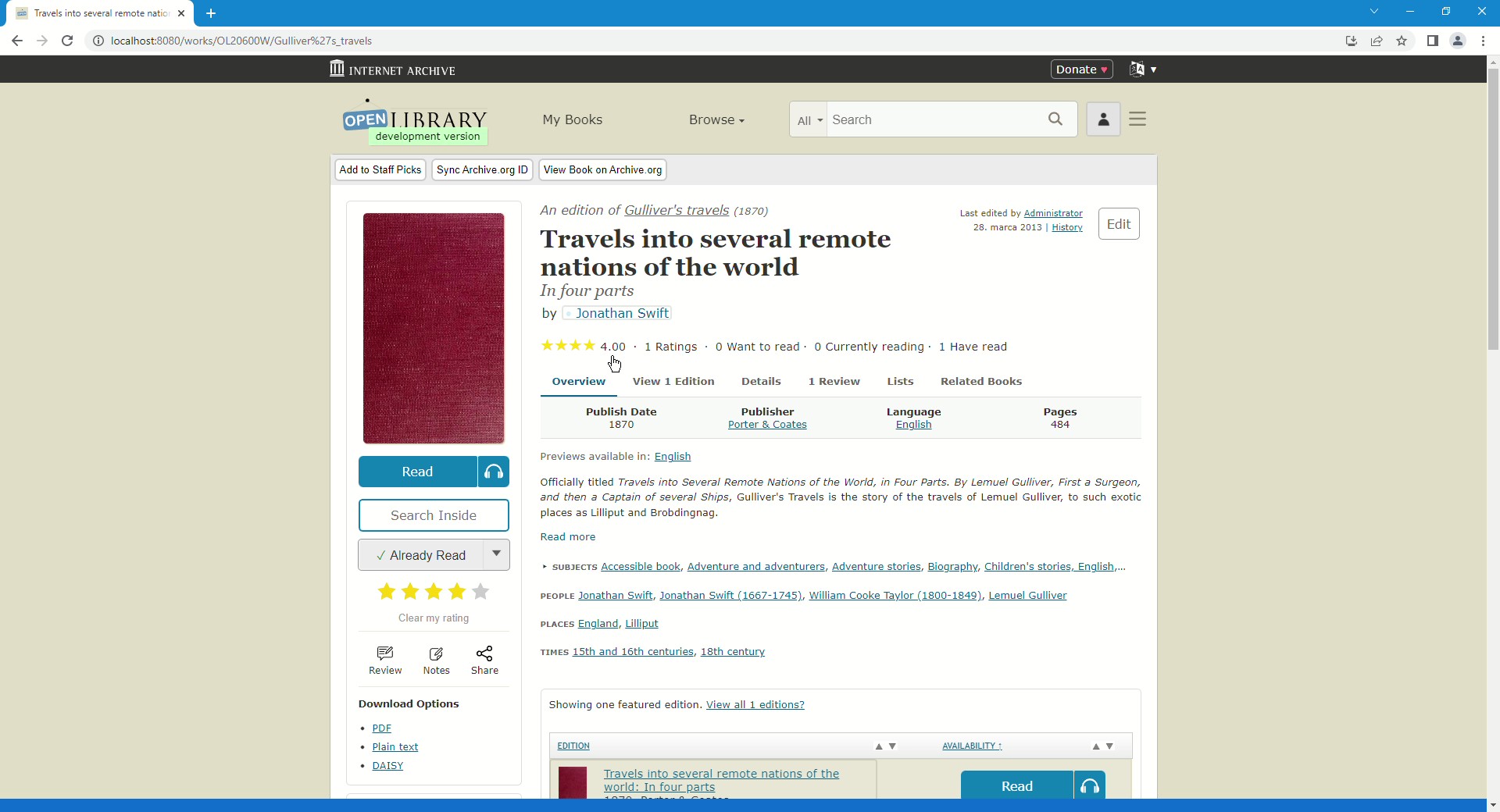
But the issue with scrolling is not happening on my part. I have already applied scroll-margin-top in "rating-form.less" (picture 2)
Picture 2:

So should I do another PR so you can test it again? I've tried changing my browser to mobile version (with lots of different variations of resolutions) and it worked on every one of them.
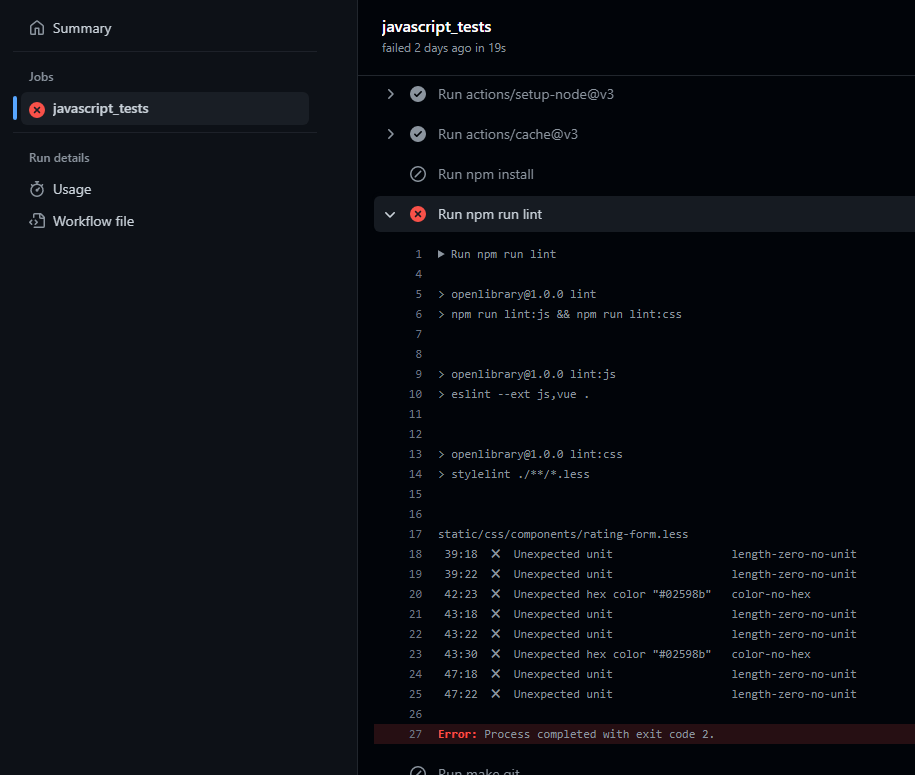
Also, javascript_test that has failed...is that something that I should fix or be concerned about? (picture 3)
Picture 3:
There was a problem hiding this comment.
Sorry for the delayed response!
No need to create another PR. Every push to your branch will also update this PR.
Changing the cursor to a pointer is a great idea --- thanks for doing that!
The javascript tests are failing because rating-form.less is not formatted properly. Most of this can be fixed by running npx stylelint --fix ./**/*.less in the web container. If you run this and see any EACCESS errors, try again after opening bash as the root user:
docker-compose exec -uroot web bash
After running the lint fix script, the color-no-hex linting errors will still exist. You can solve this by replacing the hex color values with @link-blue (this is defined in our colors.less file, here.
 jimchamp
added
the
Needs: Submitter Input
jimchamp
added
the
Needs: Submitter Input
 cdrini
changed the title
cdrini
changed the title
|
@jimchamp @mekarpeles NEW CHANGES:
CHANGE THAT WAS REQUESTED (but it was already implemented in my first PR):
Anyway, hope that everything works now! :) |

|
Another PR is not necessary. Please include all requested changes in this PR.
Please let me know if you have any questions. |
|
@jimchamp |
jimchamp
left a comment
jimchamp
left a comment
There was a problem hiding this comment.
Thanks @michas9009! Will commit the suggested change and merge this PR.
I think that the html {scroll-behavior: smooth} rule should probably be in work.less. I'll create a PR that makes this change, as I don't want to hold this PR up any longer.
| // smooth scrolling and highlighting area after clicking on anchor link | ||
| .review:target { | ||
| animation: highlight 3s; | ||
| scroll-margin-top: 10rem; |
There was a problem hiding this comment.
| scroll-margin-top: 10rem; |
I'm not sure that this is doing anything here. Try moving it to the .review selector (without the target pseudo class).
Also, please use px instead of rem, which can be difficult to work with given the current state of our CSS.
There was a problem hiding this comment.
When testing the current code, you should see a difference when using different browsers (firefox v. chrome).
| <span class="dot">·</span> | ||
| </li> | ||
| <li> | ||
| <li onclick="location.href='#starRatingSection';"> |
There was a problem hiding this comment.
Sorry for the delayed response!
No need to create another PR. Every push to your branch will also update this PR.
Changing the cursor to a pointer is a great idea --- thanks for doing that!
The javascript tests are failing because rating-form.less is not formatted properly. Most of this can be fixed by running npx stylelint --fix ./**/*.less in the web container. If you run this and see any EACCESS errors, try again after opening bash as the root user:
docker-compose exec -uroot web bash
After running the lint fix script, the color-no-hex linting errors will still exist. You can solve this by replacing the hex color values with @link-blue (this is defined in our colors.less file, here.

…ion (#12105)

Replaces the "Locate" CTA button (which sent patrons off-site to WorldCat)
with a "Check Options" button that keeps patrons on Open Library by navigating
to the edition page's vendor/library section via an anchor link.

Changes:
- LocateButton.html: rename label to "Check Options", update href from
  `/books/{key}/-/borrow?action=locate` to `/books/{key}#check-options`,
  remove `target="_blank"` and `cta-btn--external` class, update analytics
  tracking attribute to `CTAClick|CheckOptions`
- databarWork.html: add `id="check-options"` to `.panel.desktop-vendor`
  so the sidebar vendor/library section is a named anchor target
- view.html: add `id="check-options"` to `.panel.mobile-vendor` so the
  responsive mobile equivalent is also reachable as an anchor target
- read-panel.css: add `@keyframes check-options-highlight` glow animation
  (uses `var(--primary-blue)`, fades out over 3s) and `:target` rules for
  `.desktop-vendor` and `.mobile-vendor` with `scroll-margin-top: 80px` to
  clear the sticky header; add `scroll-behavior: smooth` to `html`
- borrow.py: remove the dead `action == 'locate'` → WorldCat redirect

Approach follows the pattern established in PR #7125 (star ratings scroll/highlight).
…ion (#12105)

Replaces the "Locate" CTA button (which sent patrons off-site to WorldCat)
with a "Check Options" button that keeps patrons on Open Library by navigating
to the edition page's vendor/library section via an anchor link.

Changes:
- LocateButton.html: rename label to "Check Options", update href from
  `/books/{key}/-/borrow?action=locate` to `/books/{key}#check-options`,
  remove `target="_blank"` and `cta-btn--external` class, update analytics
  tracking attribute to `CTAClick|CheckOptions`
- databarWork.html: add `id="check-options"` to `.panel.desktop-vendor`
  so the sidebar vendor/library section is a named anchor target
- view.html: add `id="check-options"` to `.panel.mobile-vendor` so the
  responsive mobile equivalent is also reachable as an anchor target
- read-panel.css: add `@keyframes check-options-highlight` glow animation
  (uses `var(--primary-blue)`, fades out over 3s) and `:target` rules for
  `.desktop-vendor` and `.mobile-vendor` with `scroll-margin-top: 80px` to
  clear the sticky header; add `scroll-behavior: smooth` to `html`
- borrow.py: remove the dead `action == 'locate'` → WorldCat redirect

Approach follows the pattern established in PR #7125 (star ratings scroll/highlight).
3 participants


… redirect user to rate section and highlights this section.
Closes #7024
Clicking Book Page Star Ratings summary redirect user to rate section and also highlights this section.
Technical
In the file "StarRatings.html", div with class="review" now also has an id="starRatingSection".
In the file "StarRatingsStats.html", there is a change that provides clickable link to "rate" section:
< li onclick="location.href='#starRatingSection';" >
In terms of a design (highlighting), I added detailed comments to the code. (If needed, I can describe changes even more.)
Testing
After picking one of the books and clicking on Book Star Rating, you should be redirected to "rate" section, this section should be also highlighted for a moment.
Screenshot
Stakeholders
@mekarpeles