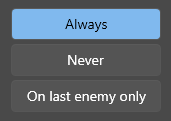
Several controls, including RadioButton and CheckBox don't align right when setting FlowDirection to RightToLeft #377


Description

Describe the bug
I needed the checks to be on the right side of the label
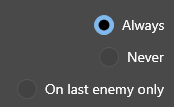
which usually is achievable by simply changing the flow direction to RightToLeft. But with the WPF UI style, instead of the label and check swapping position, the check stays in place and the label jumps to the other side, which results in misalignment.
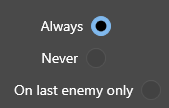
Removing the style shows what it should look like
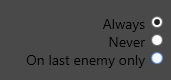
To Reproduce
Place a bunch of radio buttons in a vertical stack panel, set their HorizontalAlignment to Right, and their FlowDirection to RightToLeft.
Expected behavior
Screenshots
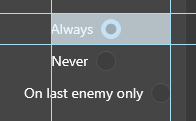
And I can't correct it by putting them in a grid instead and moving them manually, because their size changes depending on the position of the other radio buttons 🤔
I'm using radio buttons with the toggle button style as a workaround for now.