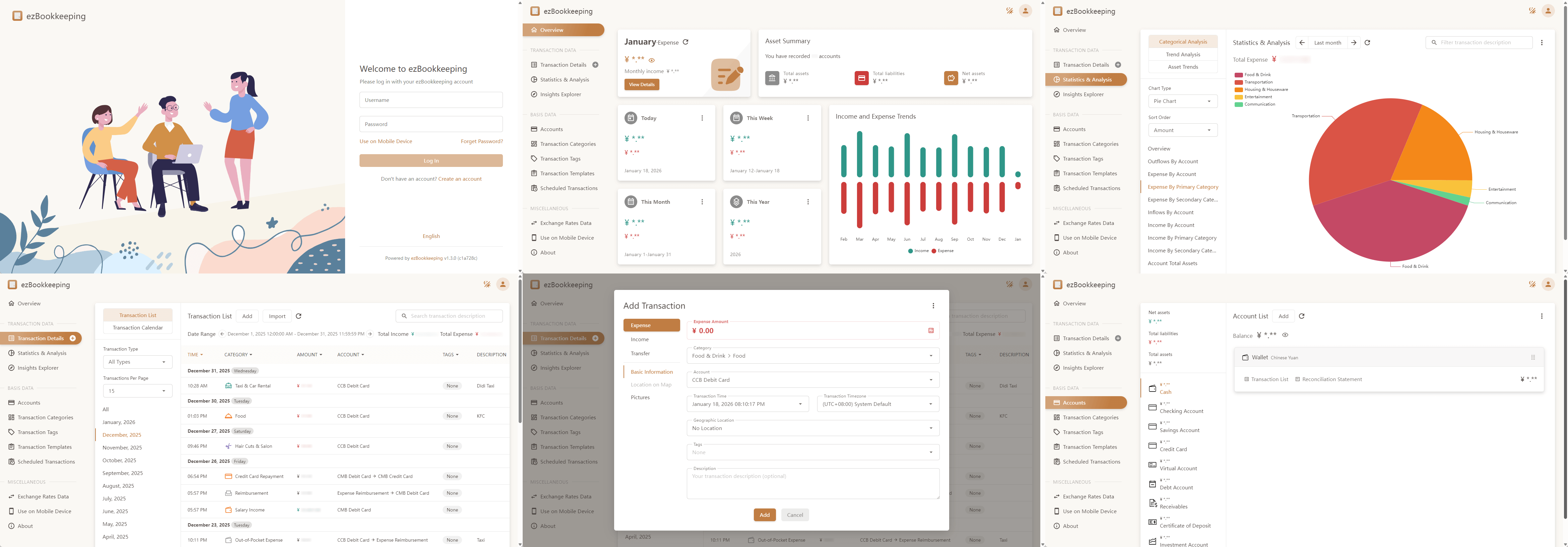
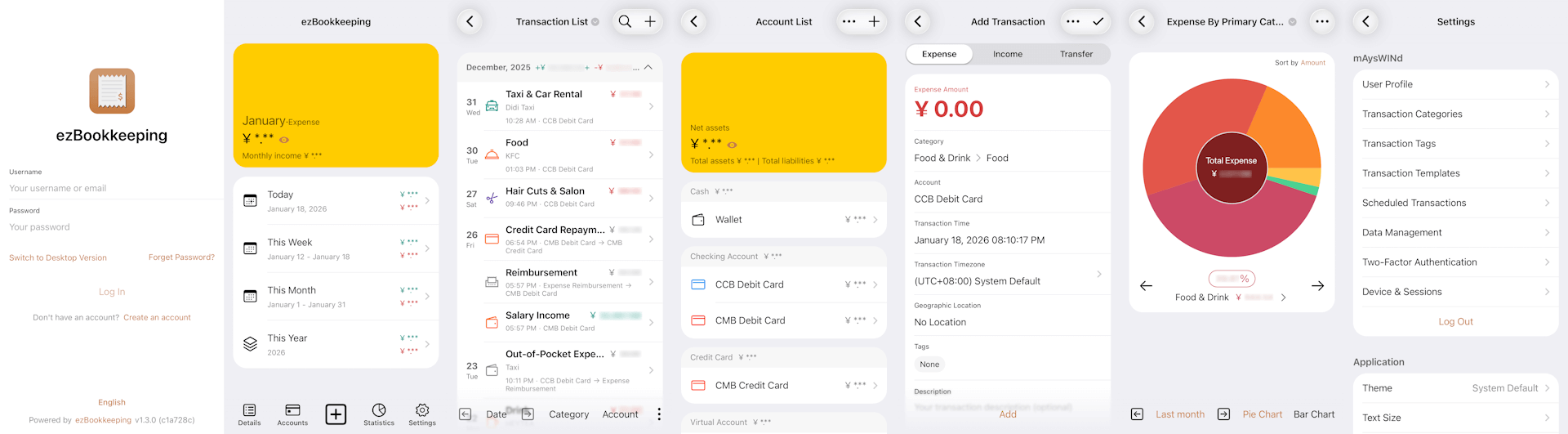
ezBookkeeping is a lightweight, self-hosted personal finance app with a user-friendly interface and powerful bookkeeping features. It helps you record daily transactions, import data from various sources, and quickly search and filter your bills. You can analyze historical data using built-in charts or perform custom queries with your own chart dimensions to better understand spending patterns and financial trends. ezBookkeeping is easy to deploy, and you can start it with just one single Docker command. Designed to be resource-efficient, it runs smoothly on devices such as Raspberry Pi, NAS, and MicroServers.
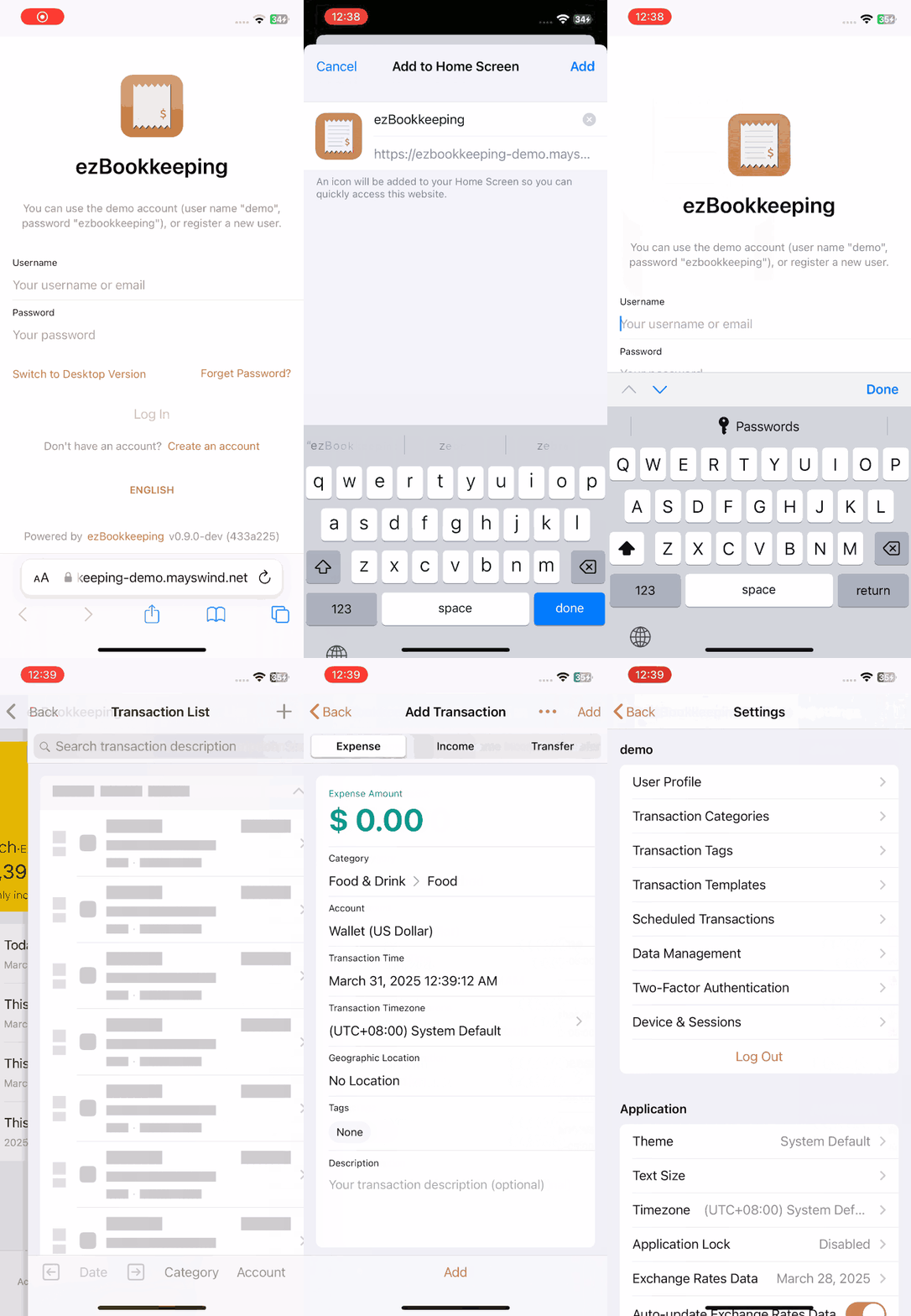
ezBookkeeping offers tailored interfaces for both mobile and desktop devices. With support for PWA (Progressive Web Apps), you can even add it to your mobile home screen and use it like a native app.
Live Demo: https://ezbookkeeping-demo.mayswind.net
- Open Source & Self-Hosted
- Built for privacy and control
- Lightweight & Fast
- Minimal resource usage, runs smoothly even on low-resource devices
- Easy Installation
- Docker support
- Supports SQLite, MySQL, PostgreSQL
- Cross-platform (Windows, macOS, Linux)
- Works on x86, amd64, ARM architectures
- User-Friendly Interface
- UI optimized for both mobile and desktop
- PWA support for native-like mobile experience
- Dark mode
- AI-Powered Features
- Receipt image recognition
- MCP (Model Context Protocol) support for AI integration
- Agent Skill and API command-line script tools support for AI integration
- Powerful Bookkeeping
- Two-level accounts and categories
- Image attachments for transactions
- Location tracking with maps
- Scheduled transactions
- Advanced filtering, search, visualization and analysis
- Localization & Internationalization
- Multi-language and multi-currency support
- Multiple exchange rate sources with automatic updates
- Multi-timezone support
- Custom formats for dates, numbers and currencies
- Security
- Two-factor authentication (2FA)
- OIDC external authentication
- Login rate limiting
- Application lock (PIN code / WebAuthn)
- Data Import & Export
- Supports CSV, OFX, QFX, QIF, IIF, Camt.052, Camt.053, MT940, GnuCash, Firefly III, Beancount and more
For a full list of features, visit the Full Feature List.
Visit Docker Hub to see all images and tags.
Latest Release:
$ docker run -p8080:8080 mayswind/ezbookkeeping
Latest Daily Build:
$ docker run -p8080:8080 mayswind/ezbookkeeping:latest-snapshot
Download the latest release: https://github.com/mayswind/ezbookkeeping/releases
Linux / macOS
$ ./ezbookkeeping server run
Windows
> .\ezbookkeeping.exe server run
By default, ezBookkeeping listens on port 8080. You can then visit http://{YOUR_HOST_ADDRESS}:8080/ .
Make sure you have Golang, GCC, Node.js and NPM installed. Then download the source code, and follow these steps:
Linux / macOS
$ ./build.sh package -o ezbookkeeping.tar.gz
All the files will be packaged in ezbookkeeping.tar.gz.
Windows
> .\build.bat package -o ezbookkeeping.zip
or
PS > .\build.ps1 package -Output ezbookkeeping.zip
All the files will be packaged in ezbookkeeping.zip.
You can also build a Docker image. Make sure you have Docker installed, then follow these steps:
Linux
$ ./build.sh docker
We welcome contributions of all kinds.
If you find a bug, please submit an issue on GitHub.
If you would like to contribute code, you can fork the repository and open a pull request.
Improvements to documentation, feature suggestions, and other forms of feedback are also appreciated.
You can view existing contributors on the Contributor Graph.
Help make ezBookkeeping accessible to users around the world. We welcome help to improve existing translations or add new ones. If you would like to contribute a translation, please refer to the translation guide.
Currently available translations:
| Tag | Language | Progress | Contributors |
|---|---|---|---|
| de | Deutsch |  |
@chrgm, @1270o1 |
| en | English |  |
/ |
| es | Español |  |
@Miguelonlonlon, @abrugues, @AndresTeller, @diegofercri |
| fr | Français |  |
@brieucdlf |
| it | Italiano |  |
@waron97 |
| ja | 日本語 |  |
@tkymmm |
| kn | ಕನ್ನಡ |  |
@Darshanbm05 |
| ko | 한국어 |  |
@overworks |
| nl | Nederlands |  |
@automagics |
| pt-BR | Português (Brasil) |  |
@thecodergus, @balaios |
| ru | Русский |  |
@artegoser, @dshemin |
| sl | Slovenščina |  |
@thehijacker |
| ta | தமிழ் |  |
@hhharsha36 |
| th | ไทย |  |
@natthavat28 |
| tr | Türkçe |  |
@aydnykn |
| uk | Українська |  |
@nktlitvinenko |
| vi | Tiếng Việt |  |
@f97 |
| zh-Hans | 中文 (简体) |  |
/ |
| zh-Hant | 中文 (繁體) |  |
/ |