Add a new Getting Started experience using the new walkthroughs feature#3171
Add a new Getting Started experience using the new walkthroughs feature#3171bwateratmsft merged 30 commits intomainfrom
Conversation


 bwateratmsft
changed the title
bwateratmsft
changed the title


|
@ucheNkadiCode @BigMorty I added a ton of screenshots and comments to the first comment (from Uche) on this PR. Please take a look. Included is commentary on when the steps will appear and what is needed to complete them. Please note, these are screenshots of GIFs, so the GIF is frozen wherever it was when I took the screenshot. You can see all the GIFs here. If you want to test this out yourself:
|

@bwateratmsft Will the VSIX ultimately have a gif? Because otherwise both the Build an Image and Run an image gifs are frozen in the wrong place. I'd like for the mouse to be hovering over the specific command and highlighting it blue. |
|
@bwateratmsft I don't know if I'm a fan of already checking off the "run a container" green if they have already run a container sometime in the past. I find this inconsistent since they may have already built an image or scaffolded a Dockerfile once in the past. Wouldn't we want them to step through the walkthrough and complete each step rather than keep a history of what they've done? |
Not the VSIX, but they will be loaded from the web. Don't worry, the GIFs do work. |
I can remove that completion criteria. |
|
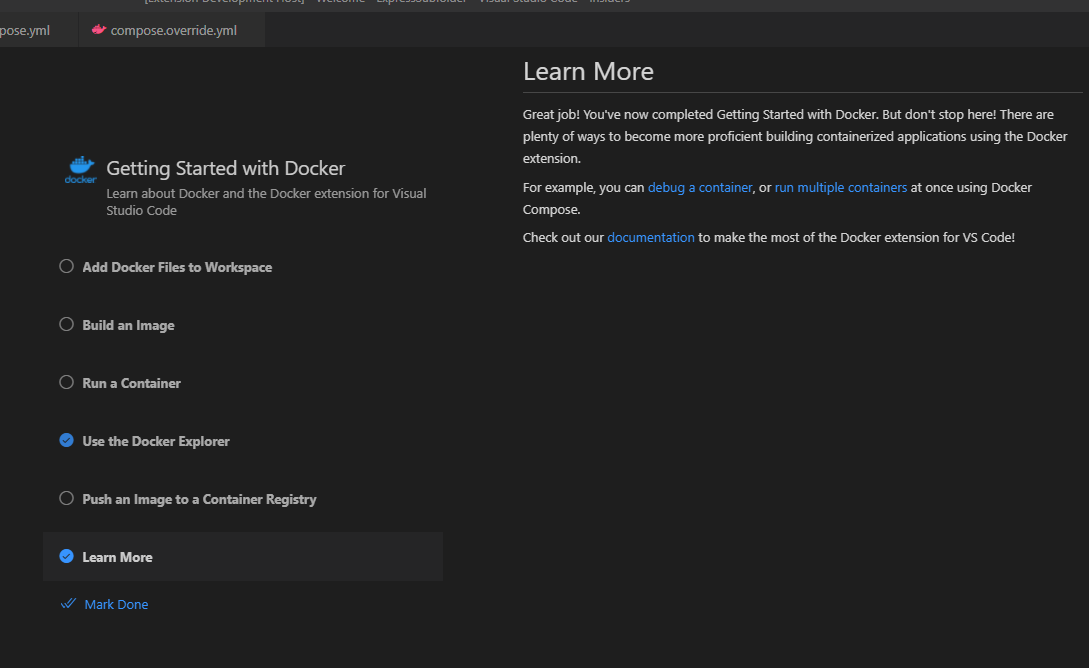
@bwateratmsft lastly, for the Learn more section, I would like for all of the text below the section header to instead be thrown onto the actual page. I just don't like seeing that completely blank grey area. Let's put those words in there instead. |
|
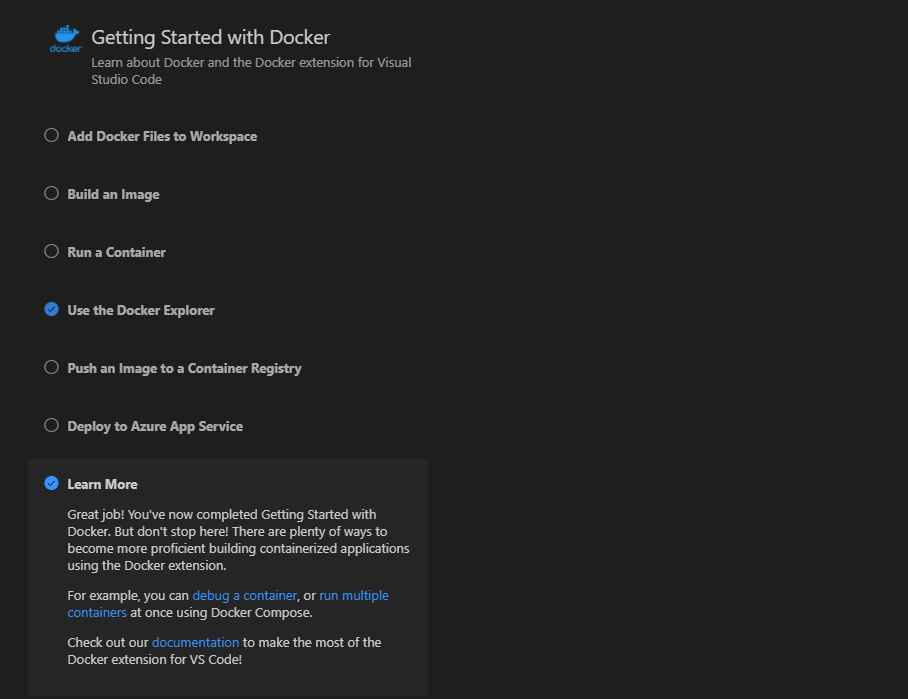
@BigMorty Uche and I wanted your opinion on the Learn More section: Option A, text in Markdown document to the right (Uche's preference, eliminates a big grey space on the right): Option B, text in step description (Brandon's preference, the Markdown wasn't vertically aligned with the rest of the page and I felt it looked awkward): |

|
Option B would be my choice. |
 bwateratmsft
left a comment
bwateratmsft
left a comment
bwateratmsft
left a comment
There was a problem hiding this comment.
Signing off even though it's technically my PR, since Uche and Mike have both seen it and approve.

3 participants


Implements #3055
[bwateratmsft writing below]
Overview
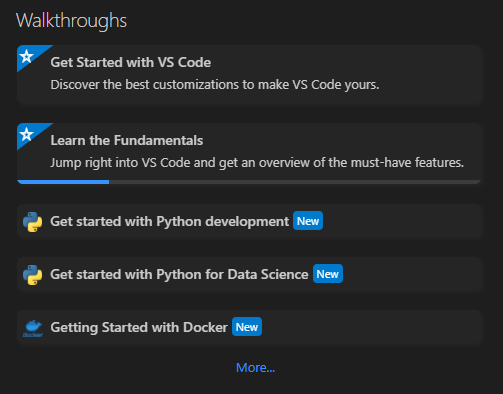
The walkthrough appears as such on the welcome page:
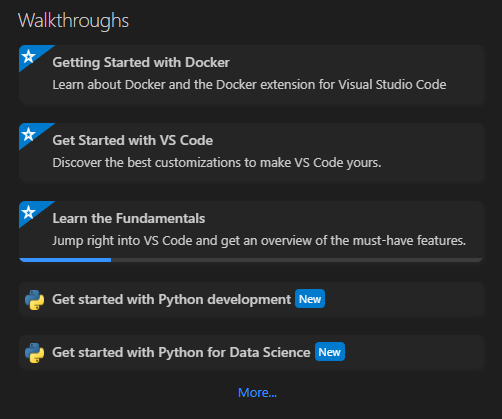
If there are Dockerfiles or compose files in the workspace, it is rendered more prominently:
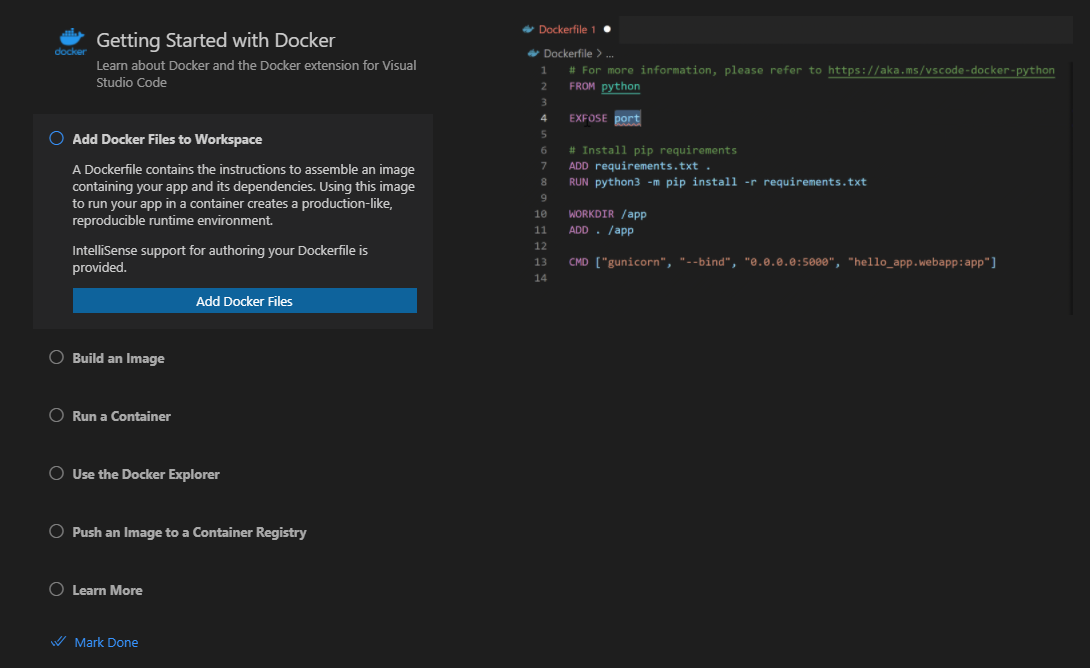
Initial view of the page:
Steps
Add Docker Files to Workspace
Condition to appear: A workspace folder is open
Condition to complete: Running either of the "Add Dockerfiles" or "Add Compose files" commands
Build an Image
Condition to appear: A workspace folder is open
Condition to complete: Running the "Build Image" command
Run a Container
Condition to appear: Always
Condition to complete: Running either "Run Image", "Compose Up", or "Compose Up (Select Services)"
, or having run a container in the past (same logic we use to decide whether to show "getting started" or "no containers running" in the explorer view for containers)Use the Docker Explorer
Condition to appear: Always
Condition to complete: Opening the explorer (either via the left side tab or by clicking this button)
Additional note: Clicking the link for "Azure Account extension" will directly open the marketplace page for it within VS Code, so you can immediately install
Push an Image to a Container Registry
Condition to appear: Always
Condition to complete: Running the "Push Image" command
Deploy to Azure App Service
Condition to appear: Only if the Azure Account extension is installed, and activated (you can activate by opening the explorer view)
Condition to complete: Running either of the "Deploy to App Service" or "Deploy to ACI" commands
Additional note: I'd like to eliminate the requirement to activate the Azure Account extension but unfortunately this is a limitation we cannot work around
Learn More
Condition to appear: Always
Condition to complete: When this step is selected
Additional note: The links, in order of appearance: debug a container, run multiple containers, documentation