opensearch dashboards not working with jwt token in url #872

Description

opensearch dashboards not working with jwt token in url
I am trying to access opensearch dashboards through jwt in url param and its not working
To Reproduce
Steps to reproduce the behavior:
setup opensearch-1.1.0 and opensearch-dashboards-1.1.0 using tarball installtion
https://opensearch.org/docs/latest/opensearch/install/tar/
opensearch.yml
plugins.security.ssl.transport.pemcert_filepath: esnode.pem
plugins.security.ssl.transport.pemkey_filepath: esnode-key.pem
plugins.security.ssl.transport.pemtrustedcas_filepath: root-ca.pem
plugins.security.ssl.transport.enforce_hostname_verification: false
plugins.security.ssl.http.enabled: true
plugins.security.ssl.http.pemcert_filepath: esnode.pem
plugins.security.ssl.http.pemkey_filepath: esnode-key.pem
plugins.security.ssl.http.pemtrustedcas_filepath: root-ca.pem
plugins.security.allow_unsafe_democertificates: true
plugins.security.allow_default_init_securityindex: true
plugins.security.authcz.admin_dn:
- CN=kirk,OU=client,O=client,L=test, C=de
plugins.security.audit.type: internal_opensearch
plugins.security.enable_snapshot_restore_privilege: true
plugins.security.check_snapshot_restore_write_privileges: true
plugins.security.restapi.roles_enabled: ["all_access", "security_rest_api_access"]
plugins.security.system_indices.enabled: true
plugins.security.system_indices.indices: [".opendistro-alerting-config", ".opendistro-alerting-alert*", ".opendistro-anomaly-results*", ".opendistro-anomaly-detector*", ".opendistro-anomaly-checkpoints", ".opendistro-anomaly-detection-state", ".opendistro-reports-", ".opendistro-notifications-", ".opendistro-notebooks", ".opendistro-asynchronous-search-response*", ".replication-metadata-store"]
node.max_local_storage_nodes: 3
######## End OpenSearch Security Demo Configuration ########
discovery.type: single-node
opensearch-dashboards.yml
opensearch.hosts: ["https://localhost:9200"]
opensearch.ssl.verificationMode: none
opensearch.username: "admin"
opensearch.password: "admin"
opensearch.requestHeadersWhitelist: [ authorization,securitytenant,Authorization ]
opensearch_security.multitenancy.enabled: true
opensearch_security.multitenancy.tenants.preferred: ["Private", "Global"]
opensearch_security.readonly_mode.roles: ["kibana_read_only"]
Use this setting if you are running kibana without https
#opensearch_security.cookie.secure: true
Use this setting on https
#opensearch_security.cookie.isSameSite: "None"
server.host: "0.0.0.0"
server.port: 5601
opensearch_security.auth.type: "jwt"
security config.. config.yml
basic_internal_auth_domain:
description: "Authenticate via HTTP Basic against internal users database"
http_enabled: true
transport_enabled: true
order: 1
http_authenticator:
type: basic
challenge: false #set to false if your running muliple auth enable. lke SAML and BasicAuth otherwise set to true
authentication_backend:
type: intern
jwt_auth_domain:
http_enabled: true
transport_enabled: false
order: 0
http_authenticator:
type: jwt
challenge: false
config:
signing_key: "somekey"
jwt_header: "Authorization"
jwt_url_parameter: null
roles_key: roles
subject_key: sub
authentication_backend:
type: noop
Expected behavior
opensearch-dashboards should accept the jwt token in url and authenticate user
OpenSearch Version
opensearch-1.1.0.
Dashboards Version
opensearch-dashboards-1.1.0
Plugins
opensearch-alerting 1.1.0.0
opensearch-anomaly-detection 1.1.0.0
opensearch-asynchronous-search 1.1.0.0
opensearch-cross-cluster-replication 1.1.0.0
opensearch-index-management 1.1.0.0
opensearch-job-scheduler 1.1.0.0
opensearch-knn 1.1.0.0
opensearch-notebooks 1.1.0.0
opensearch-performance-analyzer 1.1.0.0
opensearch-reports-scheduler 1.1.0.0
opensearch-security 1.1.0.0
opensearch-sql 1.1.0.0
Screenshots
when i access dashboards via https://host:5601/authorization=tokenhere on browser i am getting 404. i tried using curl still same error
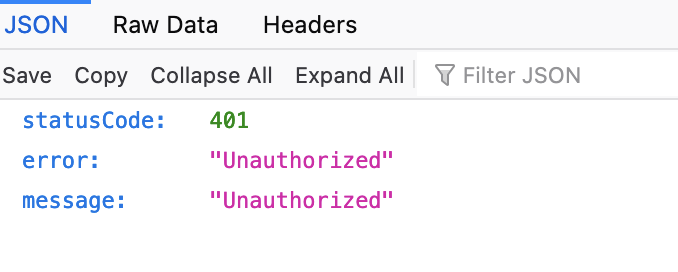
curl output

Host/Environment (please complete the following information):
- OS: [ NAME="CentOS Linux"
VERSION="7 (Core)"
ID="centos"
ID_LIKE="rhel fedora"
VERSION_ID="7"
PRETTY_NAME="CentOS Linux 7 (Core)"
ANSI_COLOR="0;31"
CPE_NAME="cpe:/o:centos:centos:7"
HOME_URL="https://www.centos.org/"
BUG_REPORT_URL="https://bugs.centos.org/"
CENTOS_MANTISBT_PROJECT="CentOS-7"
CENTOS_MANTISBT_PROJECT_VERSION="7"
REDHAT_SUPPORT_PRODUCT="centos"
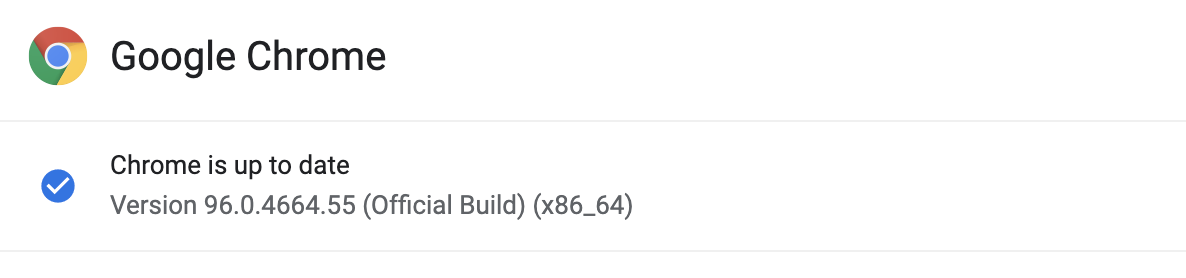
REDHAT_SUPPORT_PRODUCT_VERSION="7" ] - Browser and version [

]
Additional context
its working with opensearch. Means if do curl against opensearch and set header Bearer token its working. Not only that if i do curl to opensearch-dashboard using bearer token in header i am getting success response. below is the screenshot

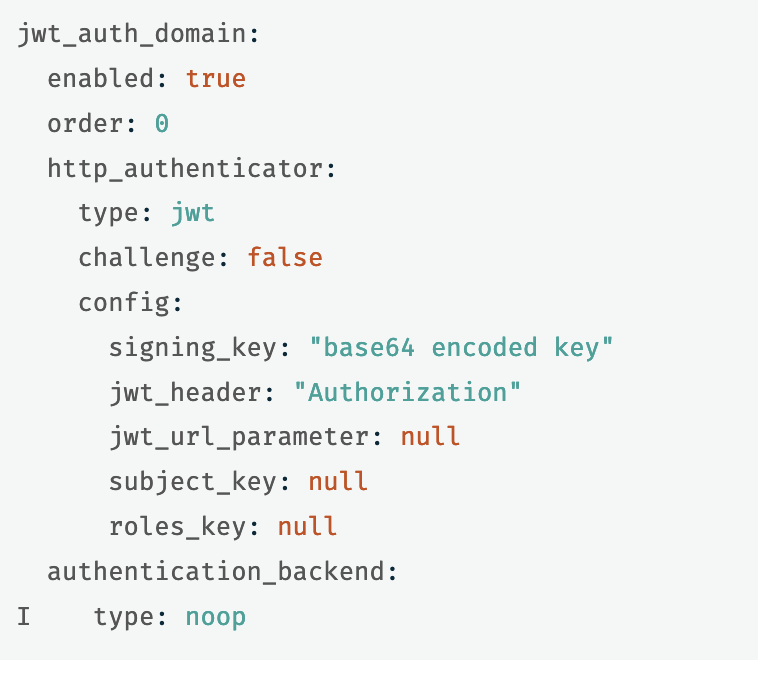
and also documentation is not upt to date for configuring jwt. if you specify enabled: true on configuration its not working and throwing error saying invalid value
https://opensearch.org/docs/latest/security-plugin/configuration/configuration/#json-web-token