Theme
Theme configurations consist of two parts: menu and customize:

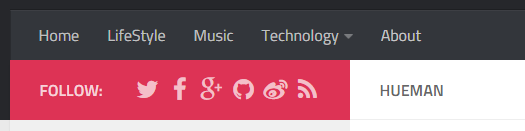
Menus give you direct access to the archive, categories, custom pages, etc. You can create a menu simply by adding menu name and link address to the menu configuration section:
menu:
    Home: /hexo-theme-hueman/
    About: /hexo-theme-hueman/about/index.html
+   GitHub: https://github.com
You can use both absolute addresses and relative addresses.
Hueman provide an easy way to add categories to your menu. Just add Categories: and category menus with sub-category support will show in the menu.
menu:
    Home: /hexo-theme-hueman/
+   Categories:
    About: /hexo-theme-hueman/about/index.html
Customize configurations control the general appearance of your theme.
You can replace the default logo with custom images. The width and height options define the size of the logo(in pixels), and url is the logo image file address.
logo:
    width: 165
    height: 60
    url: images/logo-header.png
Don't add units to
widthandheight, these options only support pure numbers.
This option affects the link color and social links area background color. Hex color values and RGB color values are accepted.
theme_color: '#d35'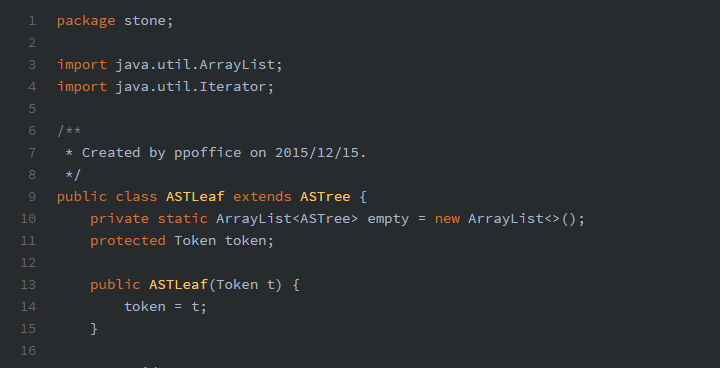
Hueman supports more than 60 code highlight themes imported from Highlight.js. You can go to hueman/source/css/_highlight folder to see available options.
- highlight: androidstudio
+ highlight: tomorrowChange position of the sidebar. Available options are left and right.
sidebar: leftWhether to enable thumbnail feature for each post. Available options are true and false.
thumbnail: trueHueman will automatically choose the first image in your post as its thumbnail. You can also set your own thumbnail image by adding thumbnail in your post's front-matter:
title: Hello World
date: 2013/7/13 20:46:25
+ thumbnail: https://example.com/image.jpg
---Add a favicon for your site.
favicon: favicon.png
e.g: if you put you images(favicon.png) in source/css/images, you've to use "css/image/favicon.png" as path.
Show social links at the top of your sidebar. Add link name and link address in the social_links configuration and an FontAwesome icon will be picked for you. Available social link options are listed here.
social_links:
    github: https://github.com/ppoffice/hexo-theme-hueman
+   youtube: https://youtube.com
Social links with empty link addresses will be omitted, so make sure you don't leave the addresses empty.