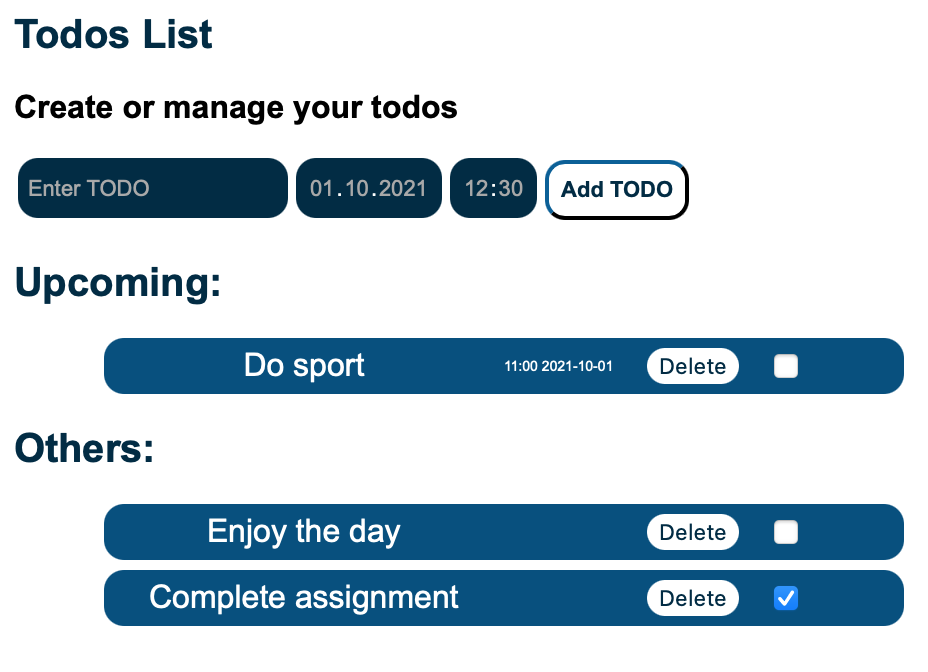
Todo List created using React library
- User can add a Todo using the text field and pressing ,,Add” button. However, the user is not able to add empty Todo.
- The text field is cleared once the Todo is created
- Created Todo is shown up at the top of the list
- User can see all added Todos
- Using the checkbox the status of Todo is change either to completed or to not yet finished.
- Once the ,,Remove” is clicked the specific Todo is removed
- User can set a date and time during creating a Todo. If a date and time is selected Todo is listed under the ,,Upcoming” headline