[HorizontalListView] Can't set padding correctly #64

Description

- OS: Android
- Device: Huawei P20 Lite
- Sdk vervion: Android SDK 27
- Xamarin.Forms: 3.6.0.344447
I have a weird problem with HorizontalListview. It seems that it has a padding between HorizontalListView and the ViewCell inside.
I am using this code :
    <Grid RowSpacing="0">
        <Grid.RowDefinitions>
            <RowDefinition Height="100" />
            <RowDefinition Height="*" />
            <RowDefinition Height="100" />
        </Grid.RowDefinitions>

        <StackLayout
            Grid.Row="0"
            BackgroundColor="Red"
            HorizontalOptions="FillAndExpand"
            VerticalOptions="FillAndExpand" />

        <renderedViews:HorizontalListView
            x:Name="FruitList"
            Grid.Row="1"
            BackgroundColor="Green"
            CollectionPadding="0"
            ColumnCount="1"
            HorizontalOptions="FillAndExpand"
            ItemSpacing="0"
            ListLayout="Linear"
            ScrollSpeed="Slowest"
            SnapStyle="Center"
            VerticalOptions="FillAndExpand">
            <renderedViews:HorizontalListView.ItemTemplate>
                <DataTemplate>
                    <ViewCell>
                        <Label
                            Grid.Row="0"
                            BackgroundColor="Blue"
                            HorizontalOptions="FillAndExpand"
                            HorizontalTextAlignment="Center"
                            Text="{Binding .}"
                            VerticalOptions="FillAndExpand"
                            VerticalTextAlignment="Center" />
                    </ViewCell>
                </DataTemplate>
            </renderedViews:HorizontalListView.ItemTemplate>
        </renderedViews:HorizontalListView>

        <StackLayout
            Grid.Row="2"
            BackgroundColor="Red"
            HorizontalOptions="FillAndExpand"
            VerticalOptions="FillAndExpand" />

    </Grid>
And the result is this :
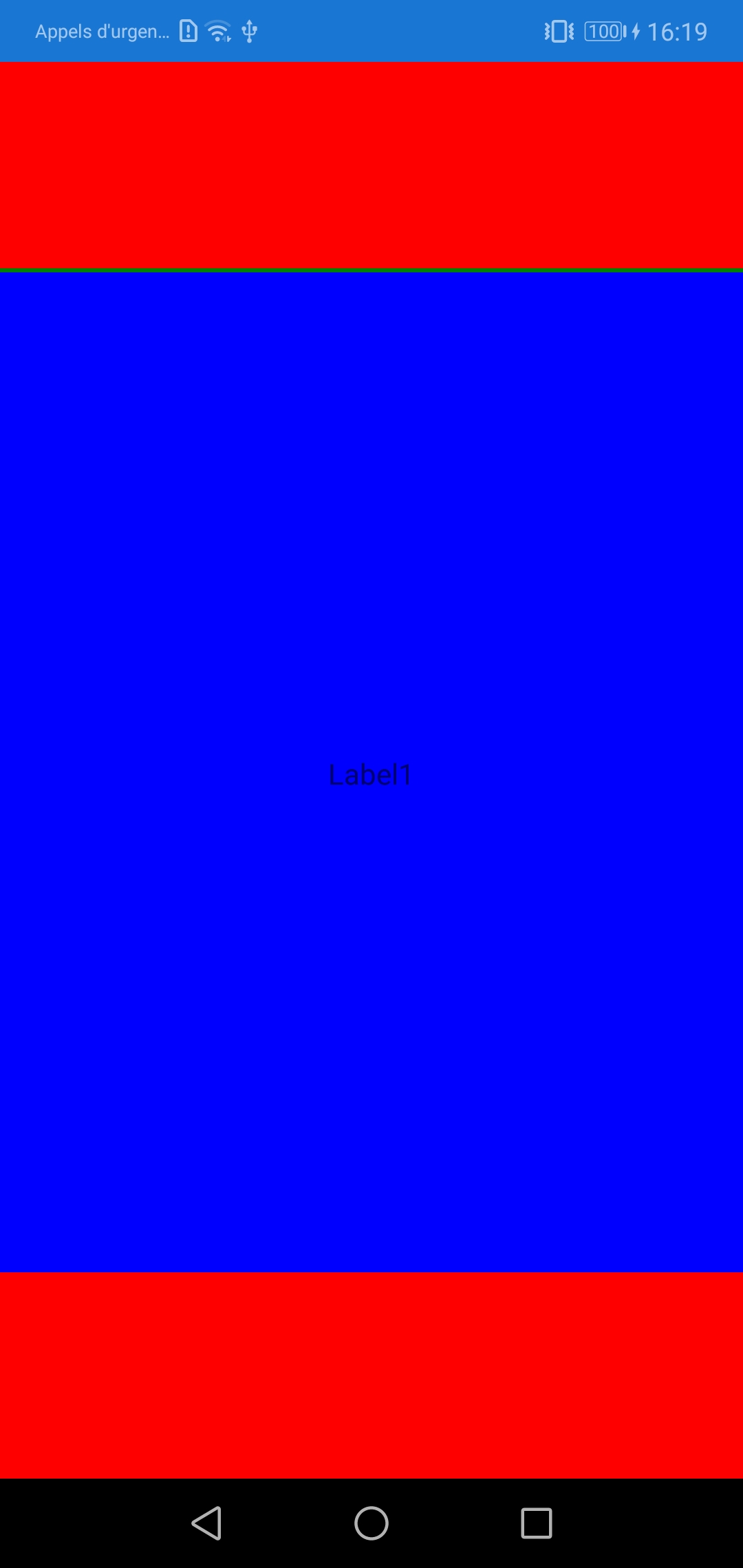
I don't understand why the backgroundcolor of the Label (blue) doesn't cover all the HorizontalListView (green).
If someone have a solution...
Thanks