Q&A (please complete the following information)
- OS: Windows 10
- Browser: Firefox Mozilla
- Version: 83.0 (also the version before this)
- Method of installation: npm swagger-ui-dist
- Swagger-UI version: 3.36.2
Describe the bug you're encountering
For embedded swagger-ui in html using SwaggerUIBundle:
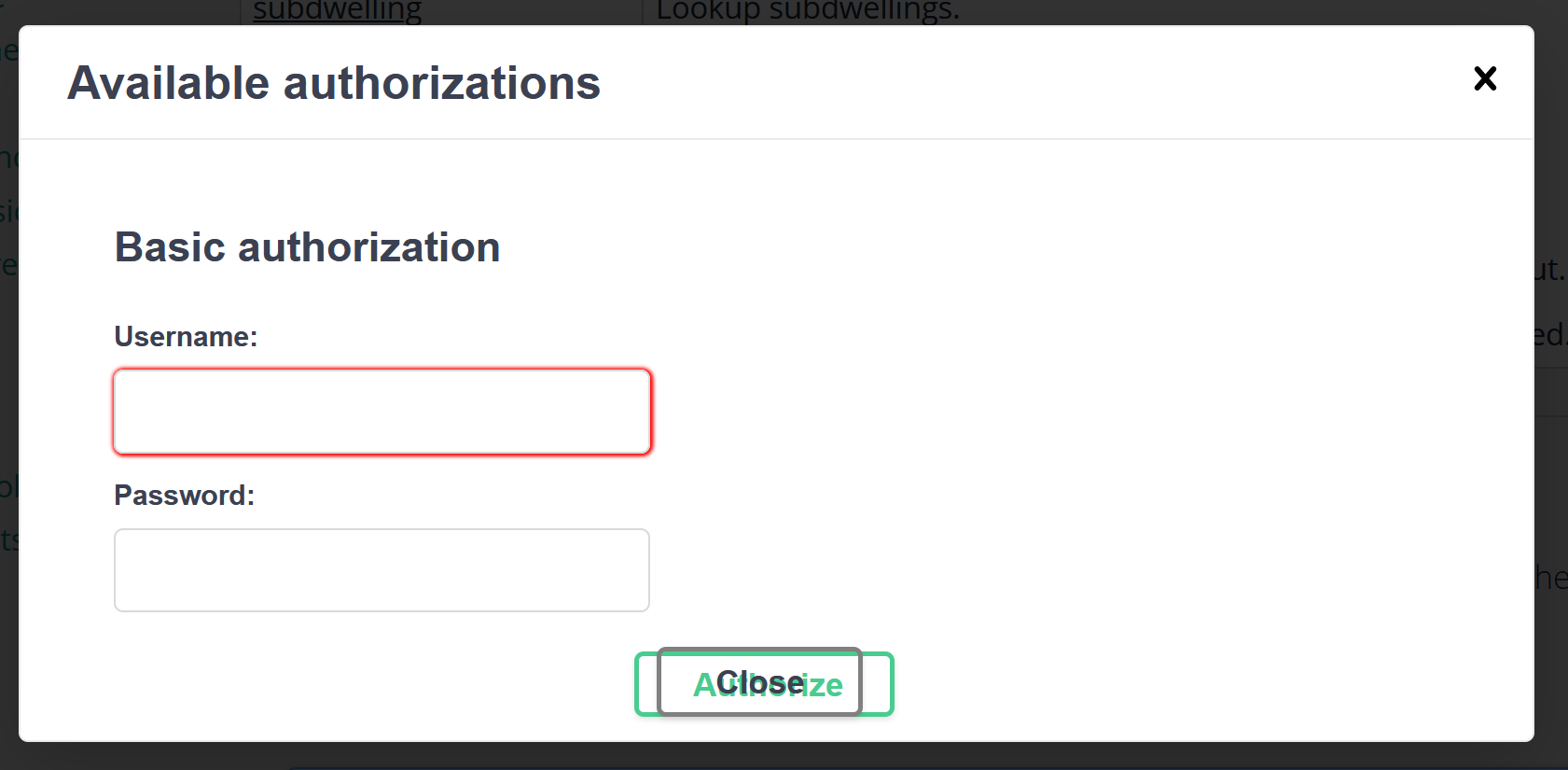
In Firefox, the buttons on the Authorize pop-up window are overlapped:
They are OK in Chrome:

Also OK in Firefox (same version) but in the actual swagger-ui.html using maven springfox-swagger2 v2.9.2:

I am not sure if this issue always happen in Firefox or since certain version of Firefox. But I've tested this in the latest Firefox 83.0 and the version before this.
To reproduce...
Steps to reproduce the behavior:
- Add SwaggerUIBundle in html
- Open the html page in Firefox
- Click on 'Authorize' button
- See the 2 buttons are overlapped
Expected behavior
The buttons in Firefox should be rendered correctly like in Chrome, not overlapped.

Q&A (please complete the following information)
Describe the bug you're encountering
For embedded swagger-ui in html using SwaggerUIBundle:

In Firefox, the buttons on the Authorize pop-up window are overlapped:
They are OK in Chrome:

Also OK in Firefox (same version) but in the actual swagger-ui.html using maven springfox-swagger2 v2.9.2:

I am not sure if this issue always happen in Firefox or since certain version of Firefox. But I've tested this in the latest Firefox 83.0 and the version before this.
To reproduce...
Steps to reproduce the behavior:
Expected behavior
The buttons in Firefox should be rendered correctly like in Chrome, not overlapped.