fix(app-nav-bar): use grid maxWidth#4997
Conversation


|
This pull request is automatically built and testable in CodeSandbox. To see build info of the built libraries, click here or the icon next to each commit SHA. Latest deployment of this branch, based on commit bd546fd:
|

Deploying with
|

| Latest commit: |
bd546fd
|
| Status: | ✅ Deploy successful! |
| Preview URL: | https://d5ceba9c.baseweb.pages.dev |
| Branch Preview URL: | https://app-nav-bar-grid-width.baseweb.pages.dev |


|
Visual changes were detected on this branch. Please review the following PR containing updated snapshots: #4998 |

|
It looks like there is still an issue. The previous implementation (using ) also accounted for responsive margins. This update is placing the nav bar flush against the window sides when the window width is smaller than max-width. It is hard to notice because the maxWidth is too close to the large breakpoint. If one increases the max-width it is more apparent:
However, margins should still be maintained even for smaller breakpoints. |

|
Visual changes were detected on this branch. Please review the following PR containing updated snapshots: #4998 |


|
Visual changes were detected on this branch. Please review the following PR containing updated snapshots: #5003 |

|
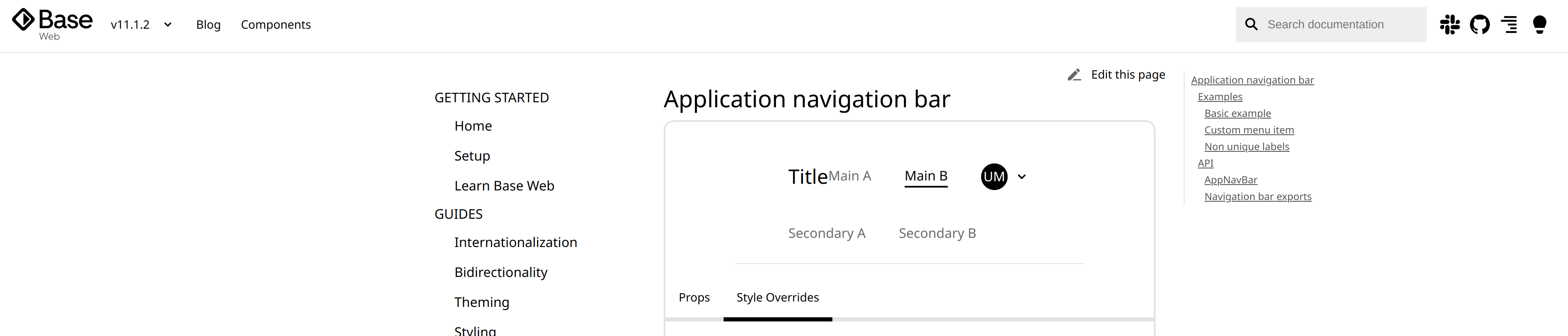
Still some issues here.
|
|
The styling of the Primary and Secondary menu containers are not symmetric. Its not possible currently to change for example the background and font colors of the Primary (say to blue and white) and have the the Secondary say white and black. |
|
The tweaks made to this component has significantly broken our code to the extent that we had to replace the components completely. It isn't possible to just change the styling. |
|
Breakages observed since 11.0.0:
Previously:
|


5 participants


Description
I mistakenly used the large breakpoint value as the app-nav-bar content maxWidth. It was previously set to grid maxWidth and this PR restores that
Scope
Patch: Bug Fix