I have the following ComboBox in XAML:
<ComboBox Grid.Row="1" Grid.Column="1" x:Name="Data" Width="175" Foreground="White" Cursor="Hand" SelectedItem="{Binding Path=SelectedData, Mode=TwoWay}" DisplayMemberPath="Tag" materialDesign:HintAssist.Hint="Seleccionar Celda" Margin="0 0 0 0">
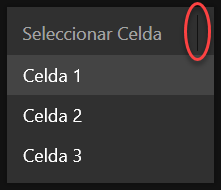
How to remove the background line that it's showing inside the red loop?

I have the following ComboBox in XAML:
How to remove the background line that it's showing inside the red loop?